1
Overview
5
Understanding the Lights (LEDs)
Zone LEDs
If off, the zone is normal.
If on, a sensor in the zone detects a
problem. (The zone is said to be faulted.)
If blinking fast, a sensor in the zone is
signaling an alarm, or the zone's sensor
has been tampered with.
If blinking slowly, the zone is bypassed.
If blinking unevenly, a sensor in the zone
may need service. (This is called a
trouble zone.)
Power LED
If on, the system's power
supply is normal.
If off, the keypad is drawing
power from the battery.
If blinking slowly, the battery
is low (call for service).
Service LED
If on, a system
component is
malfunctioning and
may need service.
If off, all system
components are
normal.
Arm LED
If on, the system is armed.
If off, the system is disarmed.
If blinking fast, the system is
about to arm; leave the building.
If blinking slowly, you have time to
cancel an alarm, before it
sounds.
If blinking unevenly, system is
armed with instant arming.
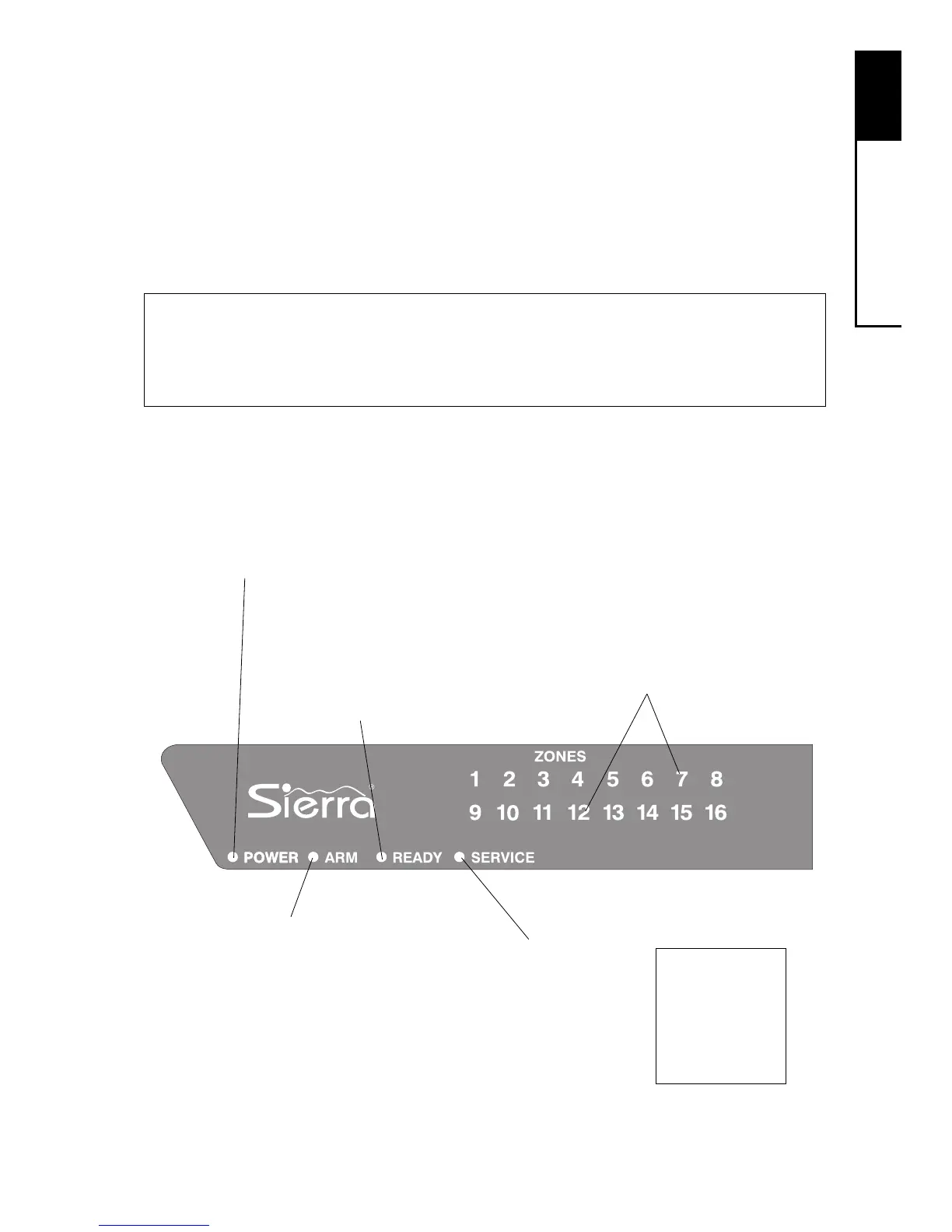
Your keypad has a number of LEDs that summarize the status of
your security system. Each LED can convey several different mes-
sages by being on, off, or blinking. The illustration shows what
messages the lights communicate.
LED Blink Rates
Slow: light blinks twice every three seconds
Fast: light blinks three times every two seconds
Uneven: light blinks for three seconds, then pauses for two seconds
Ready LED
If on, the system can
be armed.
If off, a problem exists
which may prevent
arming.
If all of the
LEDs are
blinking,
enter your
user code.



 To Next Page