© 2002 Cannondale Corporation - All Rights Reserved
26
Motorcycle Fluids.fm
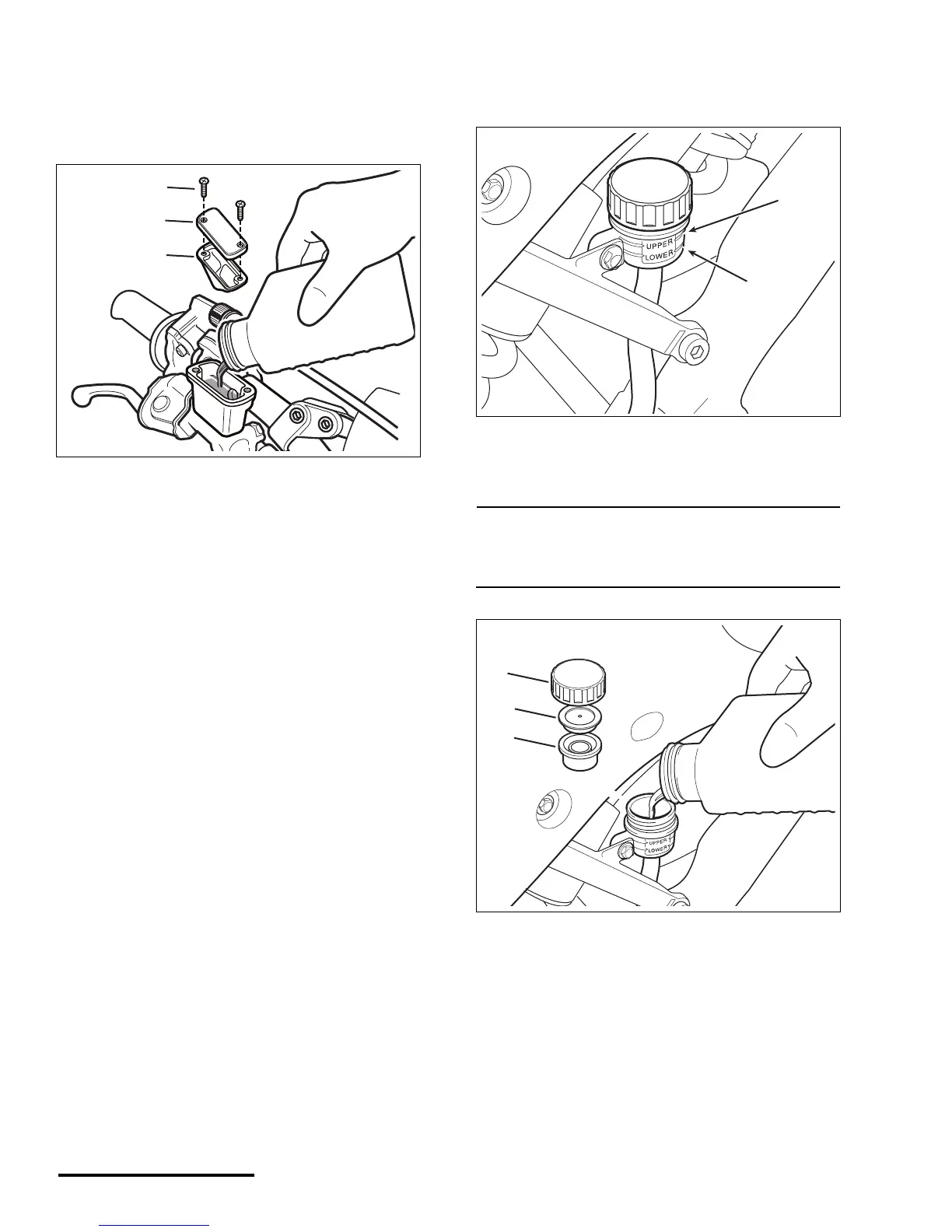
4. Pour DOT#4 brake fluid from a sealed
container until the fluid level rises to the top of
the site window and no higher. If you fill above
the window the fluid will overflow when the
diaphragm and cover are re-installed.
5. Reinstall the front brake master cylinder
diaphragm and cover. Tighten front master
cylinder cover screws to the specified torque.
TORQUE : Front brake master cylinder
cover screws
1.4 lbf•ft (1.9 N•m)
REAR BRAKE
1. To check the rear system, level the rear brake
master cylinder reservoir. The fluid level should
be above the ‘LOWER’ mark.
2. If the fluid level is below the ‘UPPER’ mark,
remove the cap and add the specified brake
fluid until it reaches the ‘UPPER’ mark.
NOTE :
Do not fill the brake master cylinder above the
‘UPPER’ mark or the fluid will overflow when the
diaphragm is installed.
3. Install reservoir diaphragm, diaphragm plate
and cap.
1. Front brake master cylinder cover screws
2. Front brake master cylinder cover
3. Diaphragm
(1)
(2)
(3)
DOT 4
1. ‘LOWER’ mark
2. ‘UPPER’ mark
1. Reservoir cap
2. Diaphragm plate
3. Diaphragm
(2)
(1)
DOT 4
(1)
(2)
(3)


 To Next Page