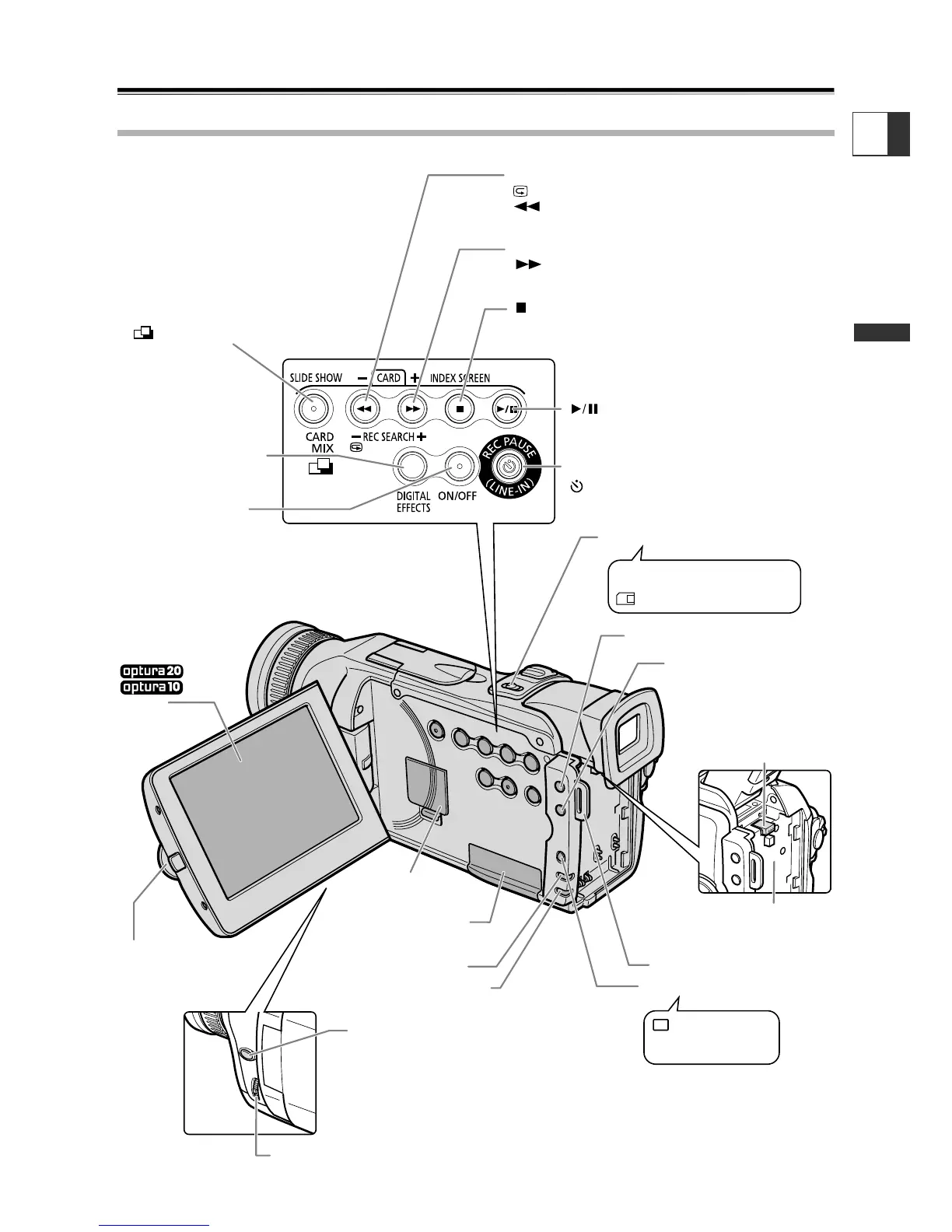
Program selector (p. 55)
POWER indicator
Card access indicator
(p. 105)
TAPE/CARD switch (p. 8)
EXP button (p. 78)
REC SEARCH + button (p. 35) /
(fast forward) button (p. 37) /
CARD
+ button (p. 115)
REC SEARCH – button (p. 35) /
(record review) button (p. 35) /
(rewind) button (p. 37) /
CARD
– button (p. 115)
CARD MIX button (p. 128) /
SLIDE SHOW button (p. 116)/
(stitch assist) button (p. 111)
DIGITAL EFFECTS
button (p. 59)
LCD panel
OPEN button (p. 32)
Backup battery
compartment (p. 19)
Memory card slot
(p. 101)
Strap mount (p. 21)
Q
Program AE
Easy recording
Battery attachment unit
(p. 16) / Serial number
BATT. (battery release)
button (p. 16)
FOCUS (∞) button
(p. 76)/
DATA CODE button
(p. 84)
REC PAUSE (LINE-IN) button (p. 90,91) /
(self-timer) button (p. 68)
(play/pause) button (p. 37)
Digital effects
ON/OFF button
(p. 59)
(stop) button (p. 37) /
INDEX SCREEN button (p. 116)
MENU button (p. 43)
Selector dial (p. 39, 43)
b
Using a memory card
Using a tape
LCD screen
3.5 inch
2.5 inch
(p. 32)


 To Next Page