20
Mastering
the Basics
E
Preparing the Camcorder
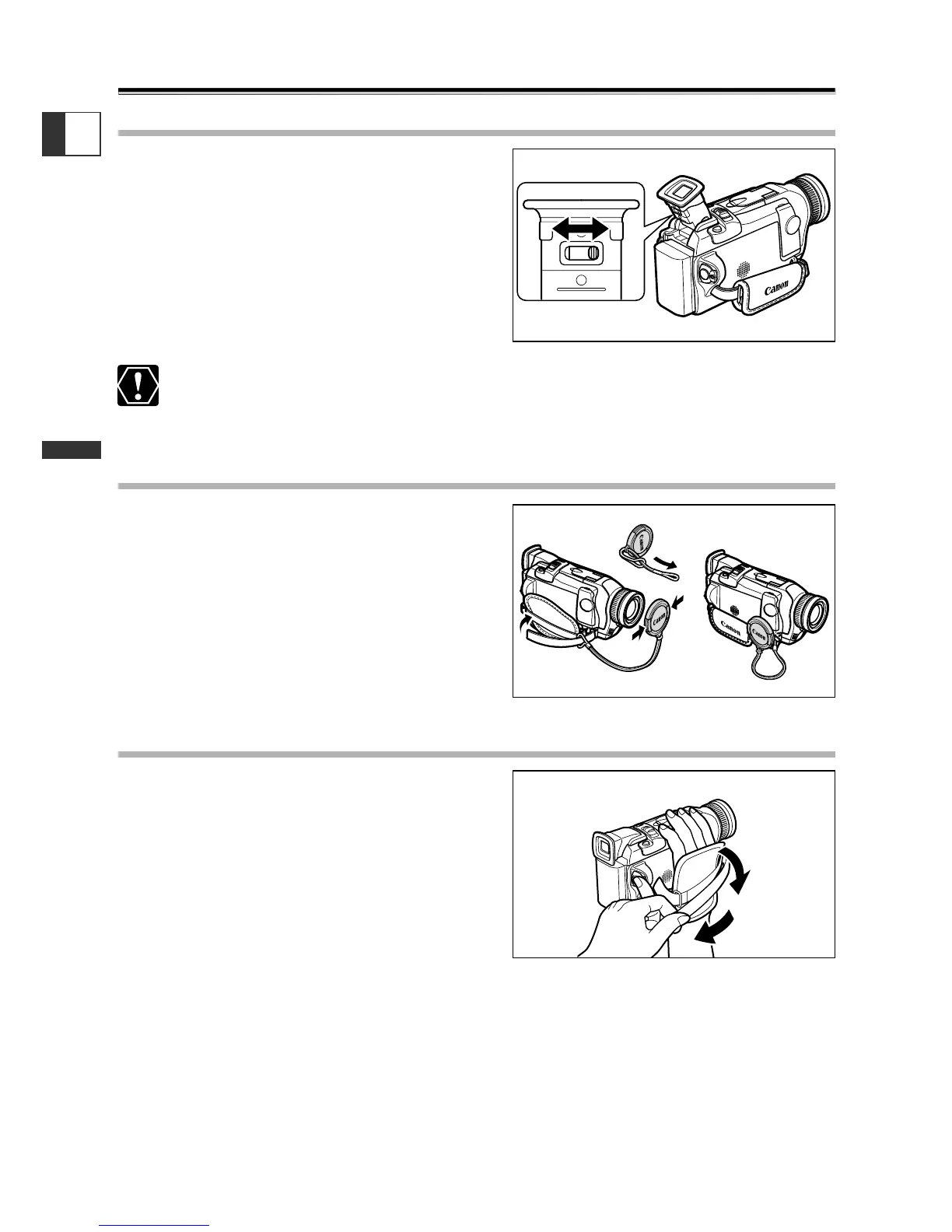
Adjusting the Viewfinder (Diopter Adjustment)
1. Turn on the camcorder and keep the
LCD panel closed to adjust the
viewfinder.
2. Adjust the diopter adjustment lever.
Do not leave the viewfinder exposed to direct sunlight as it may melt (due to
concentration of light by the lens). Adjust the angle of the viewfinder to prevent
sunlight from entering.
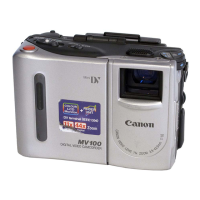
Attaching the Lens Cap
1. Attach the cord to the lens cap.
2. Pass the grip belt through the loop
on the cord.
Press the buttons on the lens cap when
attaching/removing it. Hook the lens cap on
the grip belt while you are recording, and
place it over the lens when you have finished.
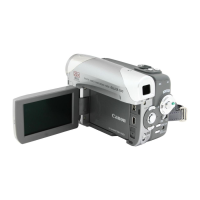
Fastening the Grip Belt
Hold the camcorder with your right
hand and adjust the belt with your left.
Adjust the grip belt so that you can reach the
zoom lever and photo button with your index
finger, and the start/stop button with your
thumb.


 To Next Page