8
Introduction
Conventions Used in This Manual
Operating Modes
Available functions depend upon the operating mode. It is indicated as follows:
: Function can be used in this mode.
: Function cannot be used in this mode.
Other Symbols and References
❍ : Reference page number.
❍ : Functions to be operated on the body of the camcorder.
❍ : Functions to be operated on the wireless controller.
❍ : Additional topics that complement the basic operating procedures.
❍ :Precautions related to the camcorder operation.
❍ Capital letters are used to refer to buttons on the camcorder or the wireless
controller.
❍ [ ] are used to refer to menu items displayed on the screen.
❍ “Screen” refers to the LCD and the viewfinder screen.
Operating Mode
Position of the
POWER Switch
Position of the
TAPE/CARD Switch
CAMERA CAMERA b (TAPE)
PLAY (VCR) PLAY (VCR) b (TAPE)
CARD CAMERA CAMERA (CARD)
CARD PLAY (VCR) PLAY (VCR) (CARD)
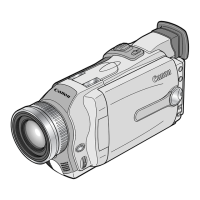
The serial number of this product can be found at the battery attachment unit of
the camcorder. Write down the number and other information here and retain this
book as a permanent record of your purchase to aid identification in case of theft.
Date of Purchase: Model Name: OPTURA20/OPTURA10
Purchased From: Serial No.:
Dealer Address:
Dealer Phone No.:


 To Next Page