113
Using a Memory Card
E
Recording Motion JPEG Movies on a Memory Card
You can record Motion JPEG movies with the camcorder, from a tape in the camcorder
( 114), or from devices connected via the AV terminal (analog line-in) or the DV
terminal ( 114).
❍ Do not turn off the camcorder, disconnect the power source or remove the
memory card while the card access display (<<< or >>>) in the upper right
corner of the screen or the card access indicator is flashing. Doing so could
result in data damage.
❍ When you are using a SD Memory Card, make sure that the protect switch is
set to allow recording.
❍ Do not load/unload a cassette during recording.
❍ Make sure to insert a memory card with enough remaining capacity.
❍ The sound of a movie recorded on a memory card will be monaural.
Recording with the Camcorder
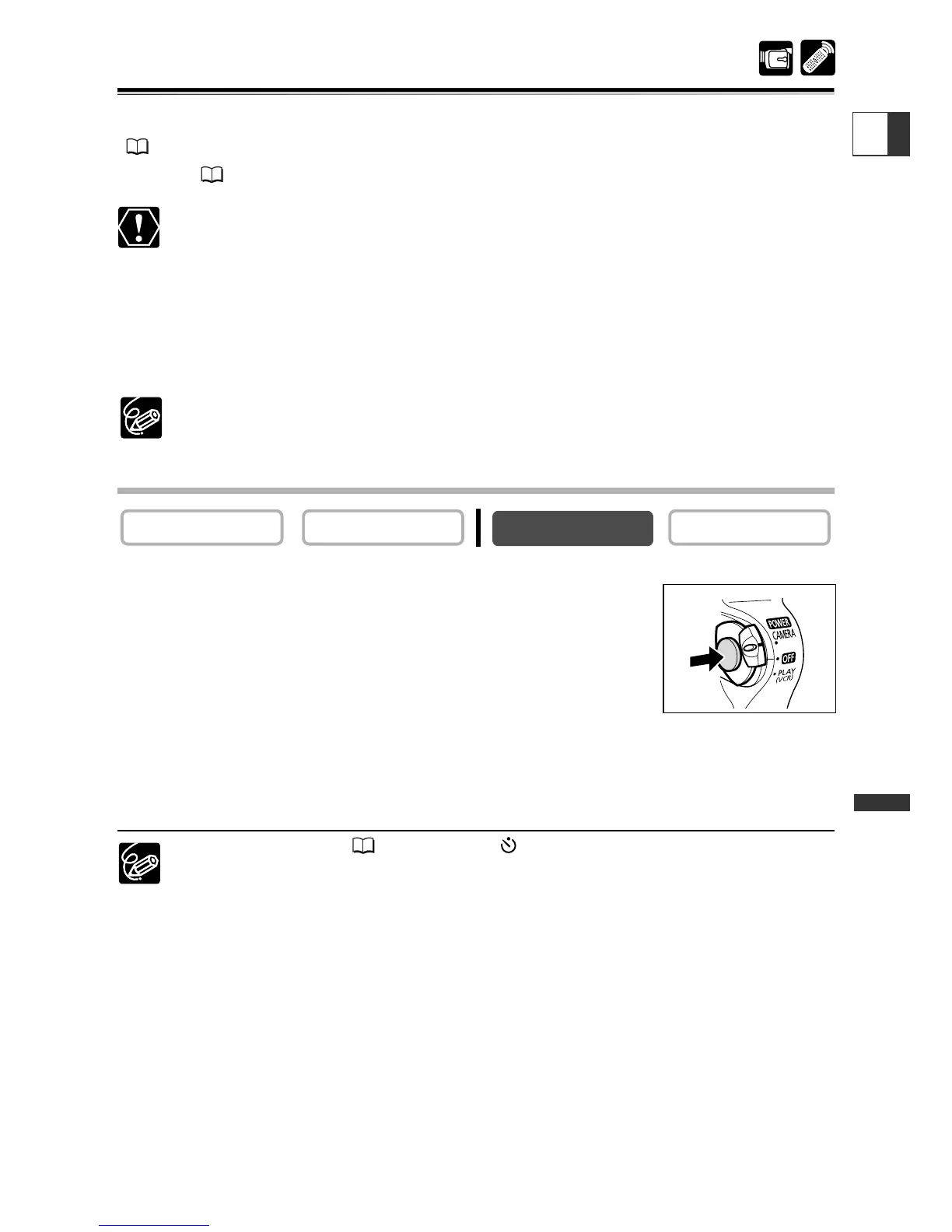
1. Set the camcorder to CARD CAMERA mode.
2. Press the start/stop button to begin recording.
You can record up to 10 seconds in 320 × 240 and up to 30
seconds in 160 × 120.
3. Press the start/stop button to stop recording.
The camcorder starts writing the movie on the memory card.
To use the self-timer ( 68), press the (self-timer) button before step 2 and
press the start/stop button.


 To Next Page