60
Using the Full Range
of Features
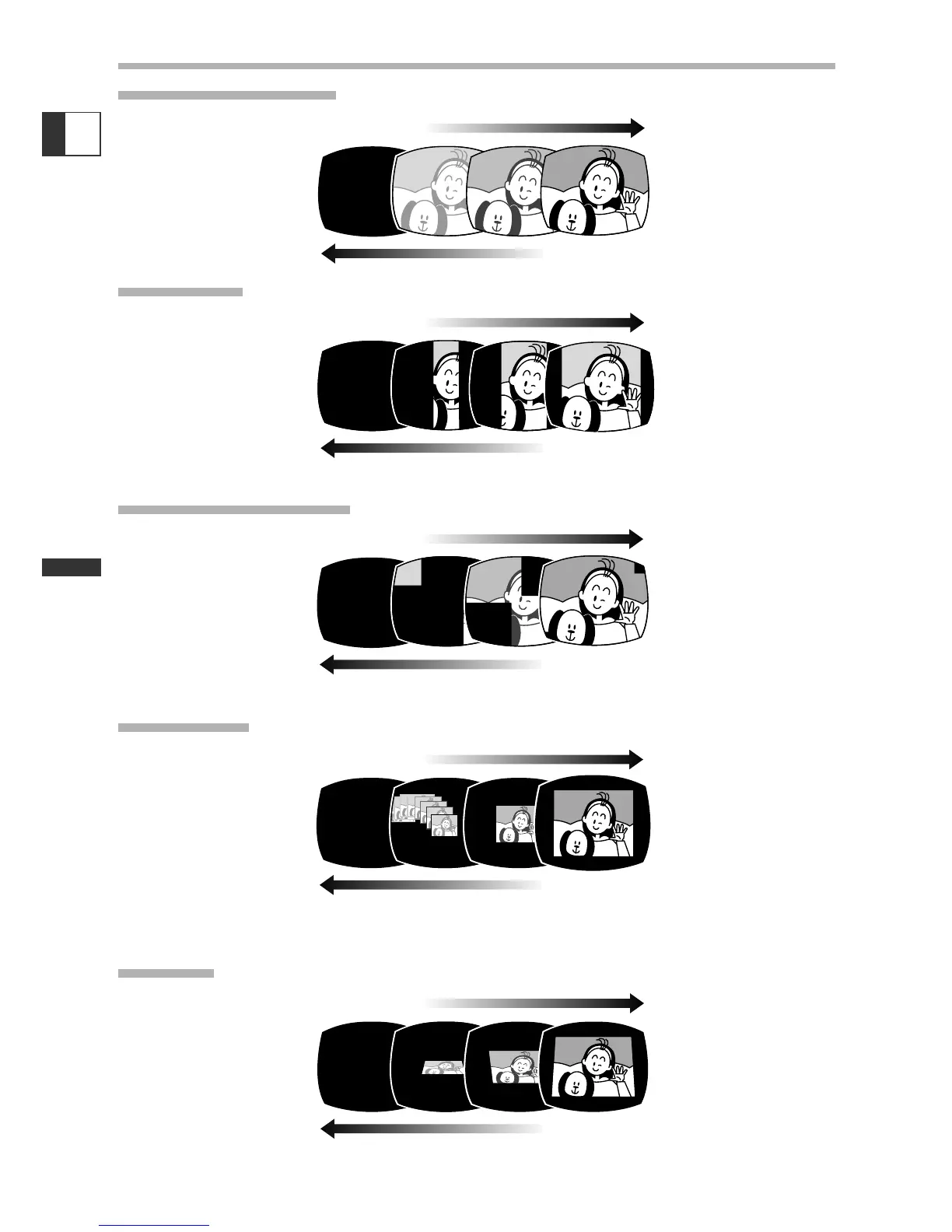
Faders
Fade Trigger (FADE-T)
Wipe (WIPE)
Corner Wipe (CORNER)
Jump (JUMP)
Flip (FLIP)
E
The image gradually fades in.
The image gradually fades out.
The image begins as a vertical
line in the center and
expands sideways until
it fills the whole screen.
The image is wiped off from the
sides of the screen.
The image appears from the
corners until it fills the
whole screen.
The image is wiped off from the
corners.
A small image appears from
the left, jumps into the
center and enlarges
until it fills the whole
screen.
The image shrinks, jumps from
the center to the left and
disappears.
The image flips into the screen.
The image flips out of the screen.


 To Next Page