(1)
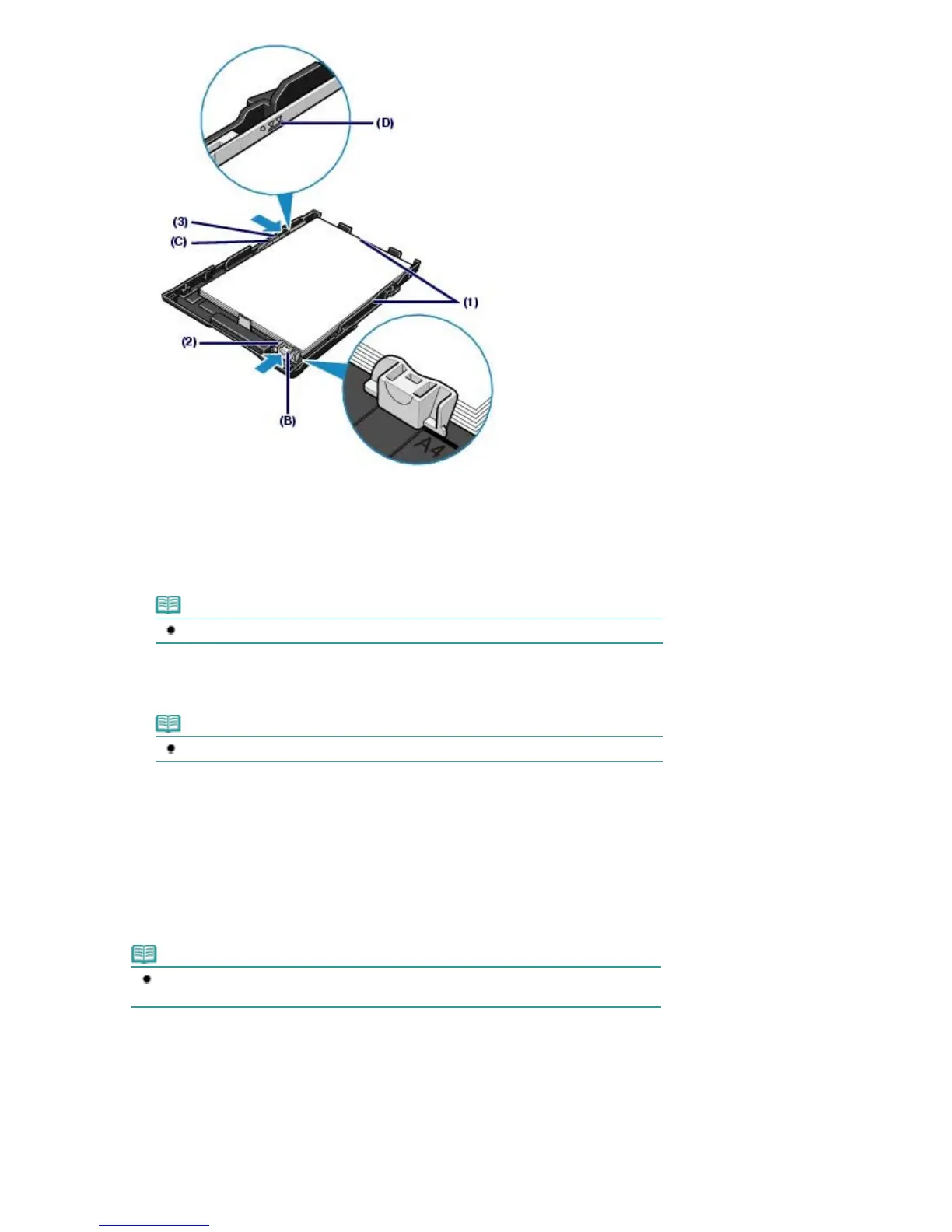
Load the paper stack WITH THE PRINT SIDE FACING DOWN and THE
LEADING EDGE TO THE FAR SIDE, and align it against the right side of the
Cassette.
(2)
Slide the Paper Guide (B) to align with the mark of paper size.
The Paper Guide (B) will stop when it aligns with the corresponding mark of paper size.
Note
There may be a little space between the Paper Guide (B) and the paper stack.
(3)
Slide the Paper Guide (C) on the left to align completely with the side of the
paper stack.
Note
Do not load higher than the Load Limit Mark (D).
6.
Set the Cover on the Cassette.
7.
Insert the Cassette into the printer.
Push the Cassette all the way into the printer.
Note
The Cassette will stick out of the printer, but do not force it into the printer any further.
This can damage the printer or Cassette.
Стр. 32 из 396 стр.Loading Paper













 To Next Page