If you accidentally switch the printer on while cleaning it, you could
injure yourself or damage the printer.
Maintaining
the printer
Do not attempt to disassemble or modify the printer.
There are
no user serviceable parts inside the printer.
The printer contains high-voltage components. Never attempt any
maintenance procedure not described in this guide.
Working
around the
printer
Do not use highly flammable sprays near the printer.
This could cause a fire or electric shock if the spray comes into contact
with electrical components inside the printer.
Caution
You may cause injury or damage the printer if you ignore any of these safety precautions.
Choosing a
location
Do not install the printer in a location that is unstable or
subject to excessive vibration.
Do not install the printer in locations that are very humid or
dusty, in direct sunlight, outdoors, or close to a heating
source.
To avoid the risk of fire or electric shocks, install the printer in
a location with an ambient temperature range of 5°C to 35°C
(41°F to 95°F) and humidity of 10% to 90% (condensation free).
Do not place the printer on a thick rug or carpet.
Do not place the printer with its back attached to the wall.
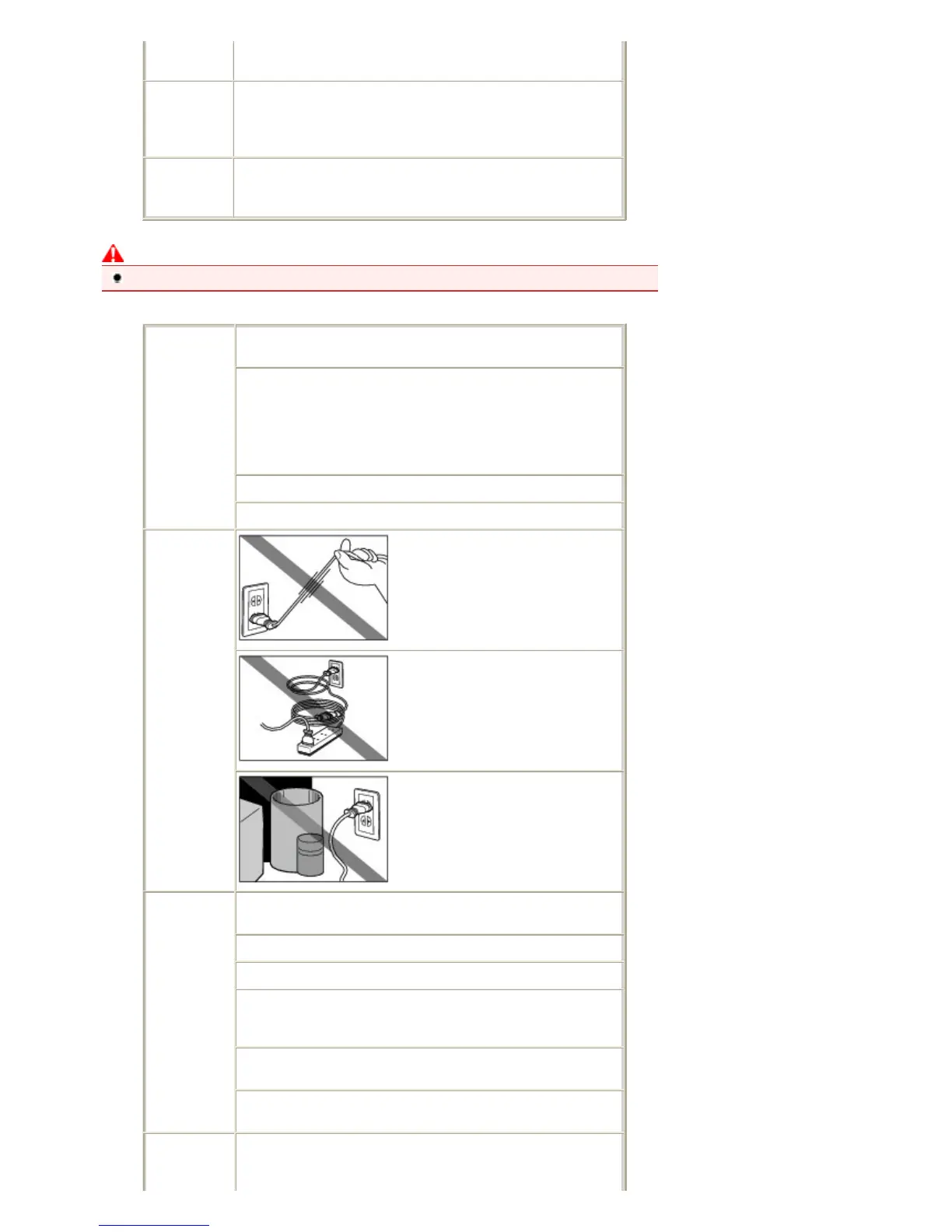
Power supply Never remove the plug by pulling on
the cord.
Do not use an extension lead/cord.
Ensure that the area around the
power outlet is kept clear at all times
so you can easily unplug the power
cord if necessary.
Working
around the
printer
Never put your hands or fingers in the printer while it is
printing.
When moving the printer, carry the printer at both ends.
Do not place any object on the printer.
Do not place metal objects (paper clips, staples, etc.) or
containers of flammable solvents (alcohol, thinners, etc.) on
top of the printer.
If any foreign object (metal or liquid) fall into the printer,
unplug the power cord and call for service.
Do not transport or use the printer on a slant, vertically or
upside-down, as the ink may leak and damage the printer.
Print Head
and ink tanks
Keep ink tanks out of the reach of children.
In case ink is accidentally licked or swallowed, rinse out mouth or give
one or two glasses of water to drink.
Стр. 71 из 396 стр.Safety Precautions













 To Next Page