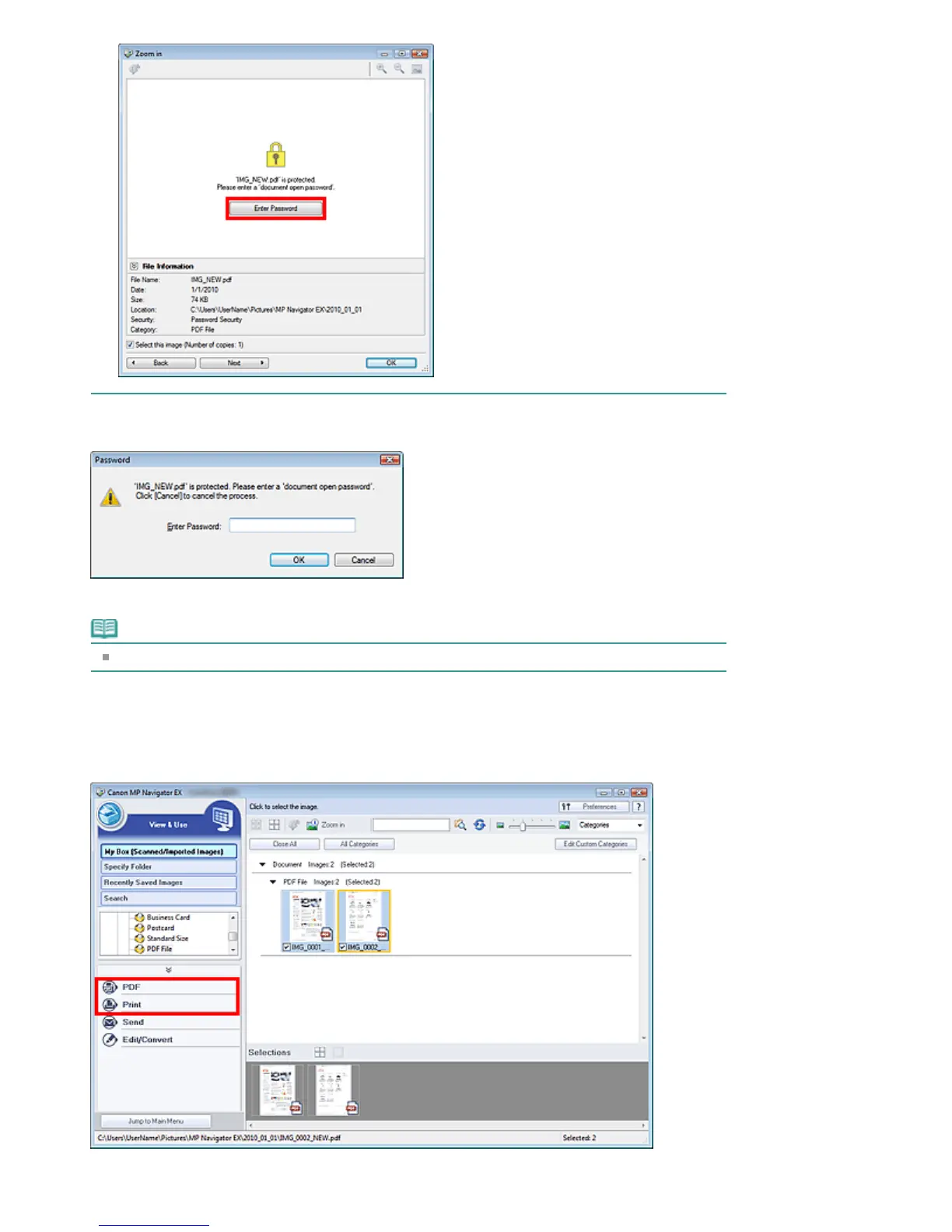
2.
The Password dialog box opens. Enter the password and click OK.
The PDF file opens in the Zoom in dialog box.
Note
To reopen the file after closing the Zoom in dialog box, re-enter the password.
Entering a Password (Permissions Password) to Edit or Print a File
1.
In the View & Use window, select PDF files and click PDF or Print.
Page 86 of 334 pagesOpening/Editing Password-protected PDF Files







 To Next Page