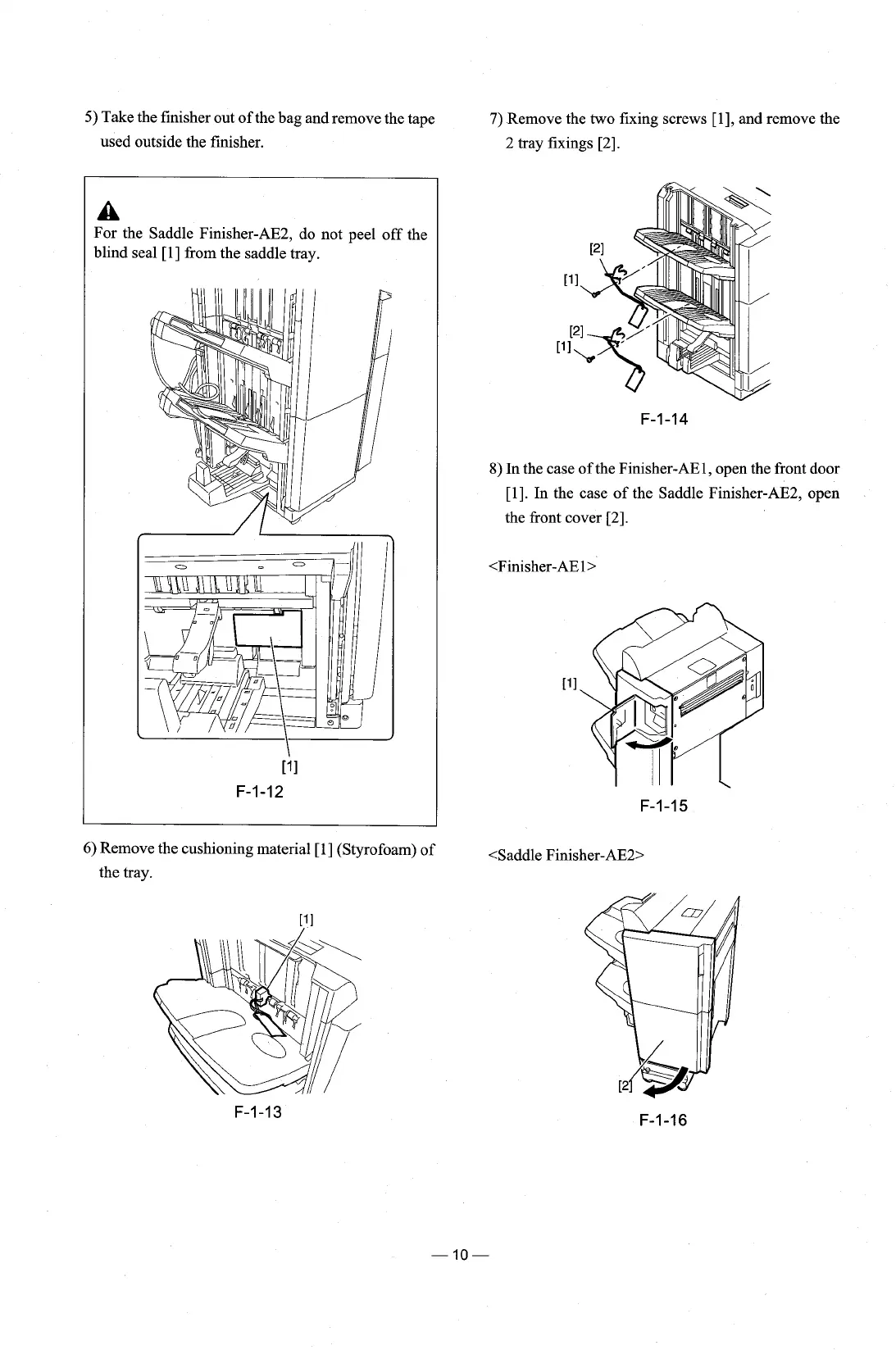
5)
Take the finisher out of the bag and remove the tape
7)
Remove the two fixing screws [I], and remove the
used outside the finisher.
2 tray fixings
[2].
A
For the Saddle Finisher-AE2, do not peel off the
blind seal
[I] from the saddle tray.
[?I
F-1-12
8)
In the case of the Finisher-AEl, open the front door
[I]. In the case of the Saddle Finisher-AE2, open
the front cover
[2].
6)
Remove the cushioning material [I] (Styrofoam) of
<Saddle
Finisher-AE2>
the tray.











 To Next Page