2.4
Attaching the Labels etc.
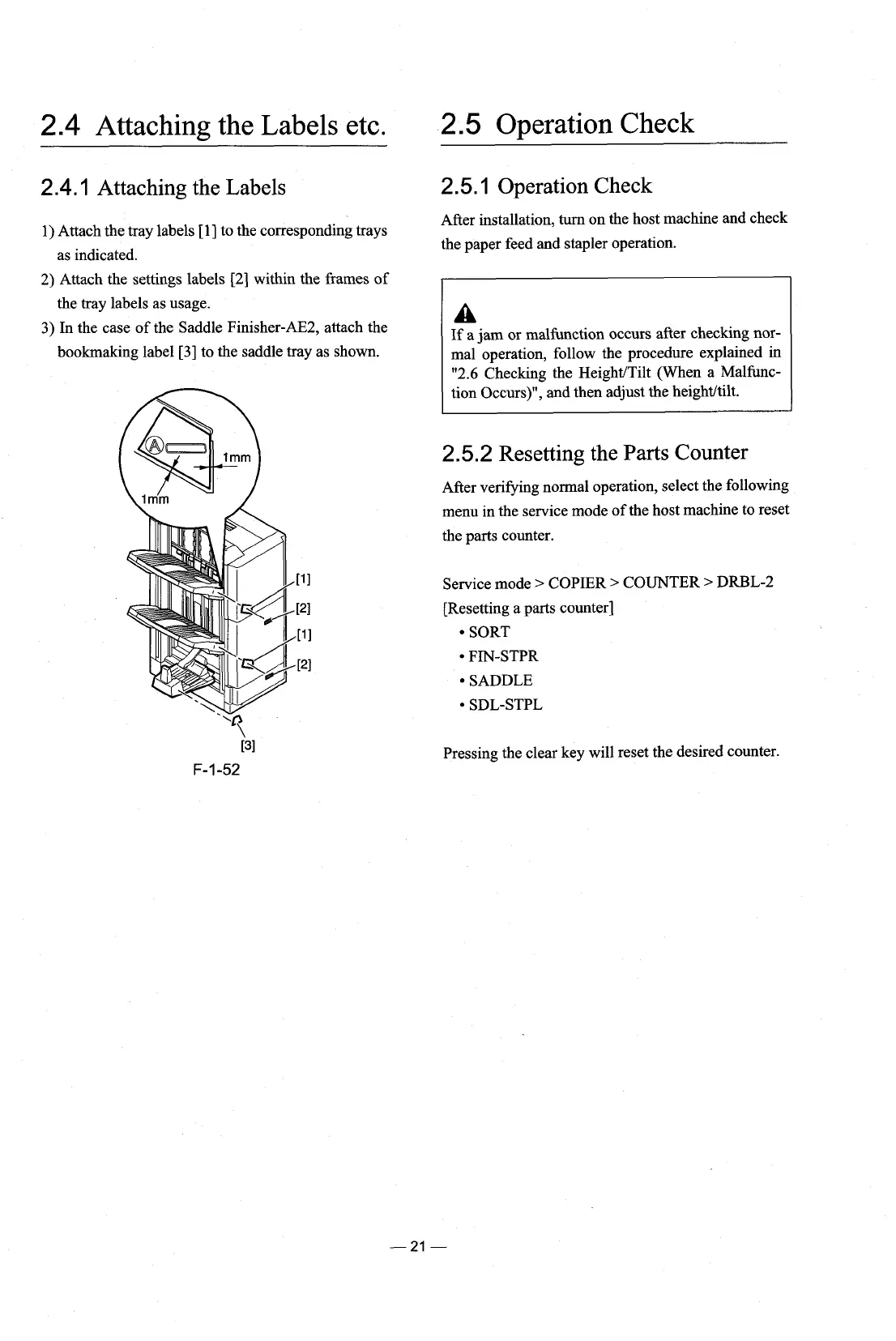
2.4.1 Attaching the Labels
1)
Attach the tray labels
[I]
to the corresponding trays
as indicated.
2) Attach the settings labels [2] within the frames of
the tray labels as usage.
3)
In the case of the Saddle Finisher-AE2, attach the
bookmaking label [3] to the saddle tray as shown.
2.5
Operation Check
2.5.1 Operation Check
After installation,
turn
on the host machine and check
the paper feed and stapler operation.
A
If
a jam or malfunction occurs after checking nor-
mal operation, follow the procedure explained in
"2.6 Checking the
HeighdTilt (When a Malhc-
tion Occurs)", and then adjust the heighthilt.
2.5.2 Resetting the Parts Counter
After
verifying
normal operation, select the following
menu in the service mode of the host machine to reset
the parts counter.
Service mode
>
COPIER
>
COUNTER
>
DRBL-2
[Resetting a parts counter]
SORT
FrN-STPR
SADDLE
SDL-STPL
Pressing the clear key will reset the desired counter.











 To Next Page