2.2
Making Adjustments
2.2.1
Adjusting the HeightITilt
A
If
the height or the tilt of the finisher and the host
machine is not as specified, go through the follow-
ing steps to make appropriate adjustments.
Be sure to adjust the height first, and then adjust the
tilt.
Preparing for Adjustment
<Finisher-AEl>
A
In the case of the Finisher-AE 1, you will need to re-
move its auxiliary caster and rear foot cover. Be
sure to remove the auxiliary caster with the finisher
and the host machine intact in order to prevent the
machine from tumbling over.
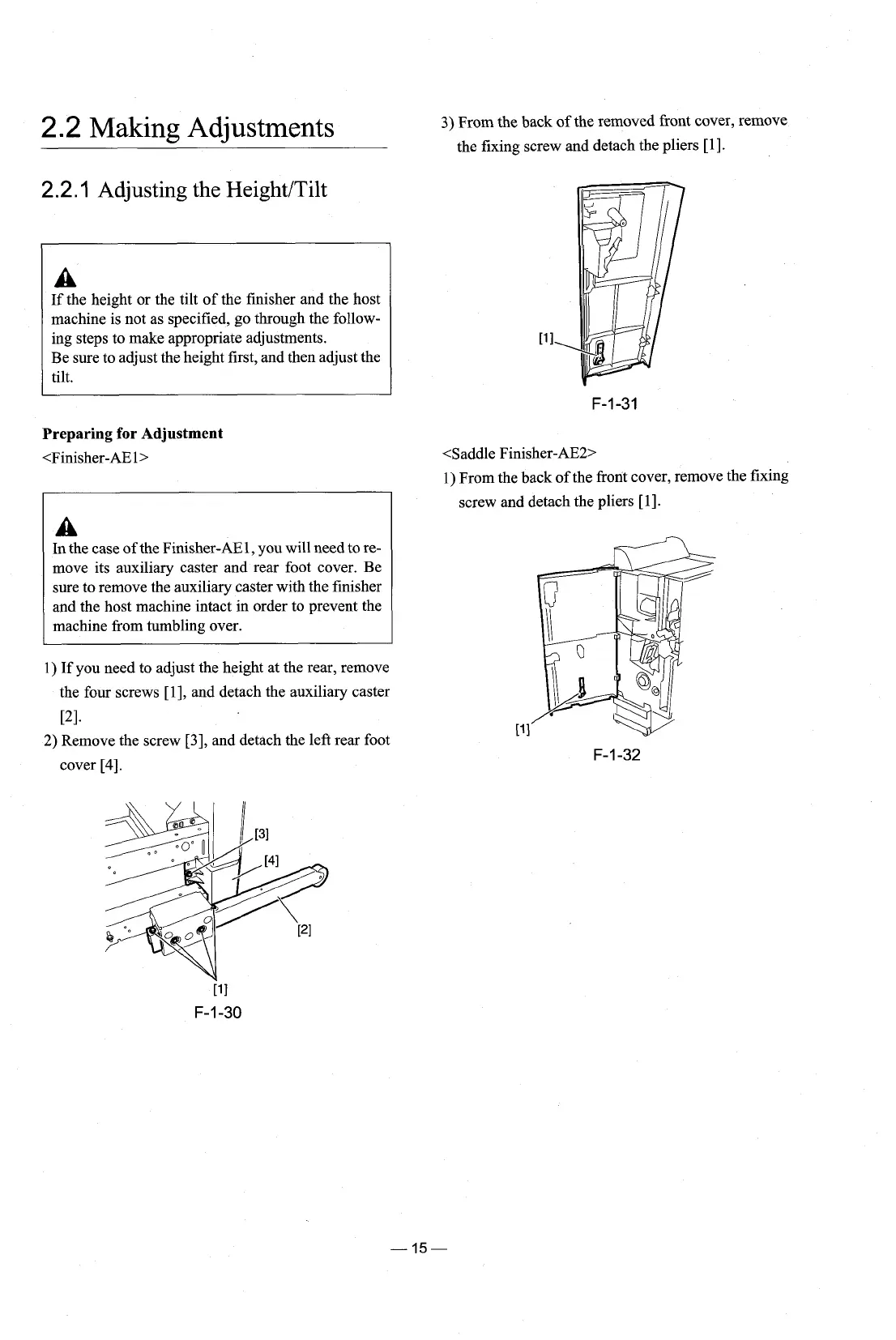
1)
If you need to adjust the height at the rear, remove
the four screws
[I], and detach the auxiliary caster
PI.
2)
Remove the screw
[3],
and detach the left rear foot
cover
[4].
3)
From the back
of
the removed front cover, remove
the fixing screw and detach the pliers
[I].
<Saddle Finisher-AE2>
1) From the back of the front cover, remove the fixing
screw and detach the pliers
[I].











 To Next Page