5)
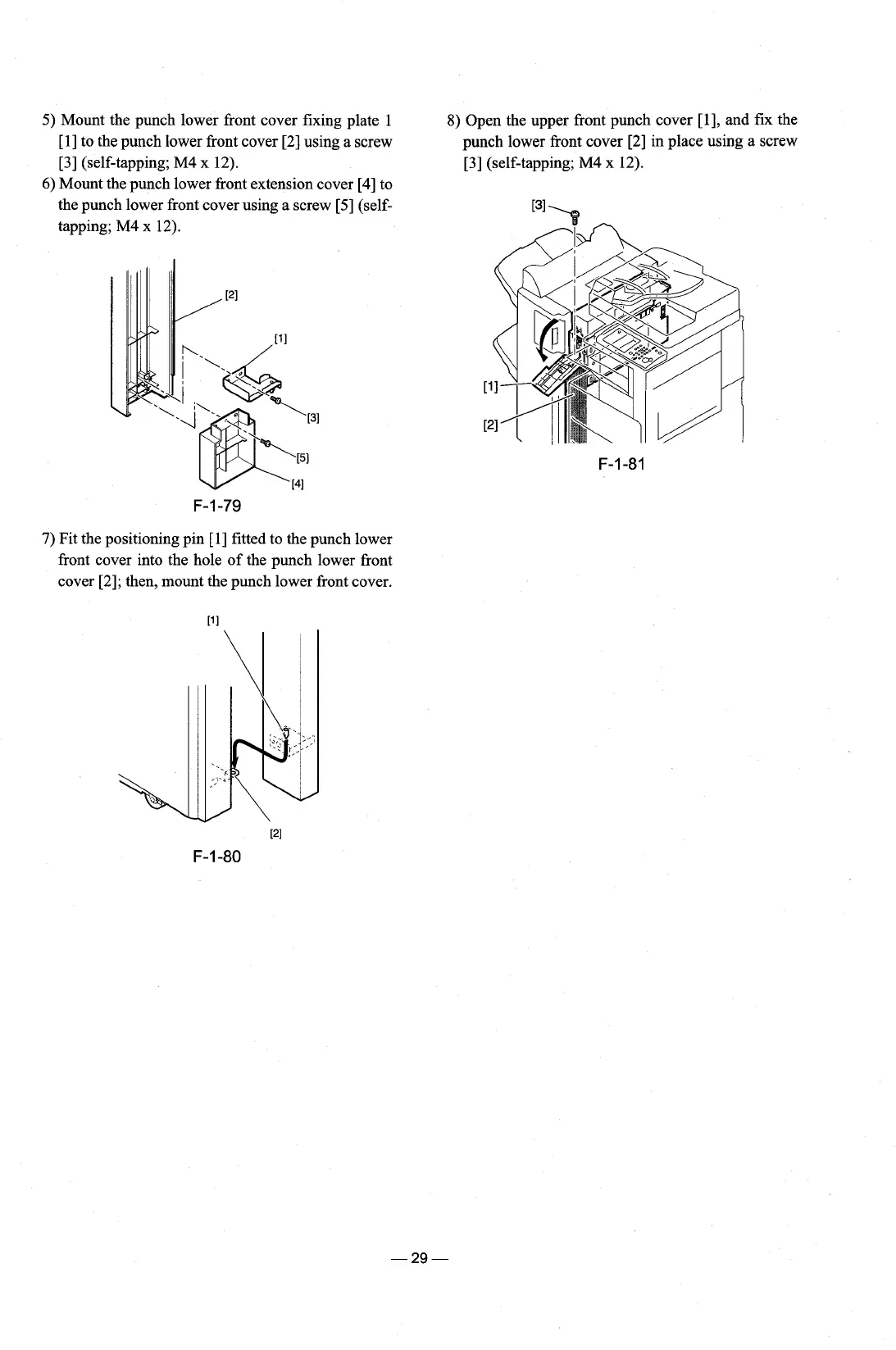
Mount the punch lower front cover fixing plate 1
8)
Open the upper front punch cover
[I],
and fix the
[l] to the punch lower front cover [2] using
a
screw punch lower front cover [2] in place using a screw
[3] (self-tapping; M4 x 12).
[3] (self-tapping; M4 x 12).
6)
Mount the punch lower front extension cover [4] to
the punch lower front cover using a screw [5]
(self-
tapping;
M4
x 12).
F-1-81
7)
Fit the positioning pin [I] fitted to the punch lower
front cover into the hole of the punch lower front
cover
[2]; then, mount the punch lower front cover.











 To Next Page