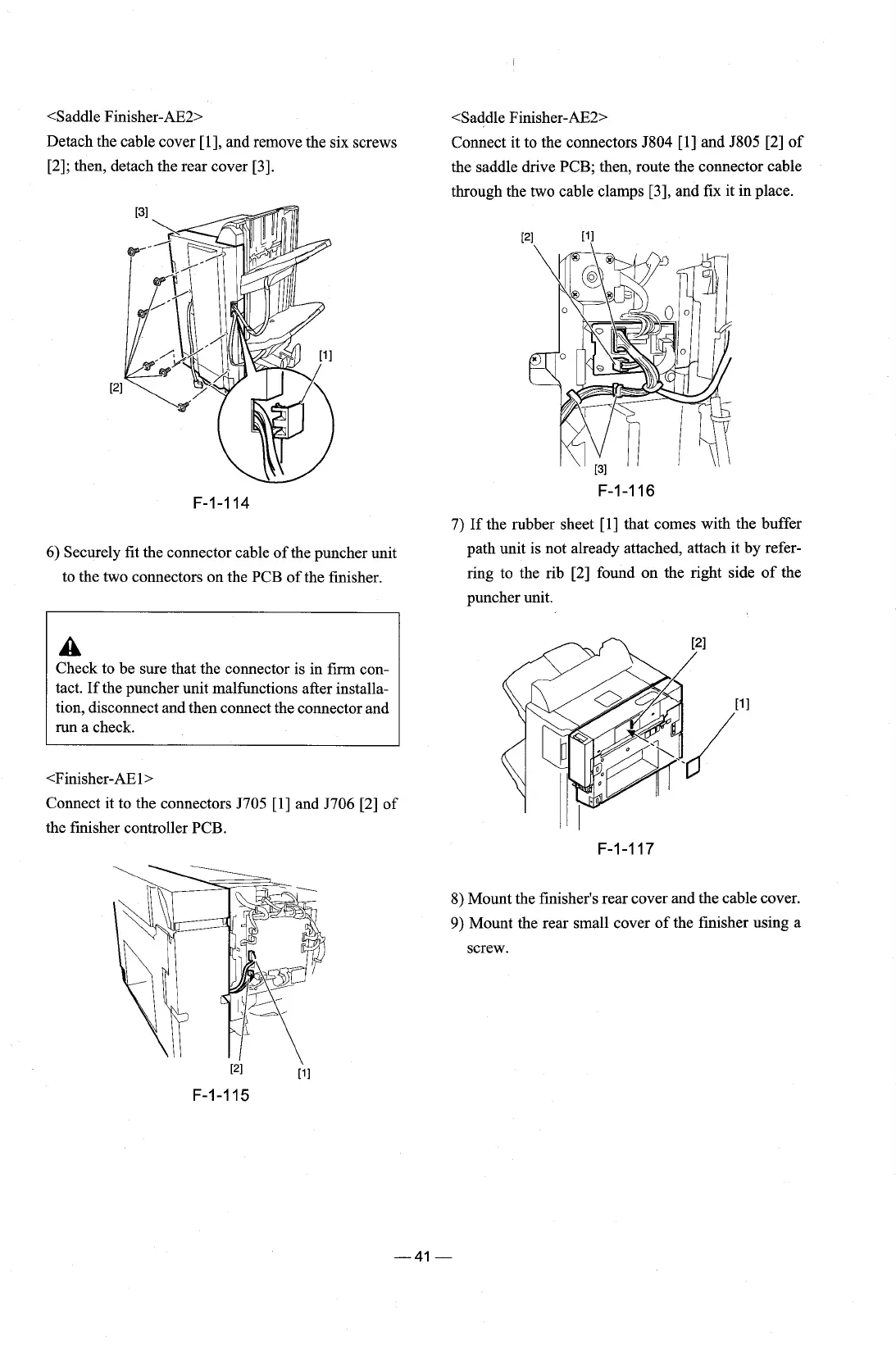
<Saddle Finisher-AE2> <Saddle Finisher-AE2>
Detach the cable cover [I], and remove the six screws Connect it to the connectors 5804 [I] and 5805 [2] of
[2]; then, detach the rear cover [3].
the saddle drive PCB; then, route the connector cable
through the two cable clamps
[3], and fix it in place.
7)
If the rubber sheet [l] that comes with the buffer
6)
Securely fit the connector cable of the puncher unit
path unit is not already attached, attach it by
refer-
to the two connectors on the PCB of the finisher.
ring to the rib [2] found on the right side of the
puncher unit.
A
Check to be sure that the connector is in firm con-
tact. If the puncher unit malfunctions after installa-
tion, disconnect and then connect the connector and
run a check.
the finisher controller PCB.
8) Mount the finisher's rear cover and the cable cover.
9)
Mount the rear small cover of the finisher using a
screw.











 To Next Page