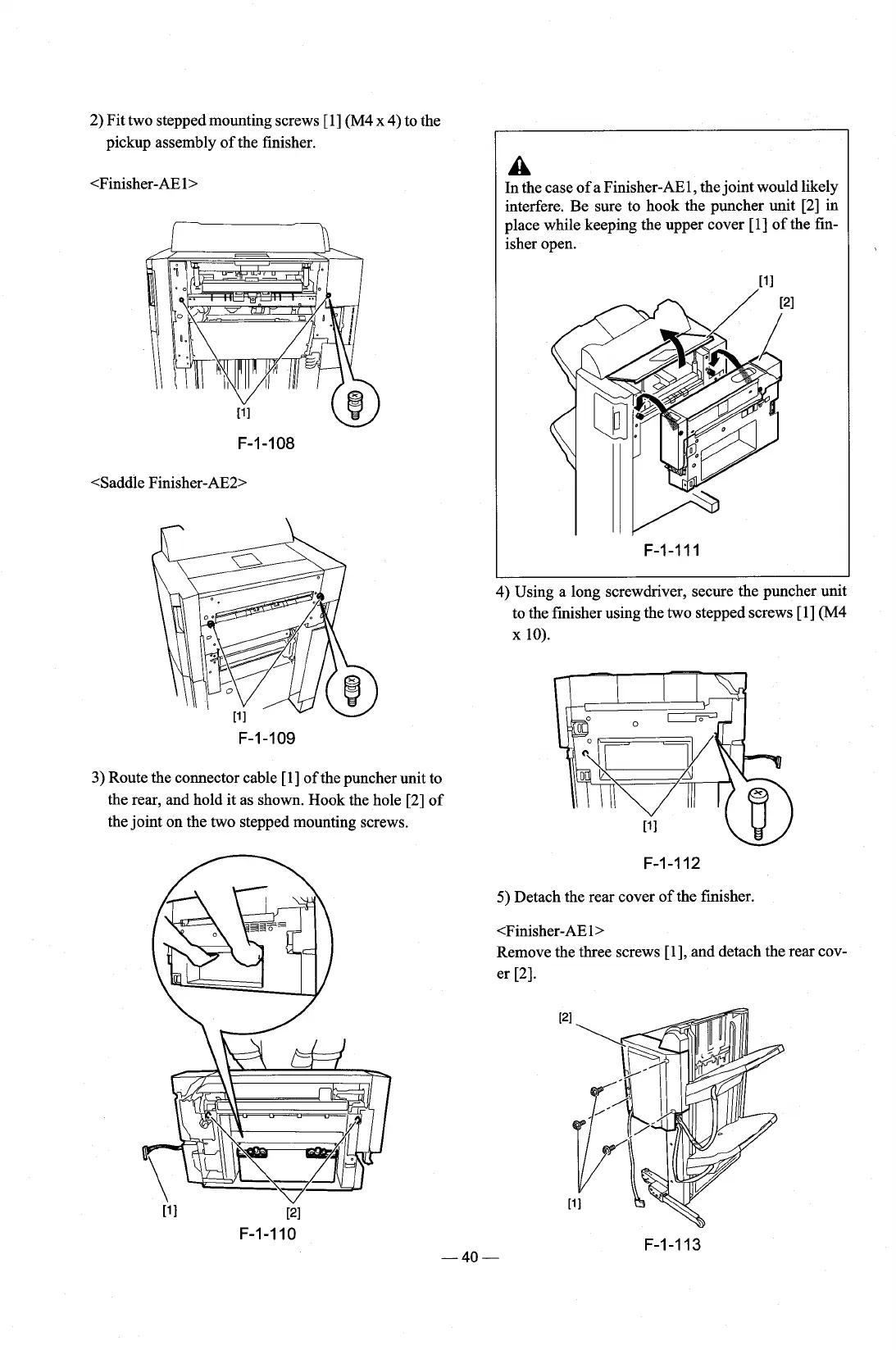
2) Fit two stepped mounting screws [I] (M4
x
4)
to the
pickup assembly of the finisher.
3)
Route the connector cable [l] of the puncher unit to
the rear, and hold it as shown. Hook the hole [2] of
the joint on the two stepped mounting screws.
A
In the case of a Finisher-AE1, the joint would likely
interfere. Be sure to hook the puncher unit [2] in
place while keeping the upper cover
[I] of the fin-
isher open.
11
I
F-1-111
4) Using a long screwdriver, secure the puncher unit
to the finisher using the two stepped screws
[l] (M4
x
10).
5)
Detach the rear cover of the finisher.
<Finisher-AE
1,
Remove the three screws [I], and detach the rear cov-
er
[2].











 To Next Page