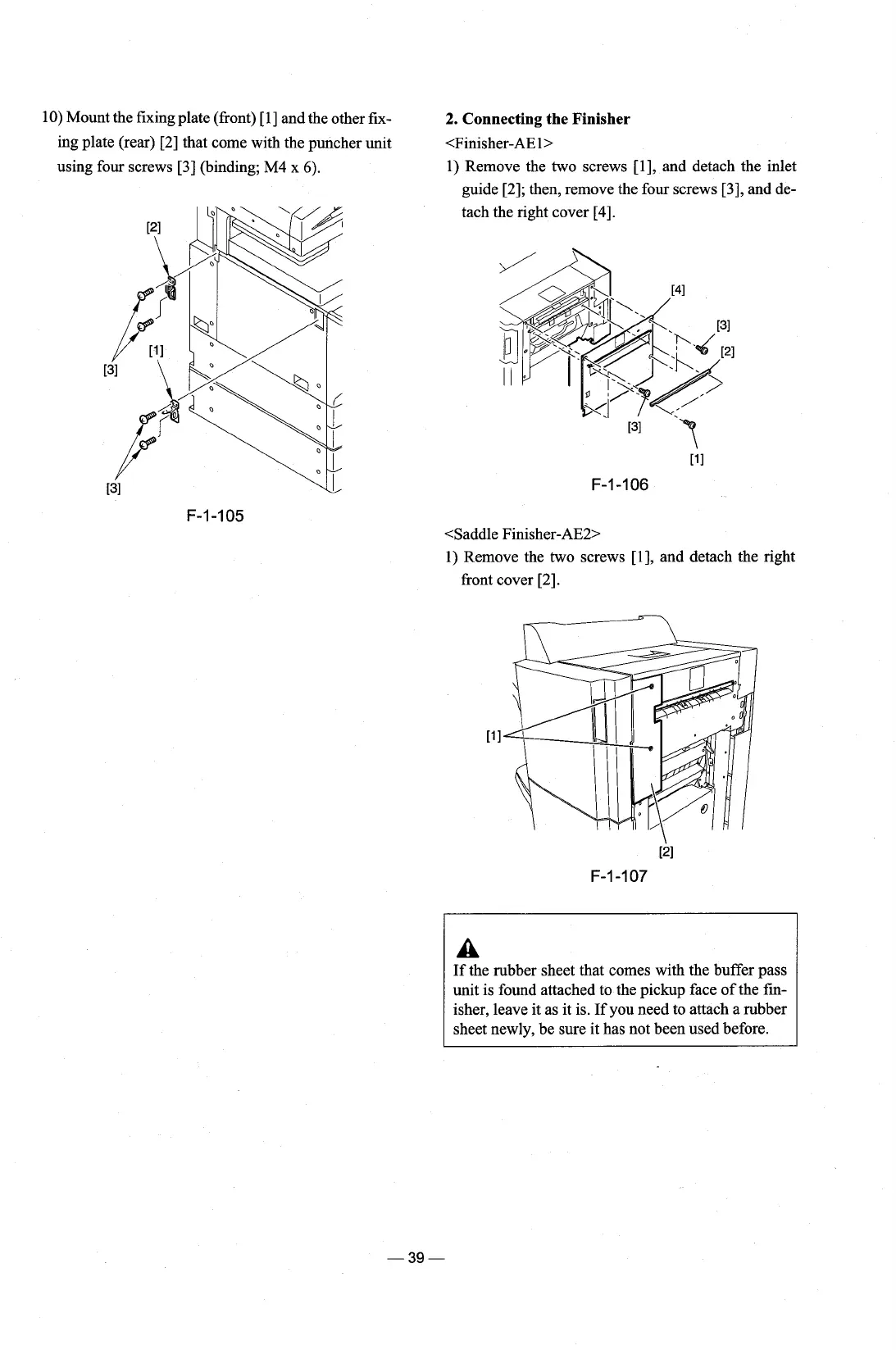
10) Mount the fixing plate (front) [l] and the other fix-
2.
Connecting
the
Finisher
ing plate (rear) 121 that come with the puncher unit
<Finisher-AE
l>
using four screws
[3]
(binding; M4 x
6).
1)
Remove the two screws [I], and detach the inlet
guide
[2]; then, remove the four screws [3], and de-
tach the right cover
[4].
<Saddle Finisher-AE2>
1)
Remove the two screws [I], and detach the right
front cover
[2].
A
If
the rubber sheet that comes with the buffer pass
unit is found attached to the pickup face of the
fin-
isher, leave it as it is. If you need to attach a rubber
sheet newly, be sure it has not been used before.











 To Next Page