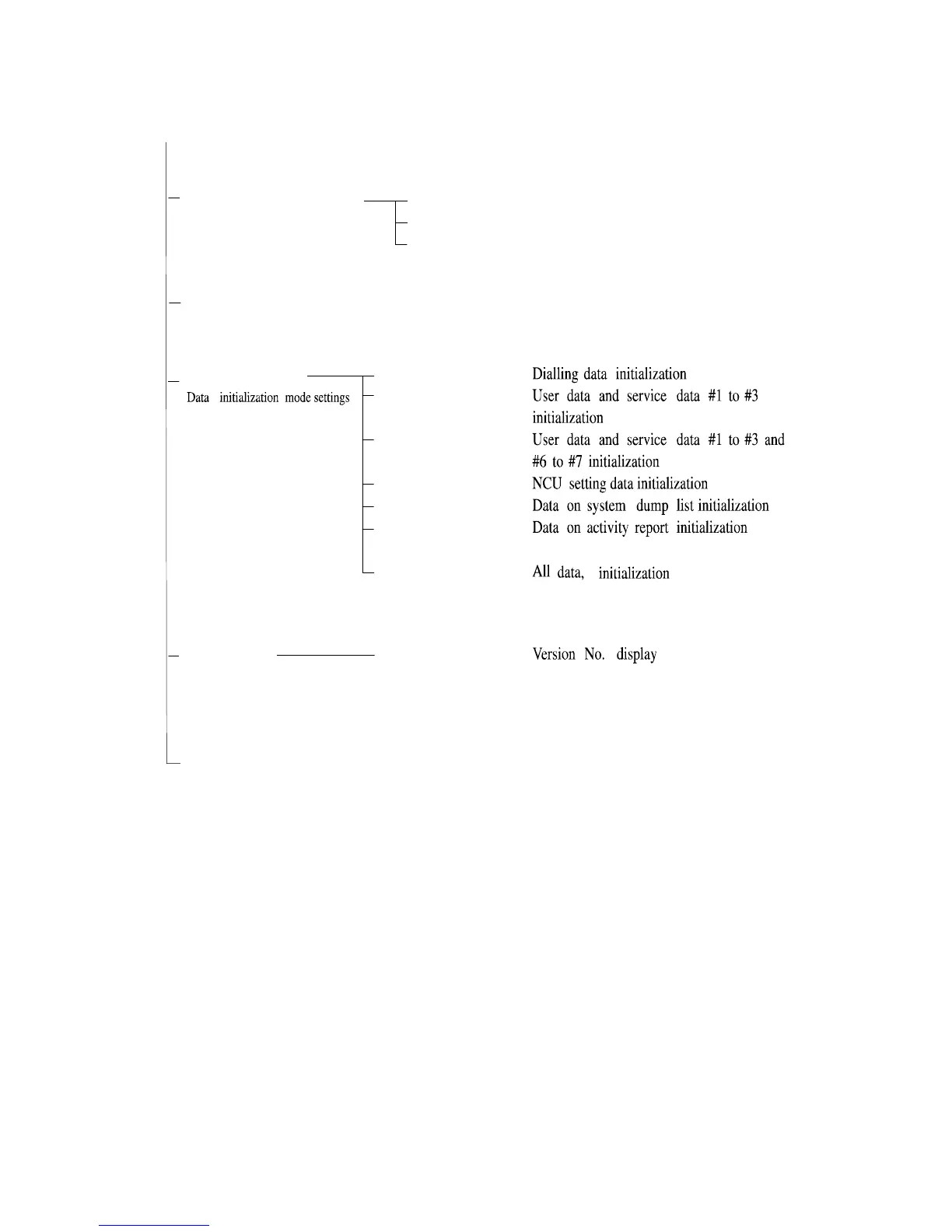
#8 CLEAR
#9 ROM
TEL
USER SW
SERVICE SW
NCU
SERVICE DATA
REPORT
ALL
EC-xx-xx
ROM management
TEST MODE
#7
PRINTER
Printer function settings
#6
GENESIS
(UHQ)
(Genesis function settings )
Bit
SW
SLICE
GAMMA
Figure 1-9 Service Data(page 5)
*If USER SW is selected from #8 CLEAR, the memory management of the user data is not cleared.
If TEL or SERVICE is selected, the memory management of the user data is cleared.
1-28



 To Next Page