How to Make Transparency Effects Work As Expected
71
imagePRESS C850/C750/C650/C65
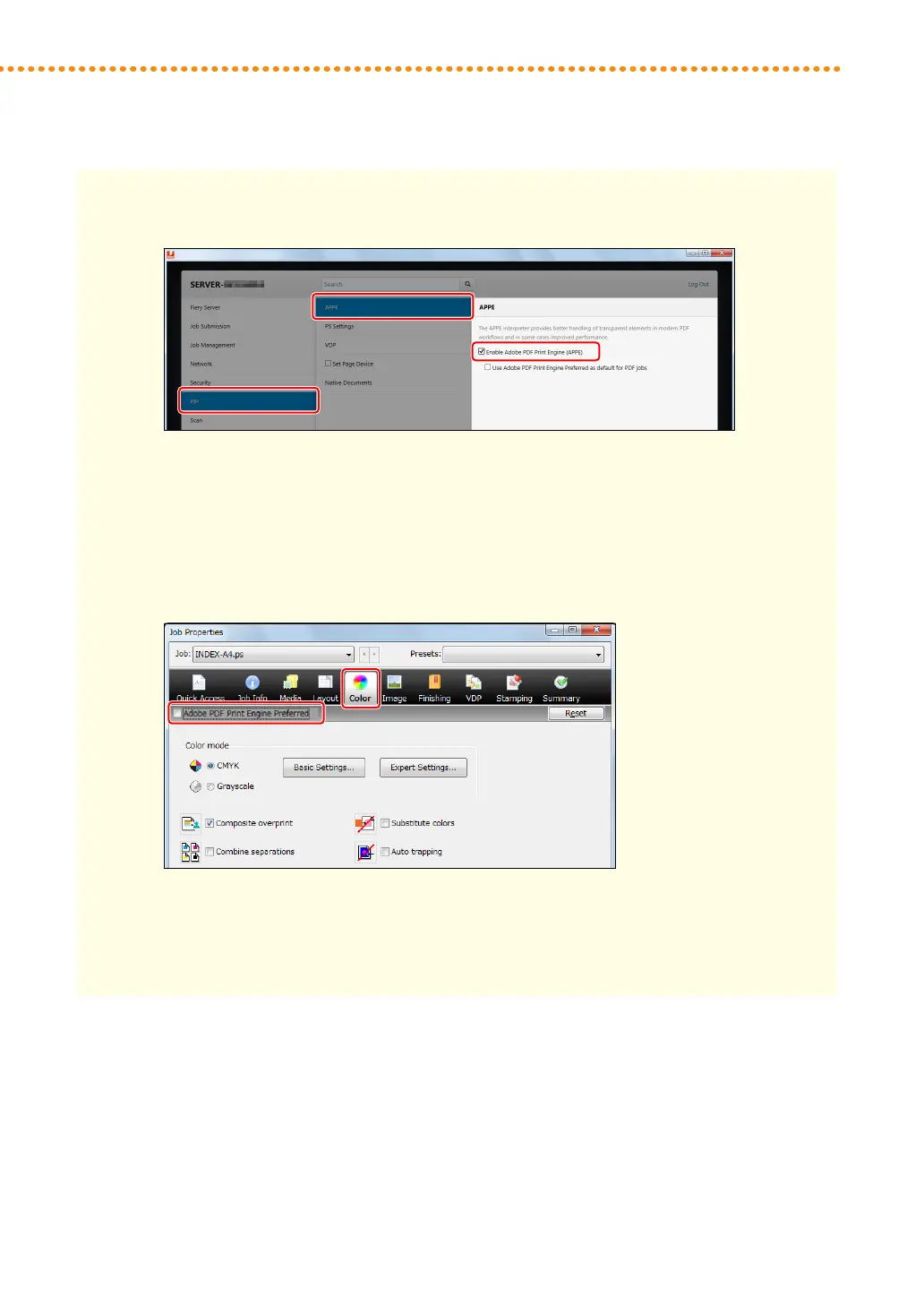
2 Click [RIP] → [APPE], and select the check box for <Enable Adobe PDF Print Engine (APPE)>�
3 Click [Save], and close the [Configure] window�
4 Click the [Job Center] tab in Command WorkStation, and double-click the job�
•
[Job Properties] is displayed�
5 Click the [Color] tab, and select the check box for <Adobe PDF Print Engine Preferred>�
6 Click [OK]�
•
Print a test sheet to check the finished result� If you are satisfied with the result, you can print the
job�


 To Next Page
 Loading...