How to Fix Misalignment of Images
85
imagePRESS C850/C750/C650/C65
How to Correct Skew and Parallelogram/Trapezoid Distortion on a Small Test Page
Skew Correction
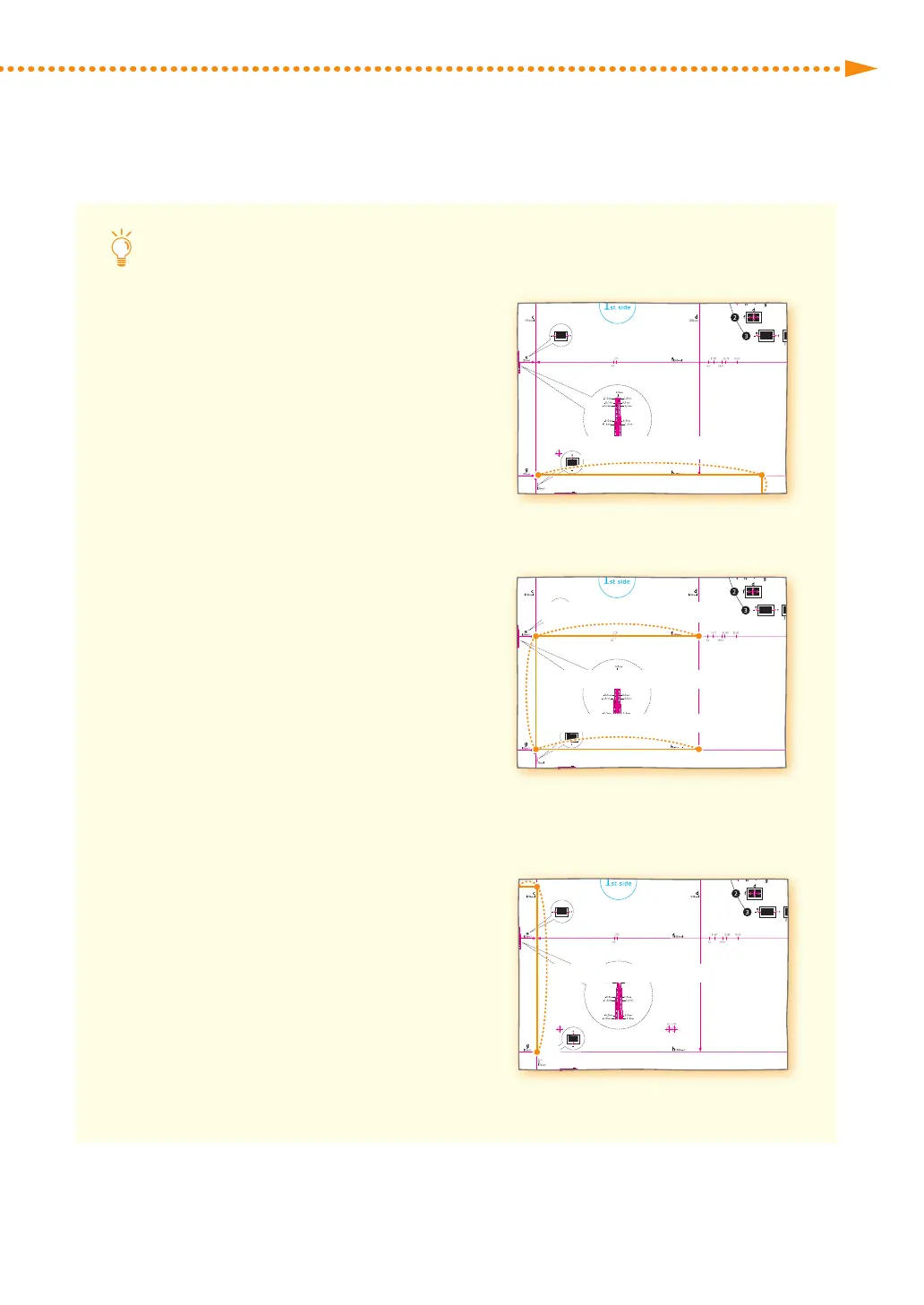
If the test page is so small that <j> is not
on the page, add an arbitrary mark <j'>
anywhere on the red line <h>� Then, enter
the distance from <j'> to the left edge of
the paper in [j]� Enter the distance from <i>
to <j'> in [h]�
i
j'
Leading
Edge
Left Edge
Enter this distance in [h].
Enter this
distance in [j].
Trapezoid Distortion Correction
If the test page is so small that the distances
b and h cannot be measured, add <c'>,
<b'> and <h'> as shown in the illustration
on the right� Enter these distances in [c], [b]
and [h] respectively�
Leading
Edge
Left Edge
b' : Enter this distance in [b].
c': Enter this distance in [c].
h': Enter this distance in [h].
Parallelogram Distortion Correction
If the test page is so small that <a> is not on
the page, add an arbitrary mark <a'> on the
red line <c>� Enter the distance from <a'>
to the leading edge of the paper in [a]� Enter
the distance from <g> to <a'> in [c]�
a'
g
Leading
Edge
Left Edge
Enter this
distance in [a].
Enter this distance in [c].





 To Next Page