42 CHAPTER 4 Teach Your Camera New Tricks
f
+2EV. Similar, but increases shadow detail by two f-stops.
f
Auto DR. This curve helps avoid burnt-out highlights in a controlled
manner. Before taking an image, adjust the EV value (section 4.3.1) so
that the highlights show good detail. Then take your shot. The lumi-
nance of the shadows will be raised by the curve while the highlights
are compressed. In difficult lighting situations, this curve can be use-
ful—but you should not expect wonders. Better results can be achieved
by shooting RAW (section 4.5) and by adapting the tonal values manu-
ally on the PC, or, of course, by shooting an exposure series for creating
an HDR image (section 4.6.2).
These three system curves are contained in file CHDK/syscurves.CVF. This
file is loaded automatically.
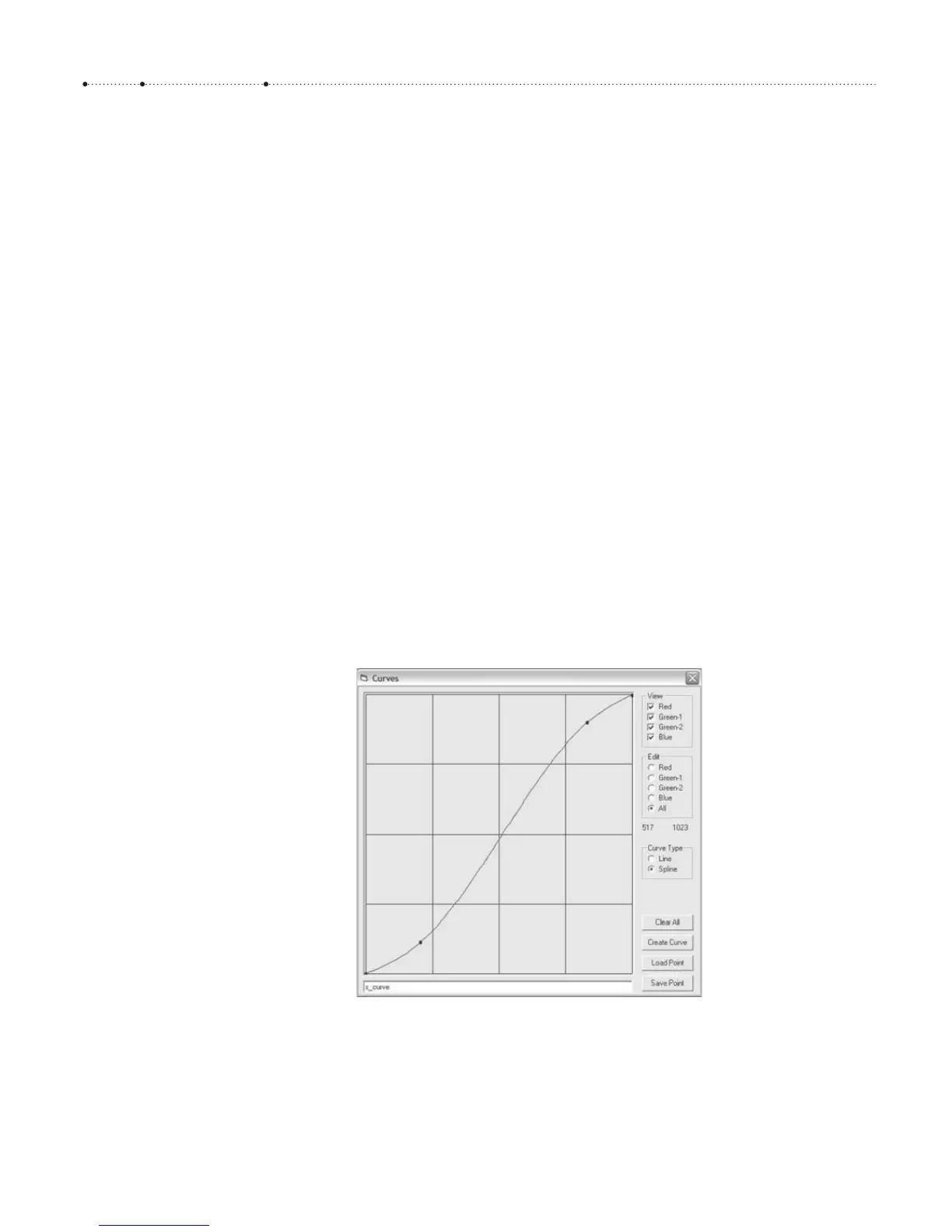
Custom curves can be created with a PC-based curve editor running
under Windows. It is available from the web page http://chdk.wikia.com/
wiki/Software and from the book CD. To install the editor, simply copy it
onto the desktop. To create a new curve, select a color channel or All in the
Edit group, then start setting and dragging points with the mouse. You can
save the curve by entering a name into the text field at the bottom, then
click Save Point. This will create a .CTC file that is a plain text point list. For
usage in your camera, you must compile the curve with Create Curve. This
will produce two files: a .CV file and a .CVF file. Copy these files into the
folder CHDK/CURVES/ on your memory card.
CV-curves are plain RGB curves. CVF-curves, in contrast, introduce a color
shift for emulating an application of the curve to the luminance channel of
the YUV color model. Usually, this gives a better visual result in areas with
strong brightness changes.
Figure 4-27
The curve editor in action. Here we
have created a typical S-curve that
compresses the tonal values in the
shadows and highlights and boosts
the midtones. The curve mimics the
response curve of photographic
emulsions.








 To Next Page