11
7
77
7
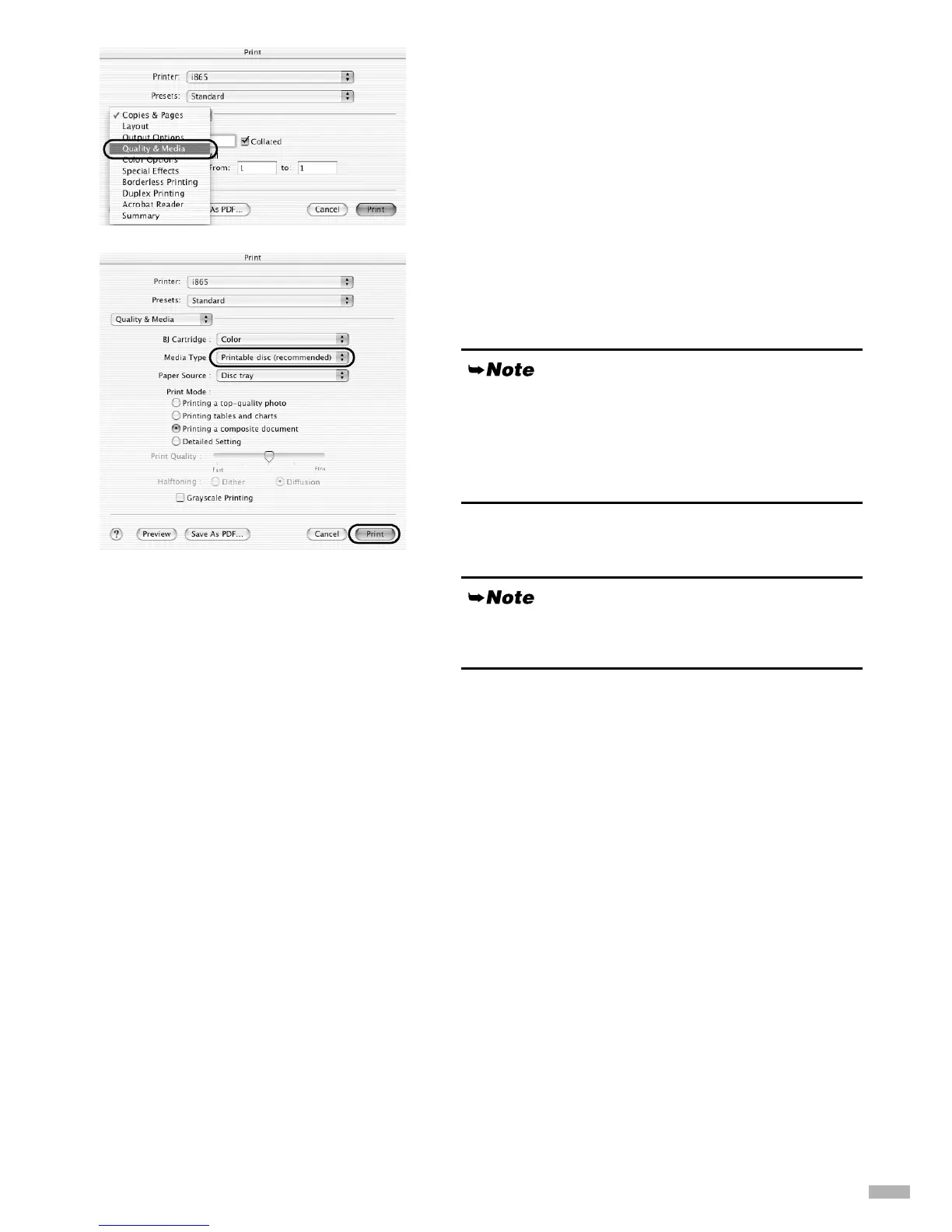
Click the Quality & Media tab.
8
88
8
Select Printable disc (recommended)
or Printable disc (others) from Media
Type.
9
99
9
Click Print.
If the "Printable disc (recommended)" setting produces
unsatisfactory results (e.g. if images are too dark or
characters appear blurred), select "Printable disc
(others)". Print quality on CD-R/DVD-R may vary
depending on the media you use.
Refer to the CD-LabelPrint’s manual for details on CD-
LabelPrint.


 To Next Page