Battery
Pack
DANGER!
Treat
the
battery
pack
with
care.
• Keep it away from fire (or it might
explode).
•
Do
not expose the battery pack
to
temperature higher than
60
DC
(140
OF).
Do
not leave it near a heater
or inside a car
in
hot weather.
•
Do
not try to disassemble or modify
it.
•
Do
not drop it or subject it to shocks.
•
Do
not get it wet.
CAUTION:
Danger
of
explosion
if
battery
is
incorrectly
attached.
Attach
only
with
the
same
type.
•
Attach
the
terminal
cover
whenever
a
battery
pack
is
not
in use.
Contact
with metallic
objects
may
cause
a
short
circuit and
damage
the
battery
pack.
• Dirty terminals
may
cause
a
poor
contact
between
the
battery
pack
and
the
camcorder.
Wipe
the
terminals
with
a
soft
cloth.
Long-term
storage
•
Store
battery
packs
in a
dry
place
at
temperatures
no higher than
30
DC
(86
OF).
•
To
extend
the
battery
life
of
the
battery
pack,
discharge
it
completely
before
storing
it.
• Charge and discharge all
your
battery
packs
fully
at
least
once
a year.
About
the
battery terminal
cover
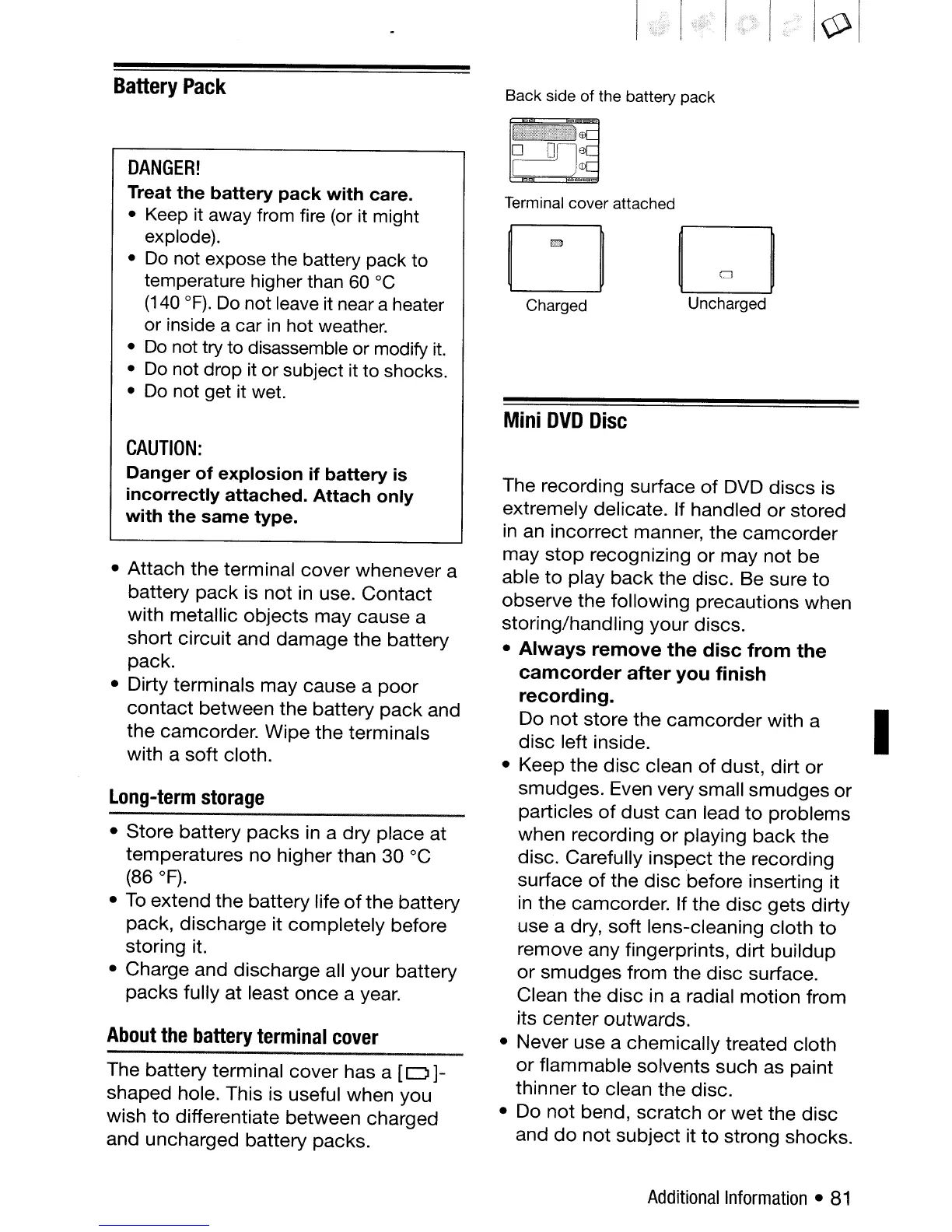
The
battery
terminal
cover
has a
[0]-
shaped
hole. This is useful when you
wish
to
differentiate
between
charged
and
uncharged
battery
packs.
Back side
of
the battery pack
Terminal cover attached
D
"
r-l
~
Charged Uncharged
Mini
DVD
Disc
The recording surface
of
DVD
discs
is
extremely delicate. If handled
or
stored
in
an
incorrect
manner,
the
camcorder
may
stop
recognizing
or
may
not
be
able
to
play
back
the
disc.
Be
sure
to
observe
the
following
precautions
when
storing/handling
your
discs.
•
Always
remove
the
disc
from
the
camcorder
after
you
finish
recording.
Do
not
store
the
camcorder
with
a
disc
left inside.
• Keep
the
disc
clean
of
dust,
dirt
or
smudges.
Even very small
smudges
or
particles
of
dust
can lead
to
problems
when
recording
or
playing
back
the
disc. Carefully
inspect
the
recording
surface
of
the
disc
before inserting it
in
the
camcorder. If
the
disc
gets
dirty
use a dry,
soft
lens-cleaning
cloth
to
remove
any
fingerprints,
dirt
buildup
or
smudges
from
the
disc
surface.
Clean
the
disc
in a radial
motion
from
its
center
outwards.
• Never use a
chemically
treated
cloth
or
flammable
solvents such as paint
thinner
to
clean
the
disc.
• Do
not
bend,
scratch
or
wet
the
disc
and
do
not
subject
it
to
strong shocks.
Additional
Information
•
81
I



 To Next Page