Chapter 3
3-2
F-3-6
3.2 Drive System
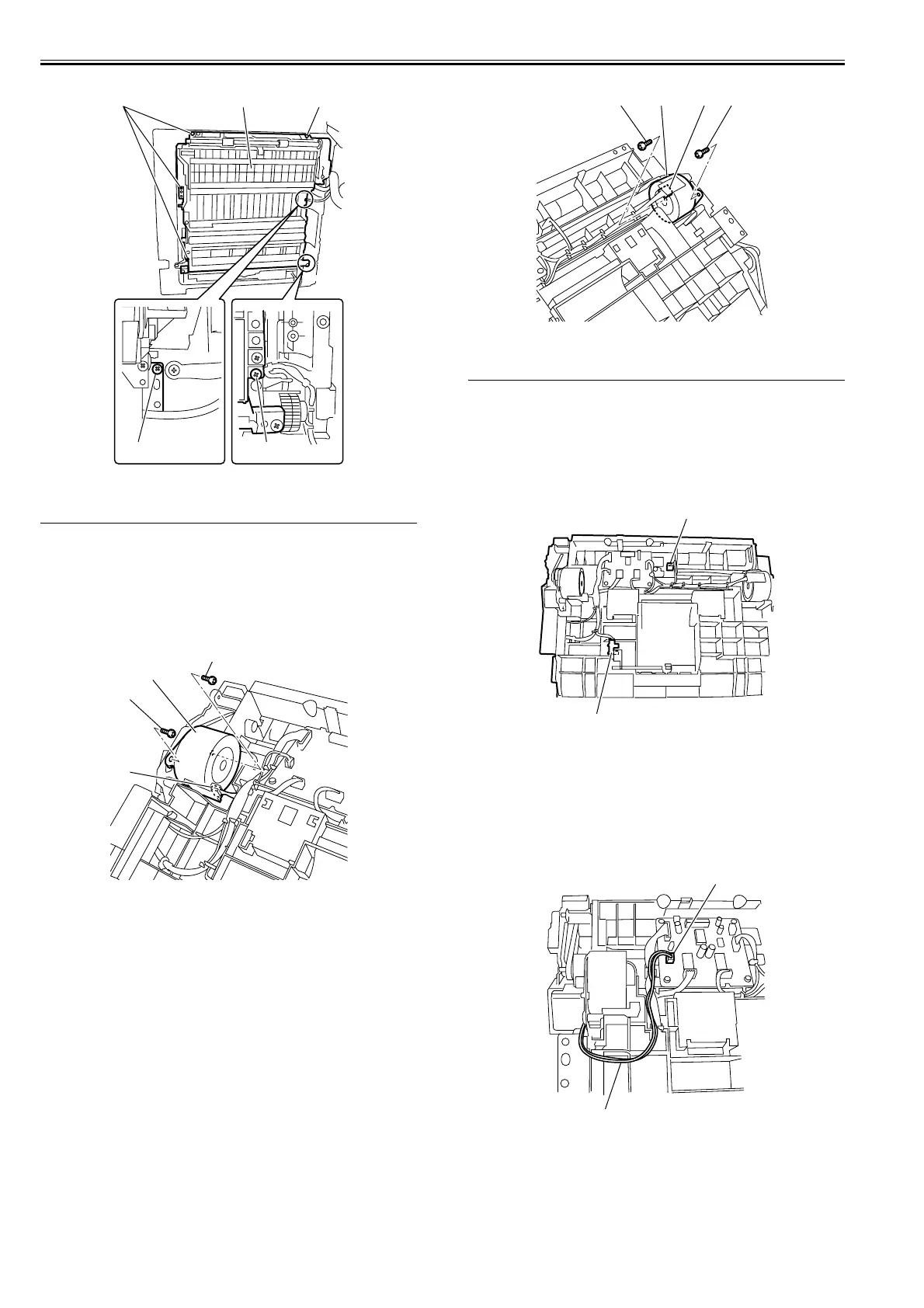
3.2.1 Reversal Motor
3.2.1.1 Removing the Reversal Motor
0011-2063
1) Remove the duplex unit from the left door.
2) Disconnect the connector [1], remove the two screws [2], and then remove
the duplex reversal motor [3].
F-3-7
3.2.2 Feed Motor
3.2.2.1 Removing the Feed Motor
0011-2064
1) Remove the duplex unit from the left door.
2) Disconnect the connector [1], remove the two screws [2], and then remove
the duplex feeder motor [3].
F-3-8
3.3 Electrical System
3.3.1 Duplex Paper Sensor
3.3.1.1 Removing the Duplex Paper Sensor
0010-6351
1) Remove the duplex unit from the left door.
2) Remove the connector, and then remove the duplex paper sensor 1 [1].
3) Remove the connector, and then remove the duplex paper sensor 2 [2].
F-3-9
3.3.2 Duplex Flapper Solenoid
3.3.2.1 Removing the Duplex Flapper Solenoid
0010-6352
1) Remove the duplex unit from the left door.
2) Remove the connector [1] form the duplex controller PCB, and then re-
move the duplex flapper solenoid harness [2] from the harness guide.
F-3-10
3) Remove the two screws [1], and then detach the drive cover [2].
[1]
[2] [1][1]
[1]
[1]
[2]
[2]
[3]
[1][3][2] [2]
[1]
[2]
[1]
[2]















 To Next Page