136
Print Order
Exit the set up screen.
•
Press the < > button. The print order screen will
reappear.
5
The imprinted date will be the date set with the menu’s [Date/time] setting. (→p.154)
•
If [Print Type] has been set to [Index], the [Date] and [File No.] cannot both be set to
[On] at the same time.
•
If [Print Type] has been set to [Both], the [Date] and [File No.] can both be set to
[On] at the same time. However, the index print will only have the File No. imprinted.
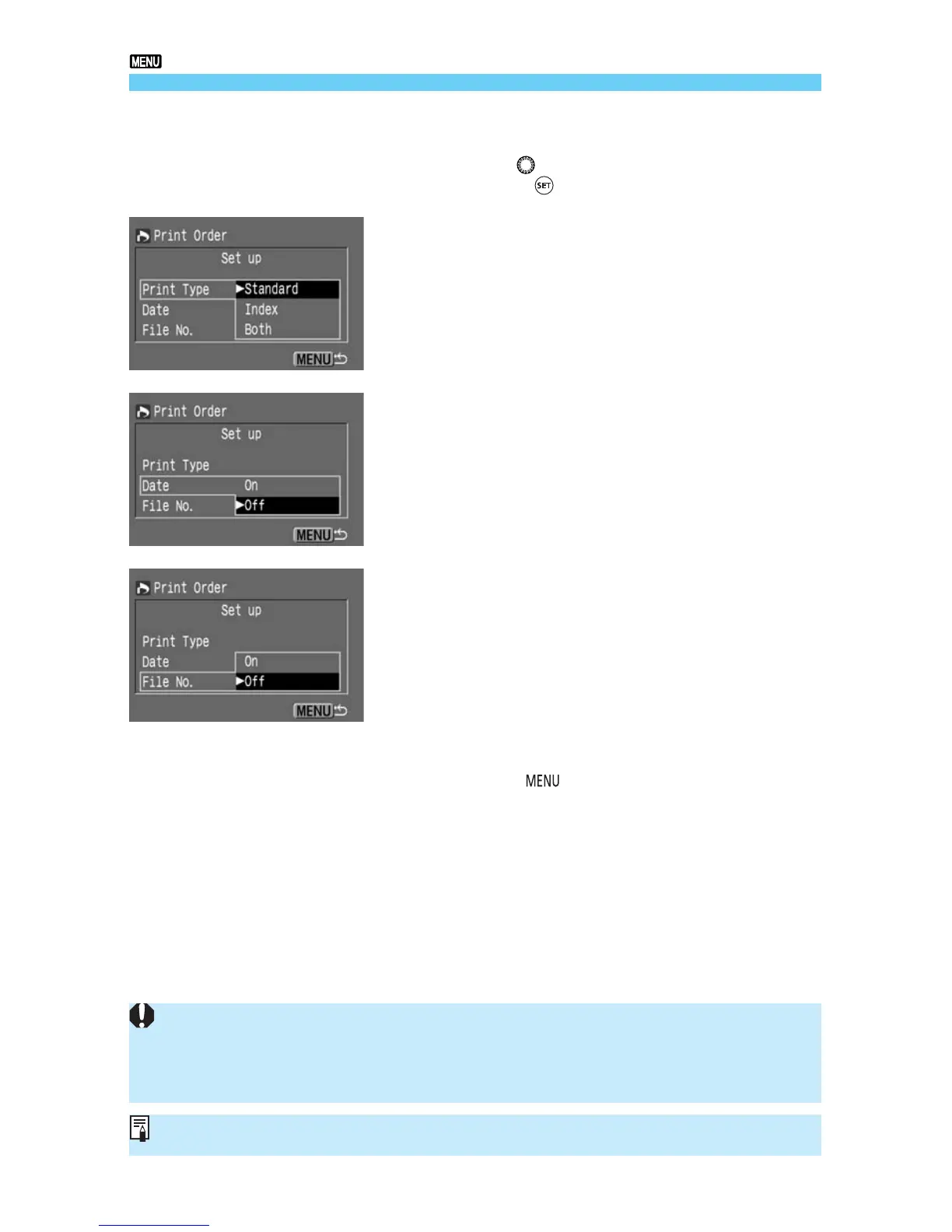
Set the set up option.
•
Tu rn the < > dial to select the desired setting,
then press <
>.
4
Print Type
•
Select [Standard], [Index], or [Both].
Date
•
Select [On] or [Off].
File No.
•
Select [On] or [Off].







 To Next Page