63
3 Menu Operations and Configurations
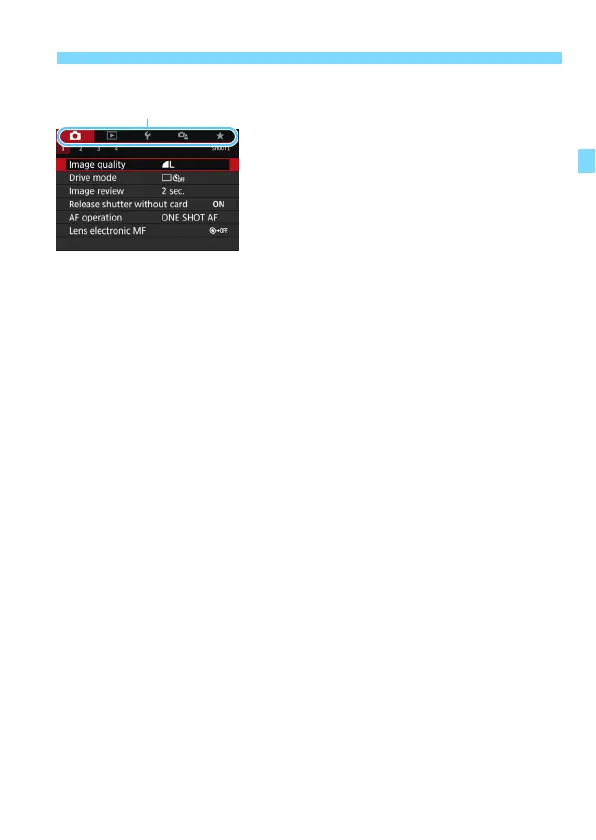
When [s: Menu display: Standard] is Set
1
Display the menu screen.
Press the <M> button to display
the menu screen.
2
Select a tab.
Turn the <6> dial or press the <Y>
<Z> keys to select the main tab and
secondary tab.
For example, in this manual, the
[z4] tab refers to the screen
displayed when the z (Shooting)
tab’s [4] is selected.
The subsequent operations are the
same as those for [s: Menu
display: Guided]. See the steps on
page 61, starting with step 5.
To exit the setting, press the <M>
button once.
Main tabs


 To Next Page