3 Menu Operations and Configurations
64
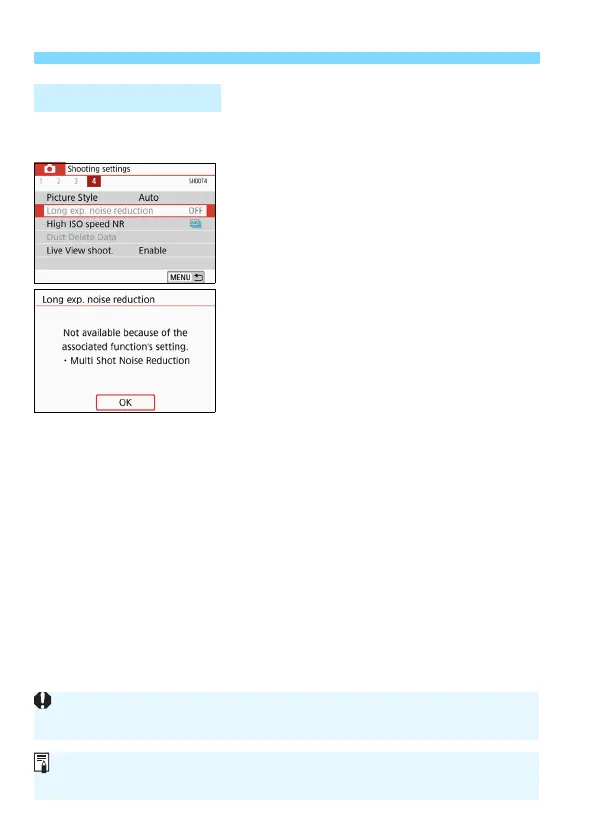
Example: When [Multi Shot
Noise Reduction] is set
Dimmed menu items cannot be set. The
menu item is dimmed if another function
setting is overriding it.
You can see the overriding function by
selecting the dimmed menu item and
pressing <0>.
If you cancel the overriding function’s
setting, the dimmed menu item will
become settable.
Dimmed Menu Items
You may not be able to see the overriding function for certain dimmed menu
items.
With [Clear all camera settings] under [54: Clear settings], you can reset
the menu functions to the default settings (p.298).


 To Next Page