EasyManua.ls Logo

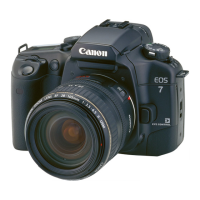
Canon EOS 33 - AE Lock; Locking Exposure Settings

Canon EOS 33
108 pages
Print Icon
To Next Page IconTo Next Page
To Previous Page IconTo Previous Page
Loading...
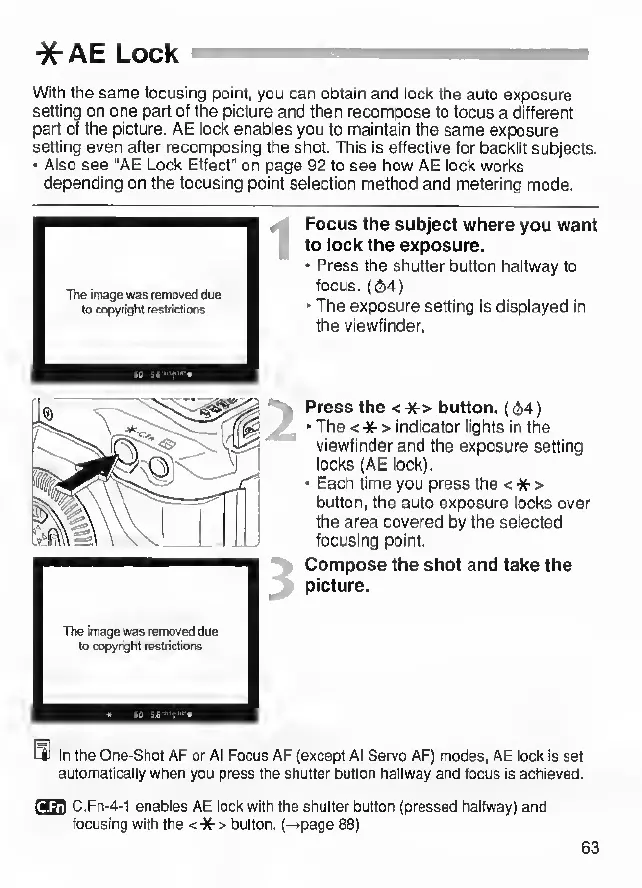
*AELock
With
the
same
focusing
point,
you
can
obtain
and
lock
the
auto
exposure
setting
on
one
part
of
the
picture
and
then
recompose
to
focus
a
different
part
of
the
picture.
AE
lock
enables
you
to
maintain
the
same
exposure
setting
even
after
recomposing
the
shot.
This
is
effective
for
backlit
subjects.
Also
see
‘AE
Lock
Effect"
on
page
92
to
see
how
AE
lock
works
depending
on
the
focusing
point
selection
method
and
metering
mode.
iO
84-’t''**
The
mage
was
removed
due
to
copynght
restrictions
The
image
was
removed
due
to
copyright
restrictiorts
Focus
the
subject
where
you
want
to
lock
the
exposure.
Press
the
shutter
button
haltway
to
focus.
(i2i4)
The
exposure
setting
is
displayed
in
the
viewfinder.
Press
the
<
*
>
button.
(64)
The
<
*
>
indicator
lights
in
the
viewfinder
and
the
exposure
setting
locks
(AE
lock).
Each
time
you
press
the
<
*
>
button,
the
auto
exposure
locks
over
the
area
covered
by
the
selected
focusing
point.
Compose
the
shot
and
take
the
picture.
In
the
One-Shot
AF
or
Al
Focus
AF
(except
Al
Servo
AF)
modes,
AE
lock
is
set
automatically
when
you
press
the
shutter
button
halfway
and
focus
is
achieved.
rar3!1
C.Fn-4-1
enables
AE
lock
with
the
shutter
button
(pressed
halfway)
and
focusing
with
the
<
*
>
button,
(—•page
88)
63

Other manuals for Canon EOS 33

Related product manuals