EasyManua.ls Logo

Canon EOS 33 - Wireless Remote Control; Operating the Camera Remotely

Canon EOS 33
108 pages
Print Icon
To Next Page IconTo Next Page
To Previous Page IconTo Previous Page
Loading...
g
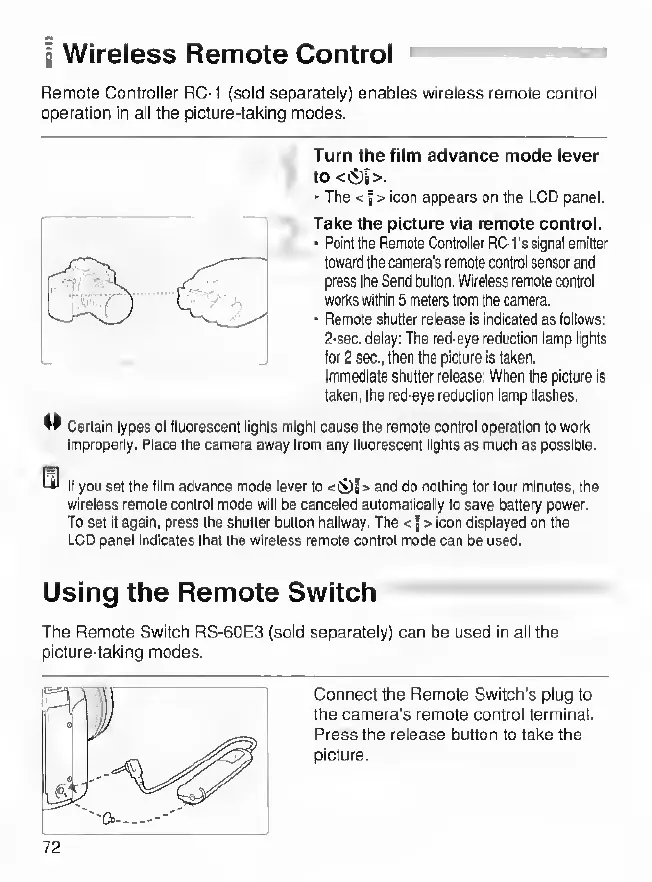
Wireless
Remote
Control
nwmii^vm*^
Remote
Controller
RC-1
(sold
separately)
enables
wireless
remote
control
operation
in
all
the
picture-taking
modes.
Turn
the
film
advance
mode
lever
to
<S)|>.
The
<
I
>
icon
appears
on
the
LCD
panel.
Take
the
picture
via
remote
control.
Point
the
Remote
Controller
RC-l's
signal
emitter
toward
the
camera's
remote
control
sensor
and
press
the
Send
button.
Wireless
remote
control
works
within
5
meters
from
the
camera.
Remote
shutter
release
is
Indicated
as
follows:
2-sec.
delay;
The
red-eye
reduction
lamp
lights
for
2
sec.,
then
the
picture
is
taken.
Immediate
shutter
release:
When
the
picture
Is
taken,
the
red-eye
reduction
lamp
flashes.
W
Certain
types
of
fluorescent
lights
might
cause
the
remote
control
operation
to
work
Improperly.
Place
the
camera
away
from
any
fluorescent
lights
as
much
as
possible.
If
you
set
the
Him
advance
mode
lever
to
and
do
nothing
for
lour
minutes,
the
wireless
remote
control
mode
will
be
canceled
automatically
to
save
battery
power.
To
set
It
again,
press
the
shutter
button
haltway.
The
<
{>
icon
displayed
on
the
LCD
panel
indicates
that
the
wireless
remote
control
mode
can
be
used.
Using
the
Remote
Switch
^
The
Remote
Switch
RS-60E3
(sold
separately)
can
be
used
in
all
the
picture-taking
modes.
Connect
the
Remote
Switch’s
plug
to
the
camera's
remote
control
terminal.
Press
the
release
button
to
lake
the
picture.
72

Other manuals for Canon EOS 33

Related product manuals