100
Set the ISO speed (image sensor’s sensitivity to light) to suit the
ambient light level. In Basic Zone modes, the ISO speed is set
automatically.
1
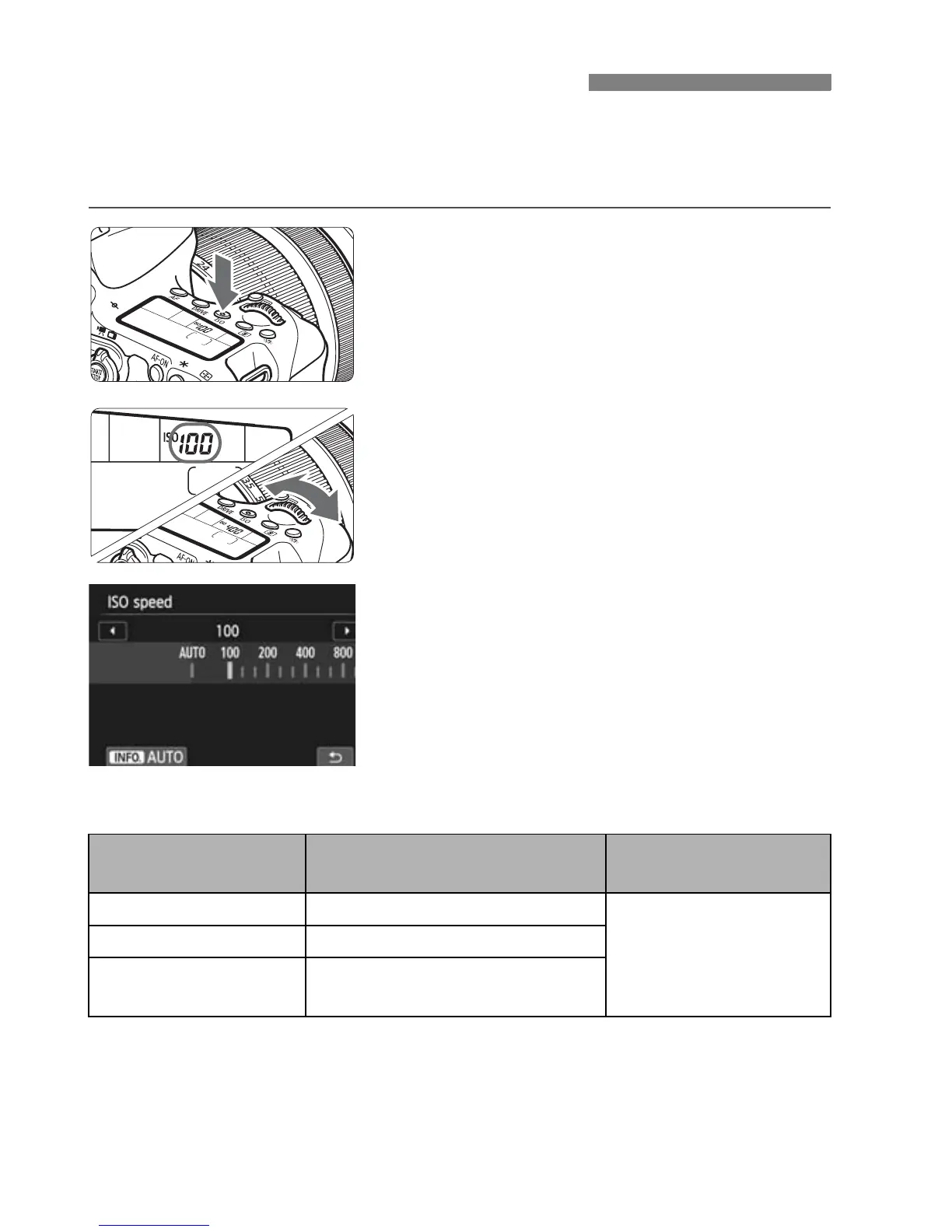
Press the <i> button. (9)
2
Set the ISO speed.
While looking at the LCD panel or the
viewfinder, turn the <6> or <5>
dial.
ISO speed can be set within ISO 100
- ISO 12800 in 1/3-stop increments.
“A” indicates Auto ISO. The ISO
speed will be set automatically.
When the screen shown on the left is
displayed, you can press the <B>
button to set it to “AUTO”.
ISO Speed Guide
* High ISO speeds will result in grainier images.
i: Setting the ISO SpeedN
ISO Speed
Shooting Situation
(No flash)
Flash Range
ISO 100 - ISO 400 Sunny outdoors
The higher the ISO
speed, the far her the
flash range will be.
ISO 400 - ISO 1600 Overcast skies or evening time
ISO 1600 -
ISO 12800, H
Dark indoors or night



 To Next Page