316
You can view still photos and movies on a TV set.
HDMI Cable HTC-100 (sold separately) is required.
1
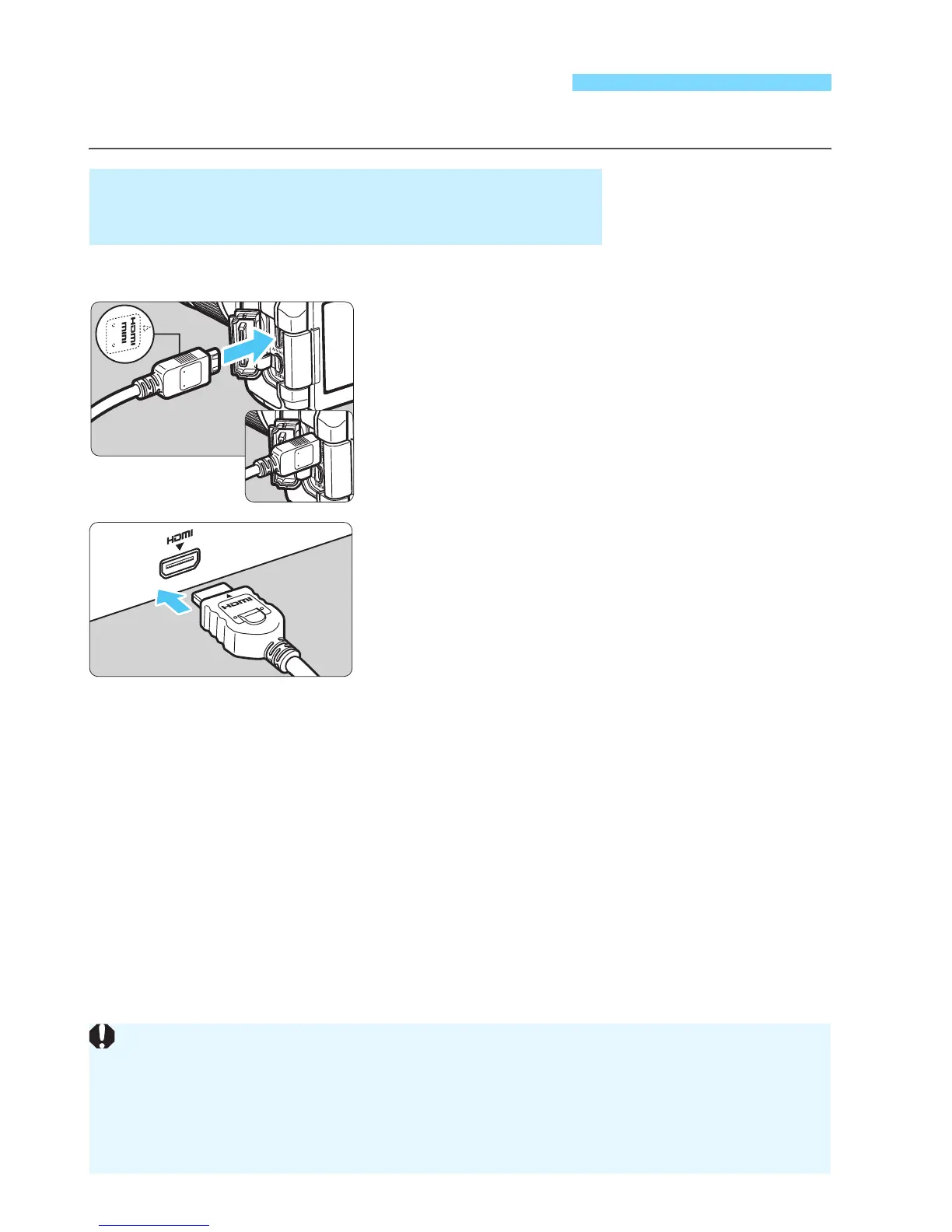
Connect the HDMI cable to the
camera.
With the plug’s <dHDMI MINI> logo
facing the front of the camera, insert it
into the <D> terminal.
2
Connect the HDMI cable to the TV
set.
Connect the HDMI cable to the TV’s
HDMI IN port.
3
Turn on the TV and switch the
TV’s video input to select the
connected port.
4
Set the camera’s power switch to
<1>.
Viewing Images on a TV Set
Viewing on High-Definition (HD) TV Sets
(Connected with HDMI)
Adjust movie sound volume with the TV set. The sound volume cannot
be adjusted with the camera.
Before connecting or disconnecting the cable between the camera and
TV set, turn off the camera and TV set.
Depending on the TV set, part of he image displayed may be cut off.



 To Next Page