64
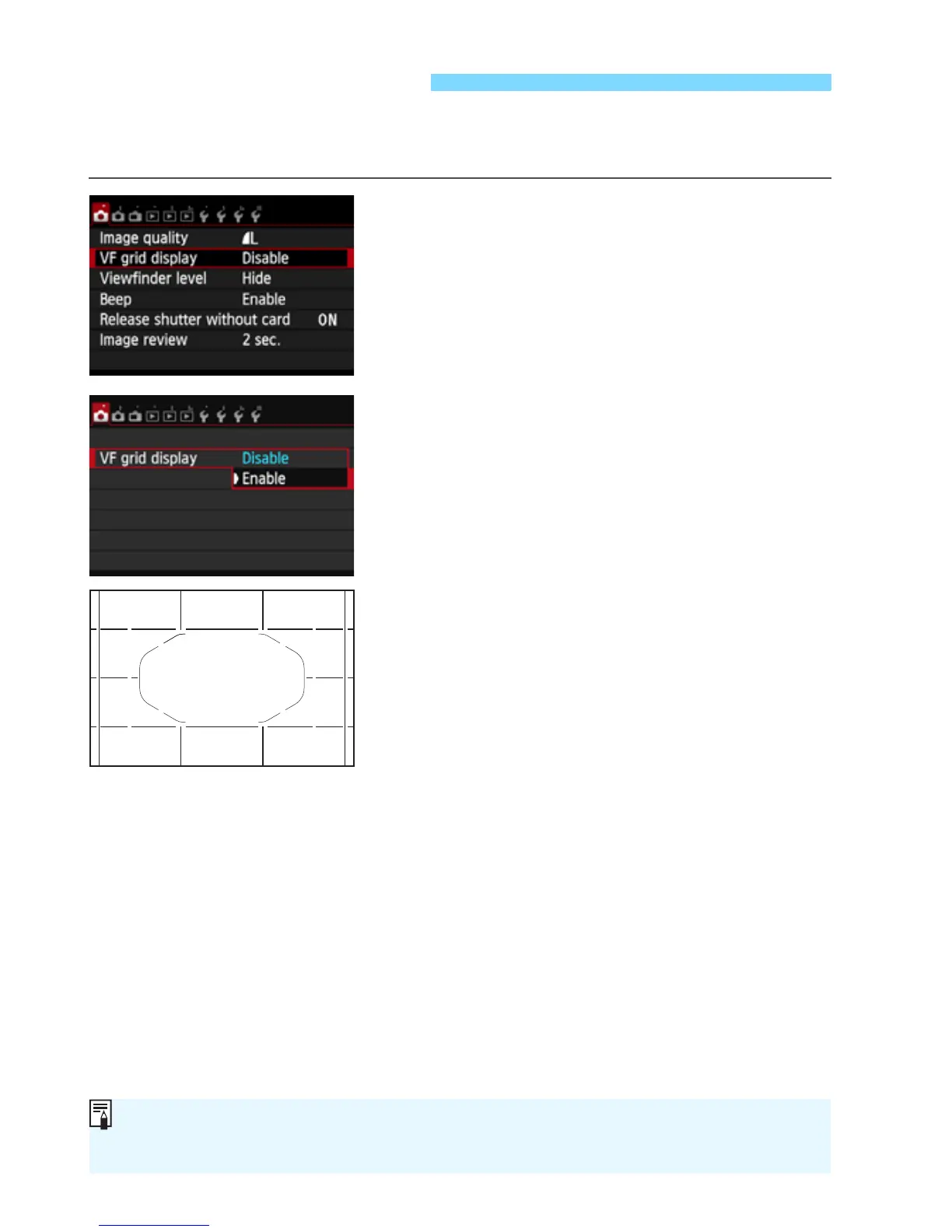
You can display a grid in the viewfinder to help you straighten or
compose the shot.
1
Select [VF grid display].
Under the [z1] tab, select [VF grid
display], then press <0>.
2
Select [Enable].
Select [Enable], then press <0>.
X When you exit the menu, the grid will
appear in the viewfinder.
Displaying the Grid
A grid can also be displayed on the LCD monitor during Live View shooting
and movie shooting (p 229, 276).



 To Next Page