59
Viewing Photos
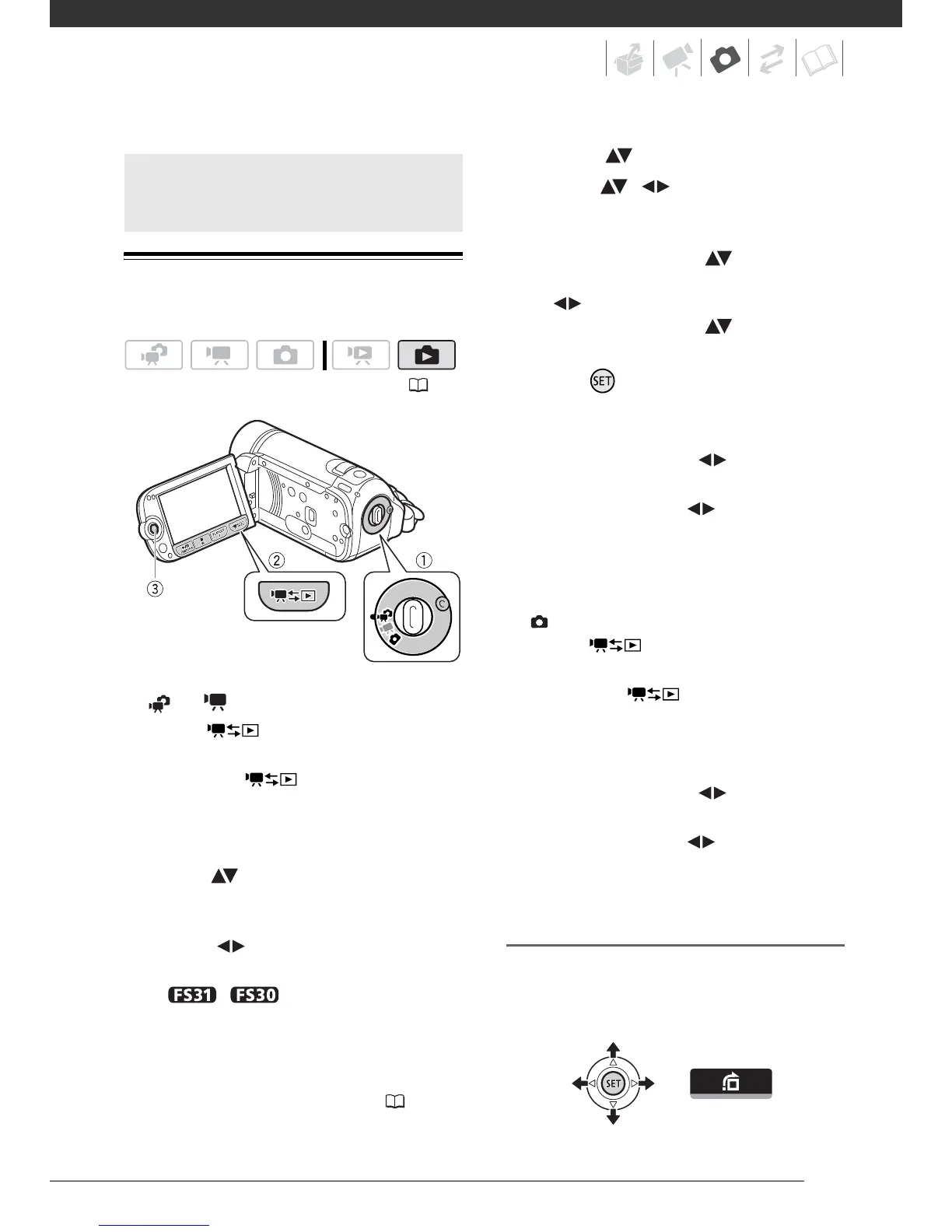
When the camera mode dial is set
to or :
1 Press .
• Even if the camcorder is off,
pressing will turn on the
camcorder in playback mode.
• The original movies index screen
appears after a few seconds.
2 Move ( ) the orange selection
frame to the tabs on the top of the
screen.
3 Select ( ) the tab that contains
the photos you want to play back.
•
/ You can switch
between the photos recorded in
the built-in memory and those
recorded on the memory card.
Refer to Selecting What
Recordings to Play Back ( 37).
4 Return ( ) to the index screen.
5 Select ( , ) a photo.
• Move the orange selection frame
to the photo you want to view.
• Push the joystick ( ) to extend
the selection frame and browse
( ) through whole index pages.
Push the joystick ( ) to return to
the index screen.
6 Press .
The index screen closes and the
selected photo is displayed.
7 Push the joystick ( ) to move
between images.
Push the joystick ( ) and hold it
down to run quickly through the
photos.
When the camera mode dial is set
to :
1 Press .
• Even if the camcorder is off,
pressing will turn on the
camcorder in playback mode.
• The last photo recorded will
appear.
2 Push the joystick ( ) to move
between photos.
Push the joystick ( ) and hold it
down to run quickly through the
photos.
Photo Jump Function
When you have recorded a large
number of photos, you can jump 10 or
100 photos at a time.
Basic Playback
( 24)


 To Next Page