Video
40
• Press again to return to the
index screen.
2 Select ( ) the playback starting
point from the timeline ruler.
3 Press to begin the playback.
Move ( ) the orange selection
frame to the large thumbnail and
change ( ) the scene.
Move ( ) the orange selection
frame to the slidebar below the ruler
and display ( ) the previous/next 5
frames in the scene.
Desired interval
Pre-selecting Recordings from the
Index Screen
You can select in advance a number of
movies or photos from the index screen
in order to perform certain actions on
them collectively, all at once.
mode: Delete ( 41), copy
(
/ only; 55) or add the
selected scenes to the playlist ( 54).
mode: Delete ( 61), copy
(
/ only; 64) or protect
( 63) the selected photos or mark all
of them with print orders ( 68) or
transfer orders ( 75).
1 Select the movies or the photo
index screen.
• From the movies index screen, you
can also press to open
the index screen for Video
Snapshot scenes.
•
/ You can select the
recordings in the built-in memory
or on the memory card (
37).
2 Open the selection screen.
[ SELECT]
[INDIVIDUAL SCENES] or
[INDIVIDUAL PHOTOS]
• The selection screen appears.
3 Move ( , ) between the
scenes or photos in the index
screen and press to select an
individual scene/photo.
• A checkmark will appear on the
selected scenes/photos.
TO SELECT ANOTHER SCENE
T
O MOVE BETWEEN TIMELINE RULER PAGES
TO CHANGE THE INTERVAL BETWEEN FRAMES
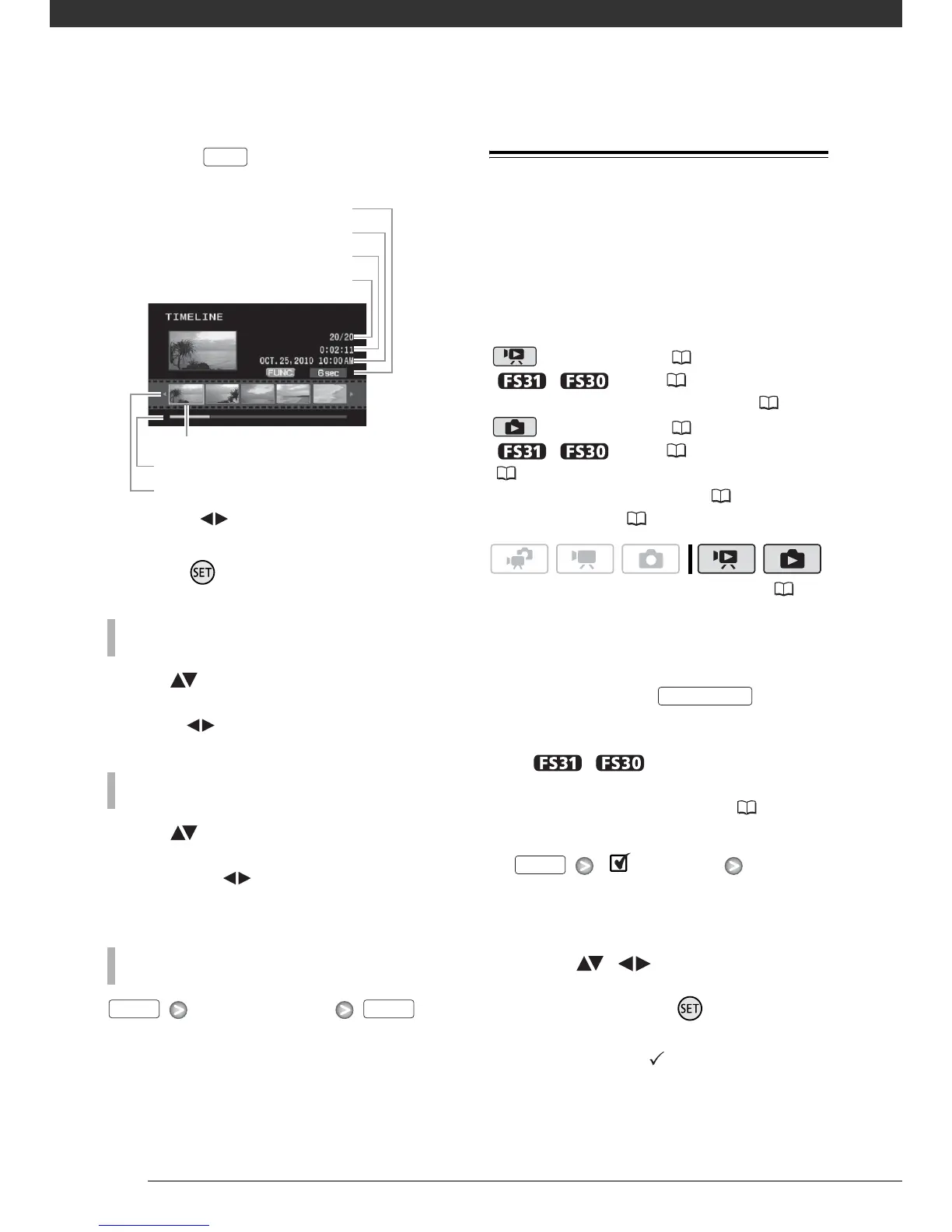
DISP.
Interval between frames
Page slidebar
Timeline ruler
Recording date and time
Scene length
Current scene / Total number of scenes
Frame selected for start of playback
FUNC. FUNC.
( 24)
VIDEO SNAP
FUNC.



 To Next Page