Photos
68
If an error occurs while printing, an error
message, for example [NO PAPER], will
appear on the camcorder. Solve the
problem referring to the error message list
( 97) and to the printer’s instruction
manual.
•
Canon’s PictBridge-compatible printers:
If
printing does not resume automatically
after you solved the problem, select
[CONTINUE] and press to resume
printing. If that option is not available,
select [STOP] and press and then
restart printing from the beginning.
• Other printers or if the error still persists with
a Canon printer: If printing does not
resume automatically, disconnect the
USB cable and turn off the camcorder.
After a short while, turn on the
camcorder and restore the USB
connection.
IMPORTANT
• You may not be able to print correctly
with a PictBridge-compatible printer
photos whose file names have been
changed or that were recorded, created,
edited or changed with any device other
than this camcorder.
• If [BUSY] does not disappear,
disconnect the USB cable and restore
the connection after a short while.
Print Orders
You can mark in advance the photos
you want to print and set the desired
number of copies as a print order. Later,
you can easily print out the print orders
by connecting the camcorder to a
PictBridge-compatible printer ( 65).
You can set print orders for up to 998
photos.
PRINT ERRORS
( 24)
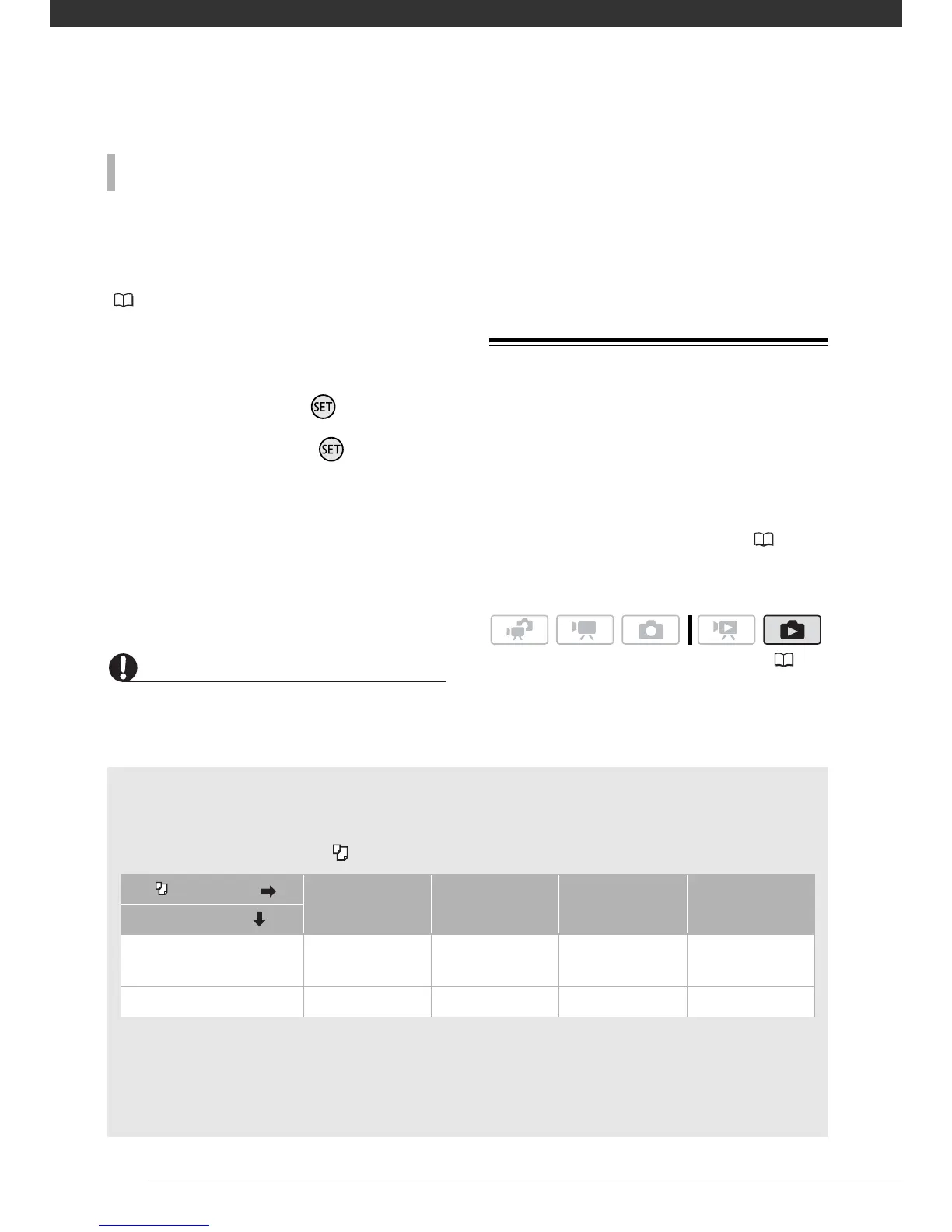
Printing multiple photos on the same sheet [2-UP], [4-UP], etc.
When using Canon printers you can print the same photo multiple times on the same
sheet of paper. Use the following table as a guideline for the recommended number of
copies depending on the [ PAPER SIZE] setting.
1
You can also use the special sticker sheets.
2
With the [8-UP] setting, you can also use the special sticker sheets (SELPHY CP printers
only).
SELPHY CP: When you use the wide-sized photo paper with the [DEFAULT] setting, you
can also use [2-UP] or [4-UP].
[ PAPER SIZE] [CREDITCARD] [9 x 13 cm] [10 x 14.8 cm] [A4]
Canon printer
PIXMA printers
SELPHY DS
– – 2, 4, 9 or 16
1
4
SELPHY CP/ES 2, 4 or 8
2
2 or 4 2 or 4 –



 To Next Page