Preparations
24
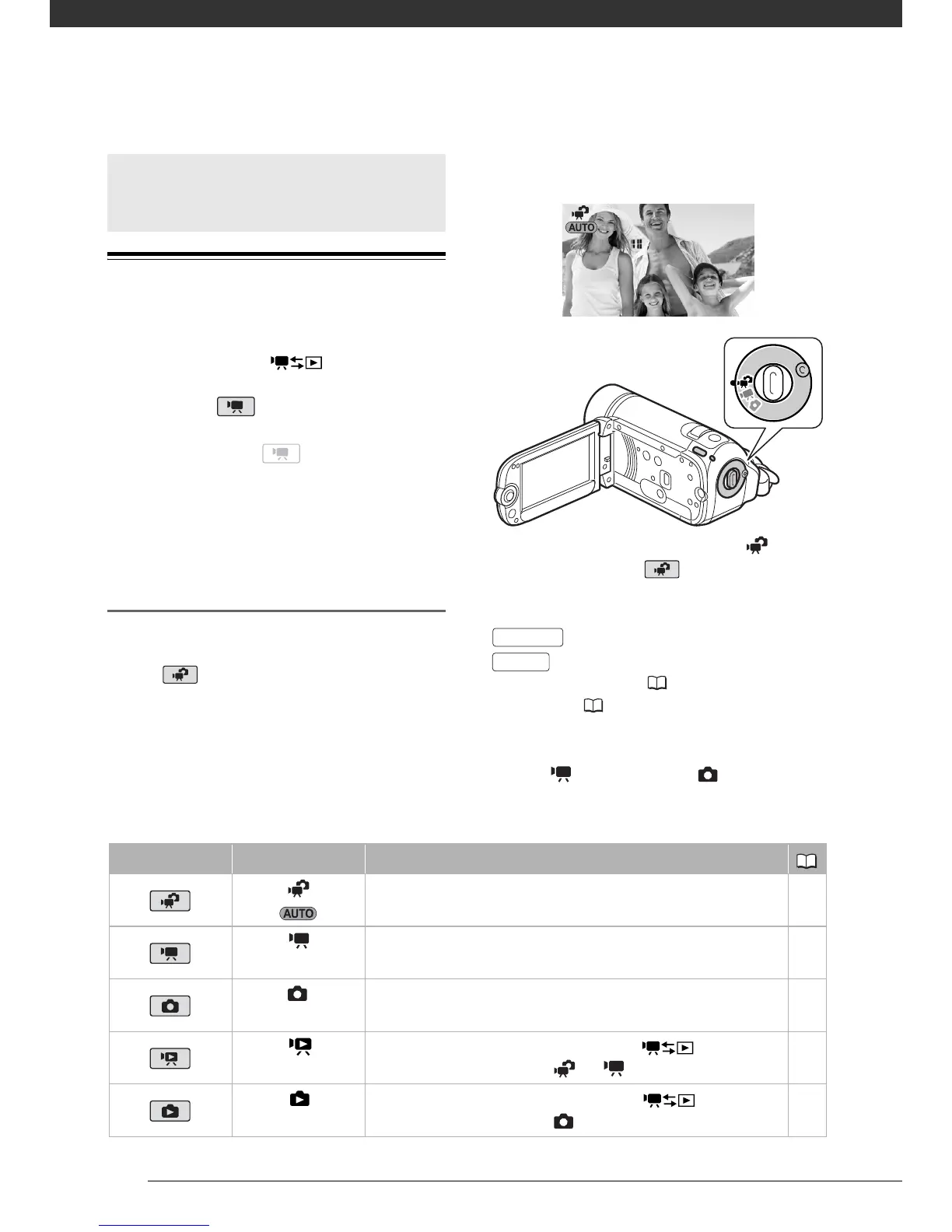
Operating Modes
The camcorder’s operating mode is
determined by the button and
the position of the camera mode dial. In
this manual, indicates that a
function is available in the operating
mode shown and indicates that
the function is not available. See the
following table for a summary of the
operating modes.
Recording: Dual Shot and Flexible
Recording
The camcorder offers two basic modes
for recording video or photos: Dual
Shot ( mode) for beginners or if
you just prefer not to bother with
detailed camcorder settings, and
flexible recording mode, which lets
you change the camcorder’s settings to
your preference.
Turn the camera mode dial to to set
the camcorder to mode. You do
not need to worry about any settings
and can shoot video using just
or take photos using just
. You can also use the zoom
lever, Quick Start ( 35) and Video
Snapshot ( 45).
To set the camcorder to flexible
recording mode, turn the camera mode
dial to for movies or for photos.
You can access the menus and change
settings to your preference. Even in
Basic Operation of the
Camcorder
Operating mode Icon display Operation
Recording movies or photos to the memory (Dual Shot) 24
(green)
Recording movies to the memory 32
(blue)
Recording photos to the memory 57
(green)
Playing movies from the memory (press while the
camera mode dial is set to or
)
36
(blue)
Viewing photos from the memory (press while the
camera mode dial is set to )
59
Start/Stop
PHOTO



 To Next Page