19
Preparations
This chapter describes basic operations, such as navigating the
menus, and first time settings to help you learn more about your
camcorder.
Charging the Battery Pack
The camcorder can be powered with a
battery pack or directly using the
compact power adapter. Charge the
battery pack before use.
For approximate charging times and
recording/playback times with a full
battery pack, refer to the tables on
pages 105-106.
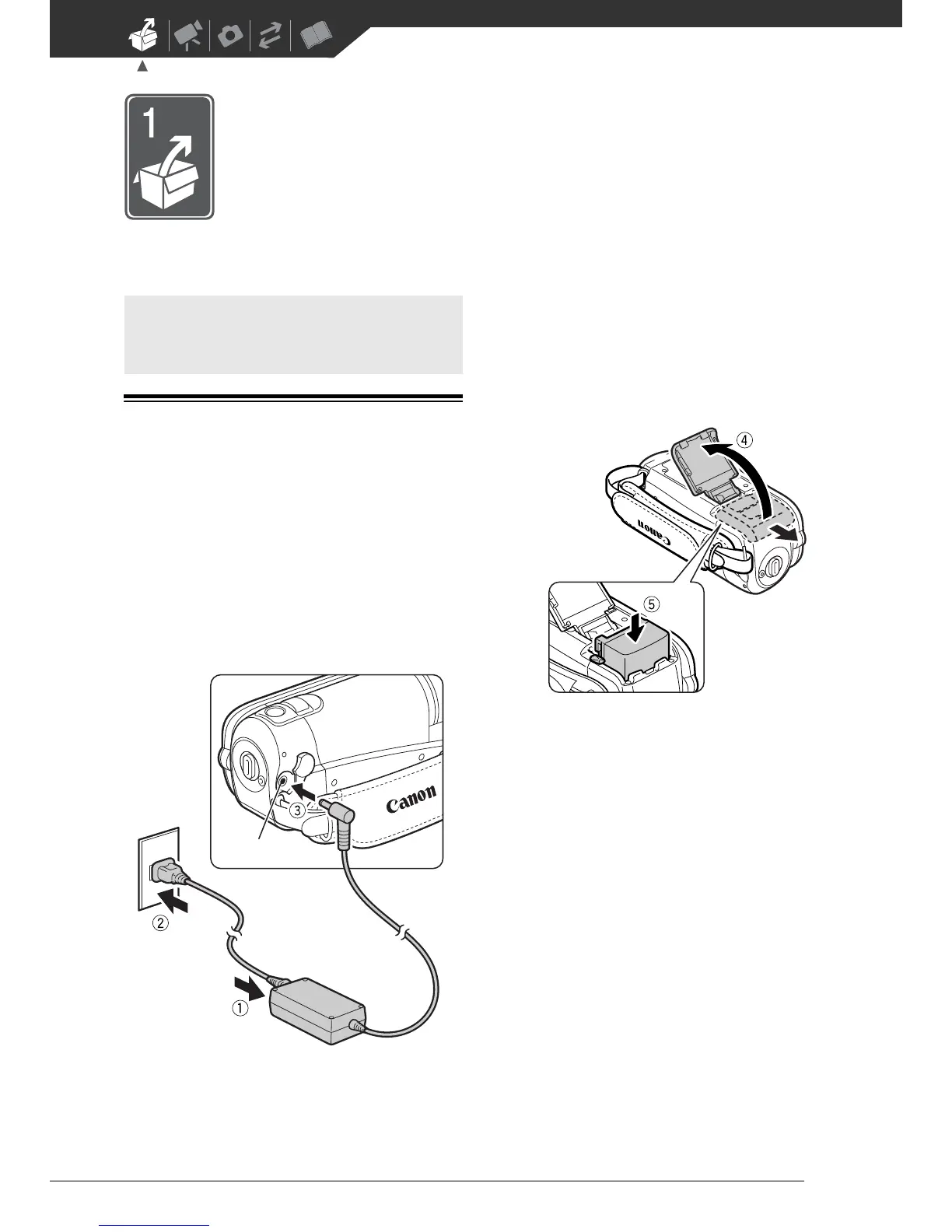
1 Connect the power cord to the
compact power adapter.
2 Plug the power cord into a power
outlet.
3 Connect the compact power
adapter to the camcorder’s DC IN
terminal.
4 Slide the battery compartment
cover away from the lens and
open it.
5 Insert the battery pack all the way
into the compartment and press
gently until it clicks.
6 Close the cover and slide it toward
the lens until you hear a click.
Getting Started
DC IN terminal



 To Next Page