40×/100× digital zoom
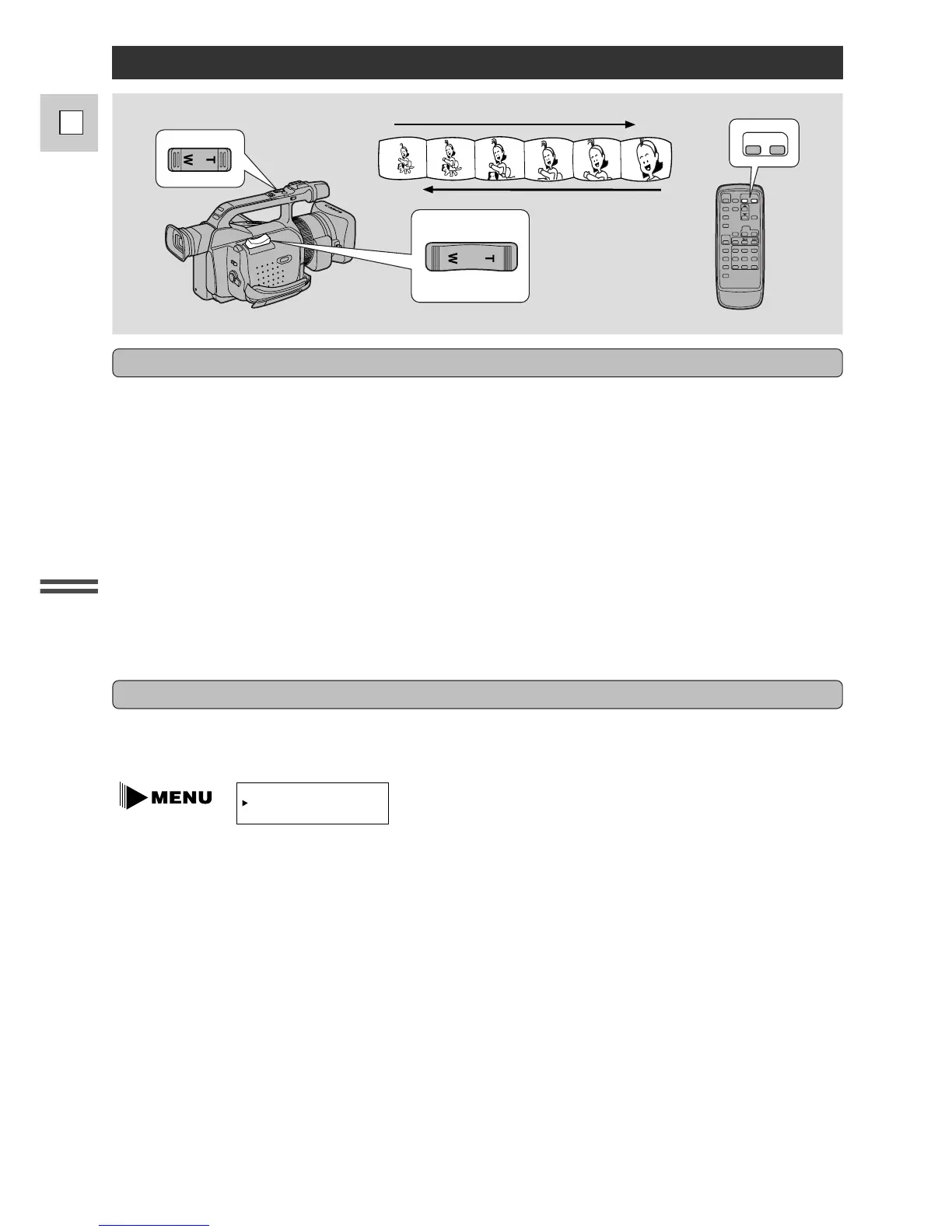
Operate the zoom controls from either the side grip, the camera handle or the wireless controller.
The camera’s 20× zoom lens allows you to choose the best picture angle for each scene:
• Press the zoom control towards W to zoom out to wide-angle.
• Press it towards T to zoom in to telephoto.
You can control the speed of zooming from the side grip:
• Press the control slightly to zoom slowly.
• Press it farther to zoom more quickly. (The farther you press the zoom control, the faster the zoom
speed.)
The T and W buttons on the wireless controller and the camera handle adjust the picture angle, but not the
zoom speed. Set the handle-top zoom control to one of three speeds. Open the camera menu and select
ZOOM HANDLE , then set it to LOW, MEDIUM or FAST. The speed of the zoom control on the
wireless controller cannot be adjusted.
20× optical zoom
The zoom control continues to work as usual. You can freely zoom in and out between 1× and 40× or
1× and 100× magnification — the camera automatically switches between optical zooming (up to 20×)
and digital zooming (20× to 100×).
Notes:
• When zooming, as a rule, keep at least one meter between you and your subject. However when the
zoom is at the wide-angle position, you can focus on a subject as close as 3/8 in (1 cm).
• Image resolution decreases the further you zoom towards 100× in digital zoom range.
• When the digital zoom is set to 40×, the zoom indicator extends (light blue).
When the digital zoom is set to 100× zoom, the zoom indicator extends again (a darker blue).


 To Next Page