3–207
COPYRIGHT © 1996 CANON INC. CANON GP215/200 REV.0 JULY 1996 PRINTED IN JAPAN (IMPRIME AU JAPON)
3. OPERATIONS AND TIMING
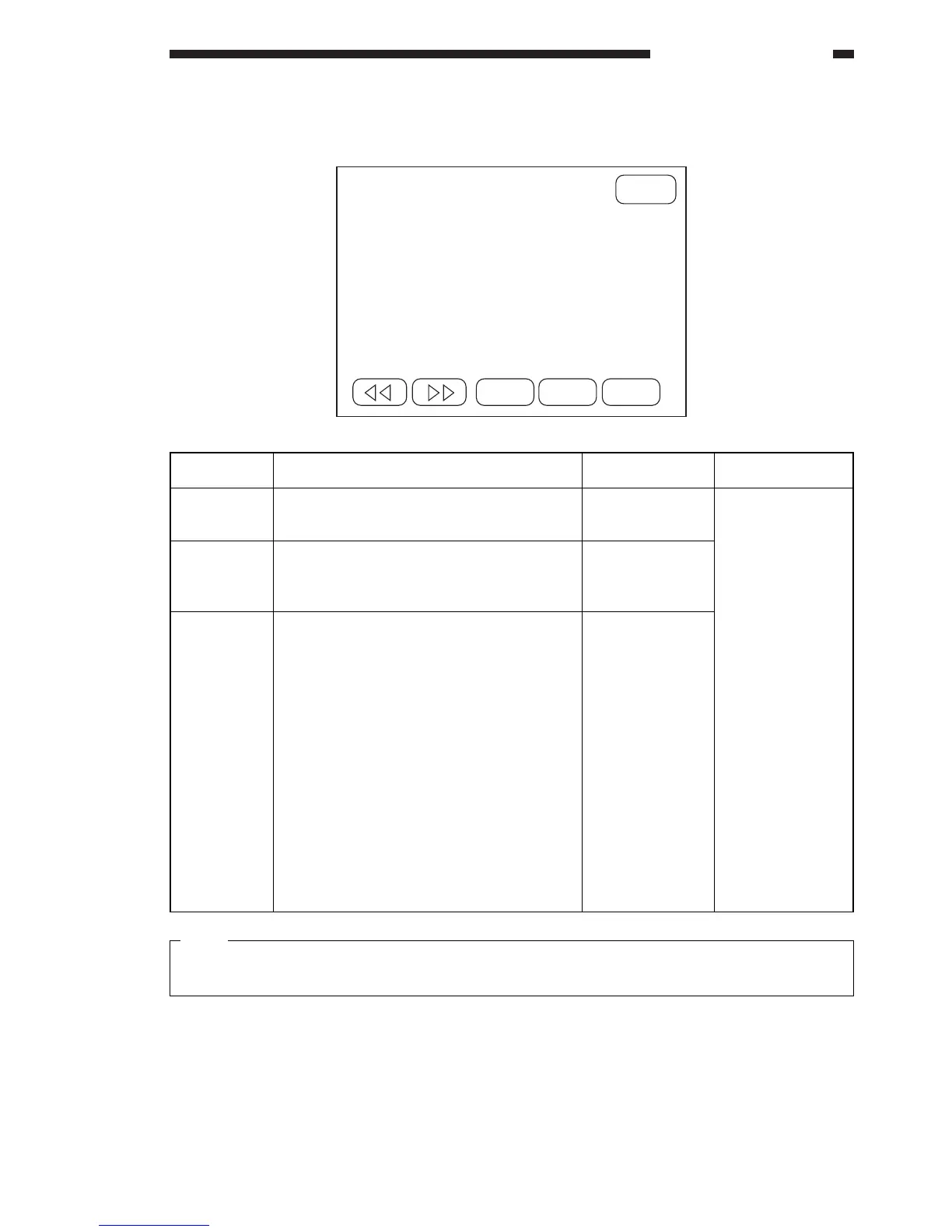
8. Adjusting the Transfer Charging Roller Bias
Note:
Settings are between 0 and 10; however, a value higher than 10 may be entered. (Any such number
will be treated as ‘5’ for control.)
CANCEL
+
OK
*3* ADJUST 08
TRNS-1 : xxxxx <– (xxxxx)
TRNS-2TS : xxxxx <– (xxxxx)
TRNS-2OL : xxxxx <– (xxxxx)
–
Item
TRNS-1
TRNS-2TS
TRNS-2OL
Description
Use it to adjust the transfer roller bias occur-
ring when copying on the 1st side.
Use it to adjust the transfer roller bias occur-
ring when copying on the 2nd side of a two-
sided copy.
Use it to adjust the transfer roller bias occur-
ring when copying on the 2nd side of an
overlay copy.
Settings
0~10
0~10
0~10
Remarks
Make adjustments
if image faults
occur because of
an incorrect trans-
fer roller bias.
Guide
• If fogging
caused by stray
toner occurs in
the trailing
edge margin,
increase the
value.
• If the density
grows higher
(darker) at
intervals of
about 94 mm
when copying
an entirely
halftone image,
decrease the
value.



 To Next Page