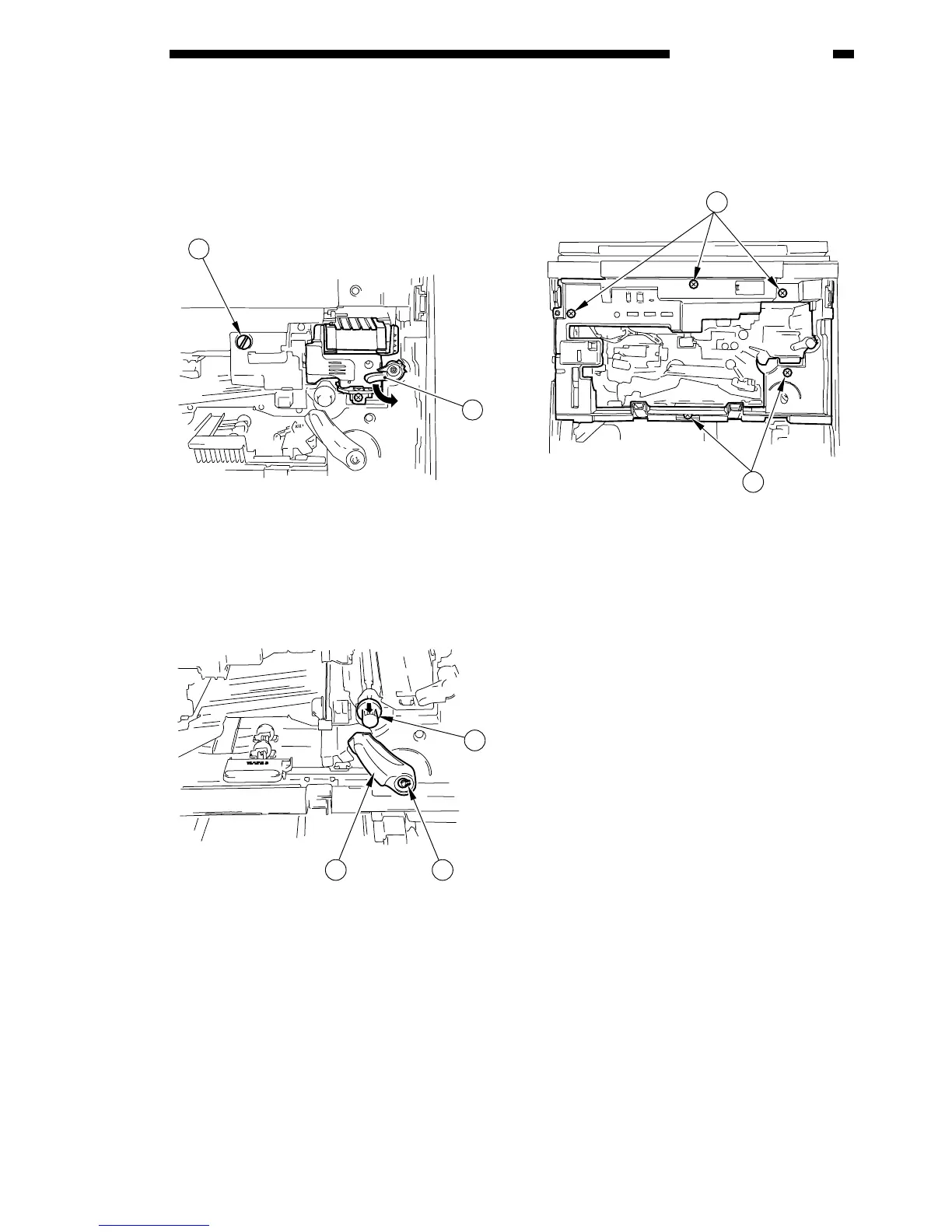
3) Shift the locking lever t to release the devel-
oping assembly; then, remove the knob y
from the drum unit to remove the drum unit.
4) Shift back the locking lever t to lock the
developing assembly in place.
Figure 4-208
5) Release the feeding assembly, and remove
the feeding lever u (1 top ring i) and the
registration roller knob o.
Figure 4-209
6) Slide out the upper cassette.
7) Remove the five screws !0, and remove the
inside cover.
Figure 4-210



 To Next Page