4
4
4-31
4-31
Parts Replacement and Cleaning Procedure > Clutch Solenoid Motor Fan PCB (DADF) > Removing the Sensor(SR1,SR2,SR3)
Parts Replacement and Cleaning Procedure > Clutch Solenoid Motor Fan PCB (DADF) > Removing the Sensor(SR1,SR2,SR3)
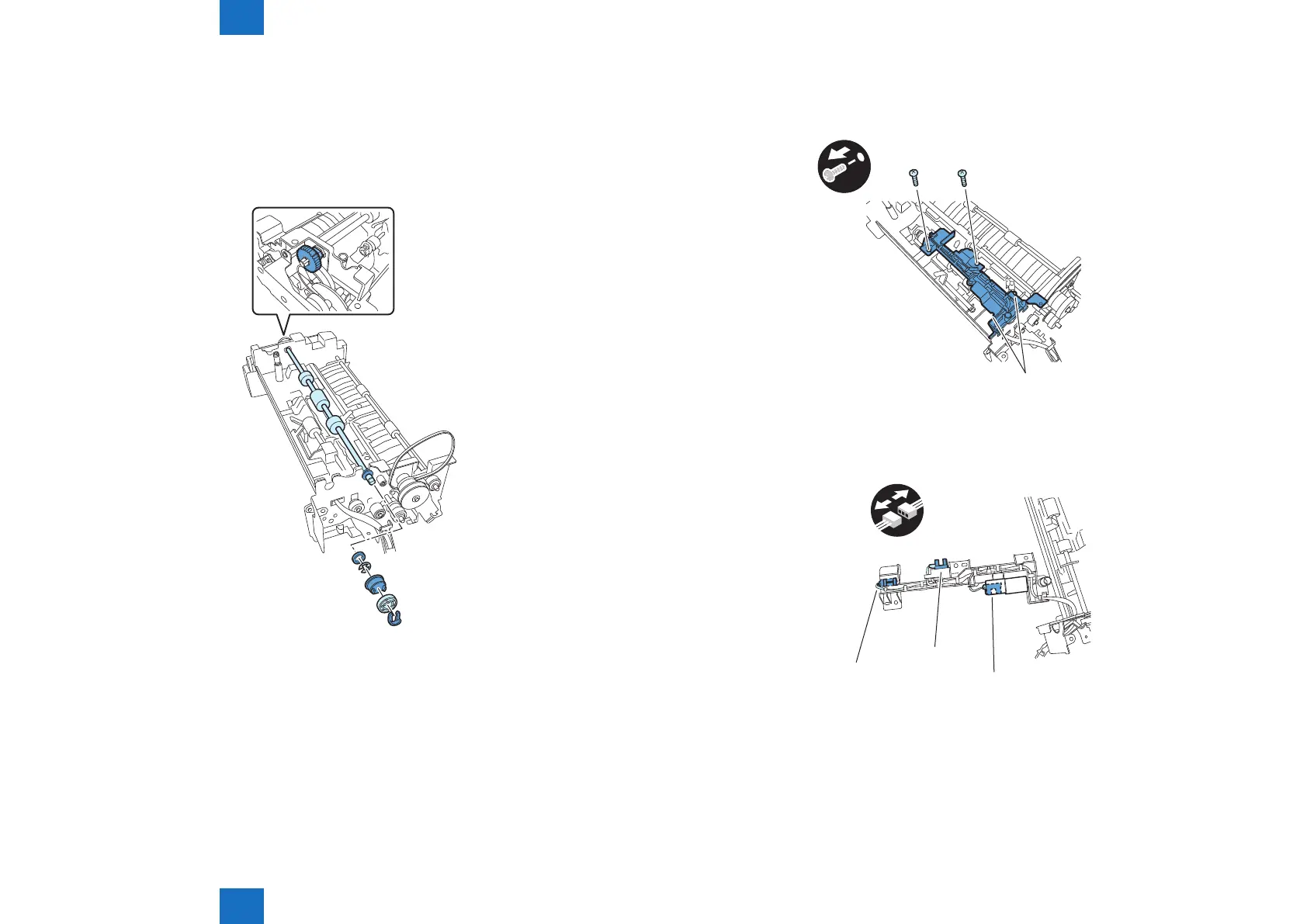
8) Remove the read roller 2
- Resin ring 1 pc.
- Pulley 1 pc.
- Gear 2 pcs.
- E-ring 1 pc.
- Bearing 3 pcs.
F-4-70
9) Remove the sensor mount
- Hook 2 pcs.
- Screw 2 pcs.
x2
Hook
10) Remove the sensor(SR1,SR2,SR3)
- Connector 1 pc.
SR1
SR2
SR3
x1
F-4-71
F-4-72









 To Next Page