2-19
2
Installing the Canon Advanced Printing Technology
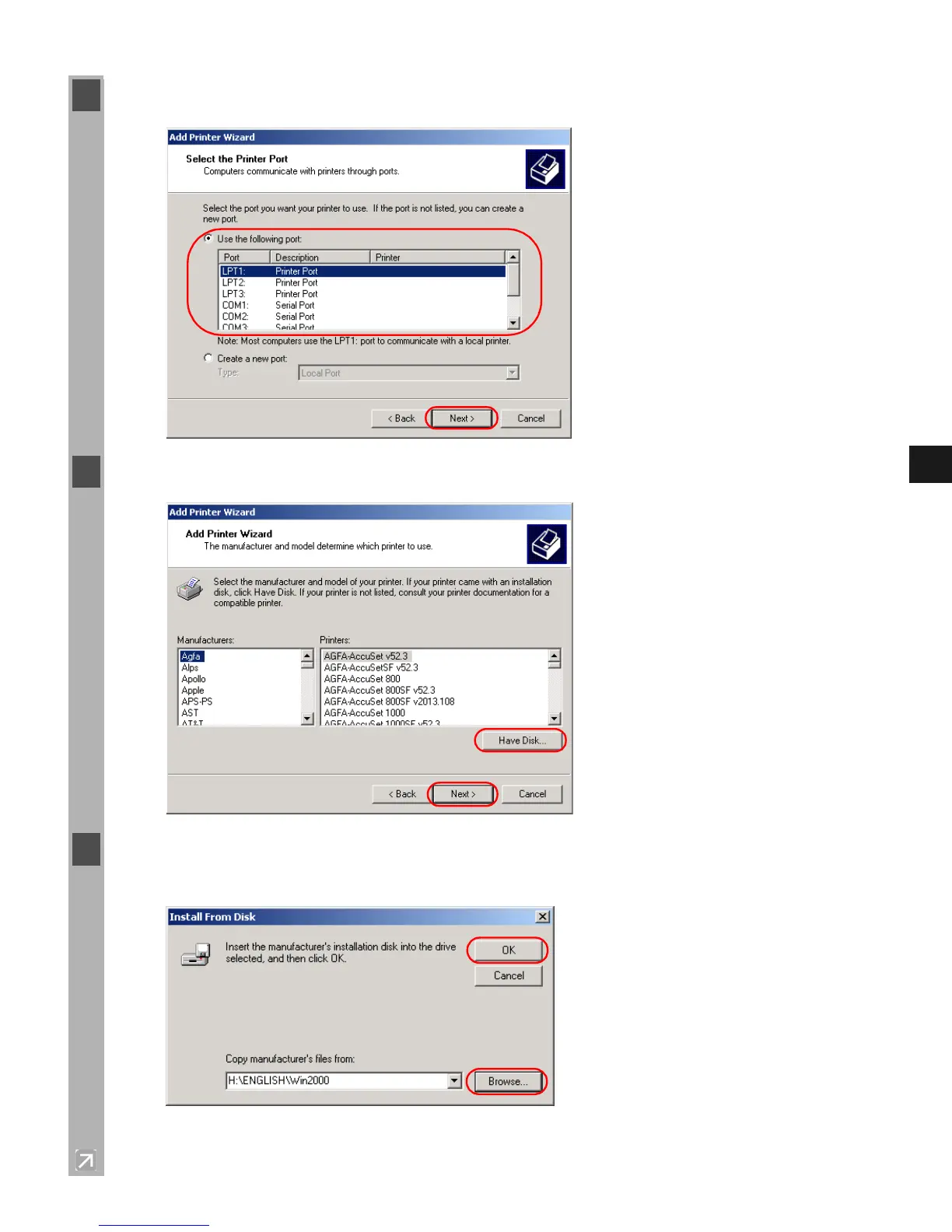
5 Select the printer port or ports you want to use, then click Next >.
6 Click Have Disk… in the Manufacturers/Printers dialog box.
7 The Install From Disk dialog box appears. Use Browse… to select the directory or enter the
path name that contains the CAPT, then click OK.
For example, if you are using the CD-ROM to install the CAPT, and your CD-ROM drive is
drive D:, the path name would be D:\English\Win2000.














 To Next Page