15
Set the Machine for Sending Faxes
(MF4140/MF4150 Only)
Guidelines for Entering Information
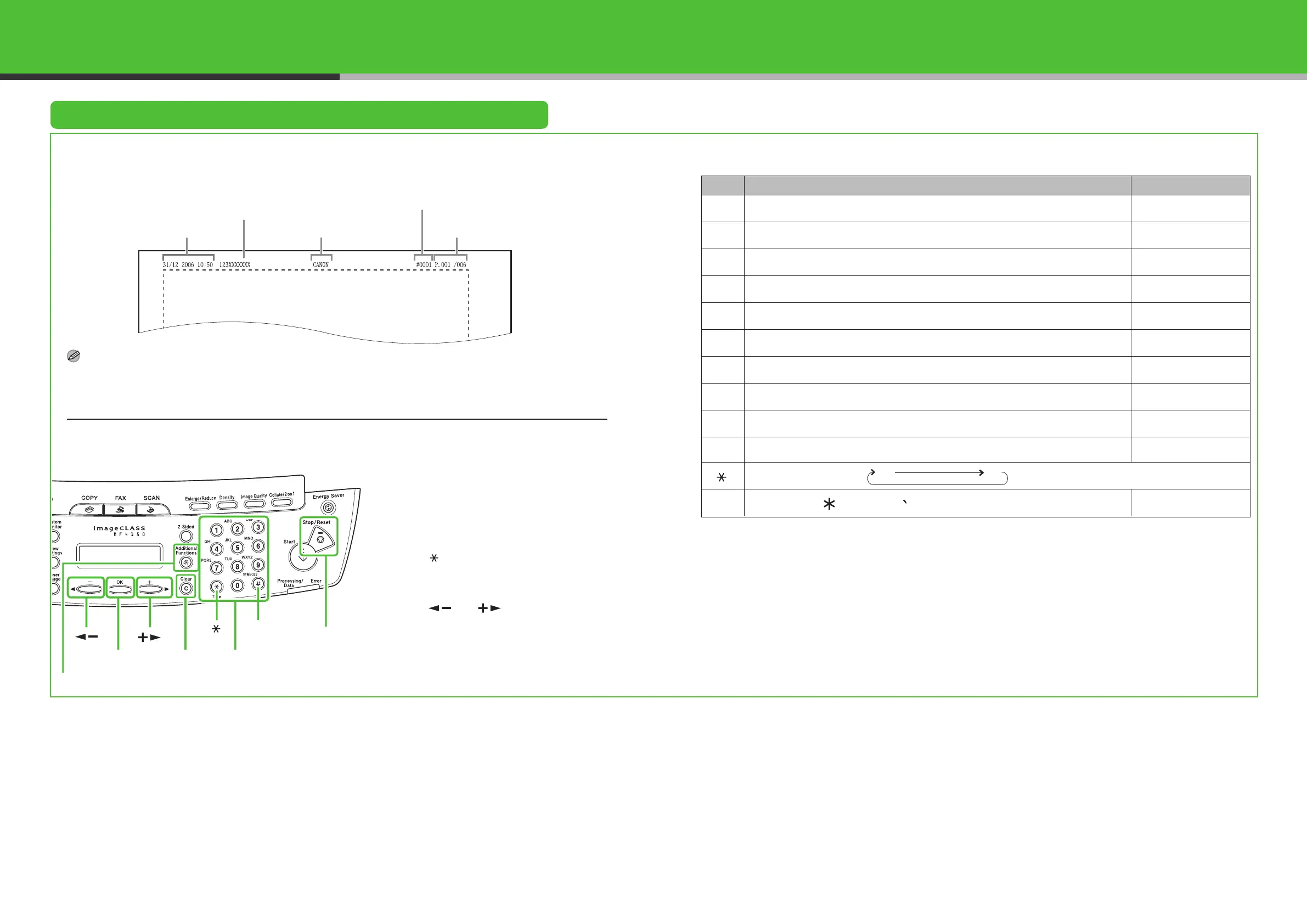
The sender information you register in the machine appears in the header of each page received by
your recipient.
NOTE
Before sending a fax, you MUST register your fax number, unit name, and the current date and time in the machine.
Entering Information
Use the following keys to enter information in the machine.
You can enter the following characters in each input mode:
● Use the numeric keys to enter characters.
Press the numeric key repeatedly until the
required character appears.
● Press [#] to enter symbols.
● Press [ ] to switch among input modes:
– [A]: Letter mode
– [1]: Number mode
● Press [ ] or [ ] to move the cursor.
● Press [Clear] to delete the character at the
cursor position. Hold [Clear] for more than
one second to delete the entire entry.
● Press [OK] to confirm the entry.
Date and time
Fax/telephone number
Unit name
Page number/
Number of pages
Job Number
[1]
[A]
[1]
1
[2] ABCabcÄäÅåÆæàÇç 2
[3] DEFdefÉéè 3
[4] GHIghiìíî 4
[5] JKLjkl 5
[6] MNOmnoÑñÖöØøò 6
[7]
PQRSpqrsß
7
[8]
TUVtuvÜüùú
8
[9]
WXYZwxyz
9
[0] 0 0
[ ]
[#] (space)
– . # ! " , ; : ^ _ = / | ’ ? $ @ % & + ( ) [ ] { } < >
#
[A]
[1]
[]
[#]
[OK]
[Clear]
Numeric Keys
[]
[]
[Stop/Reset]
[Additional Functions]
16













 To Next Page