12
2 Set Up the Machine
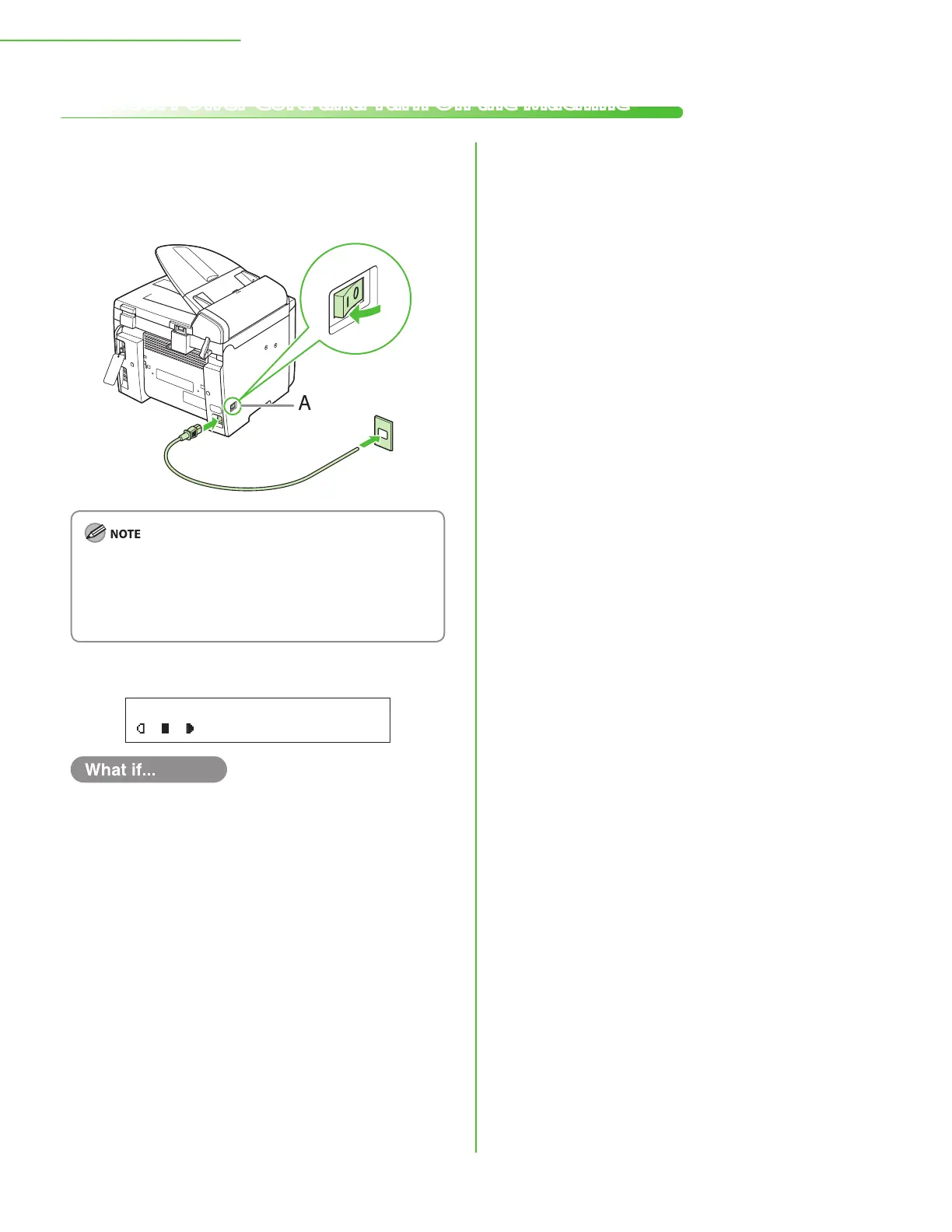
1 Connect the power cord into the rear socket on
the back side of the machine and the wall
outlet, and press the [I] side of the main power
switch (A) to turn ON.
Do not connect the machine and the computer with a USB
cable at this time. Connect the machine and the computer
with a USB cable only during the software installation
procedure. (A USB cable is not used when the machine is
used via a network connection.)
2 The machine enters the standby mode.
T E X T / P H O T O 1
1 0 0 % L T R
The LCD display turned OFF:
The machine may enter the Sleep mode while you are performing setup. Press
[Energy Saver] to turn the display back ON and continue the setup.
<SET PAPER AGAIN/SET TONER AGAIN> is displayed:
Make sure that the toner cover and scanning platform are closed properly. (See
“Install Toner Cartridge,
” on p. 5.)
<CLOSE COVER/TONER COVER> is displayed:
Check the installation of the toner cartridge and the placement of the paper.
(See “Install Toner Cartridge,
” on p. 5 and “Set Up Paper Cassette and Load
Paper,
” on p. 8.)
●
●
●
Connect Power Cord and Turn On the Machine










 To Next Page