2
1
Set Up the Machine to Suit Your Purposes
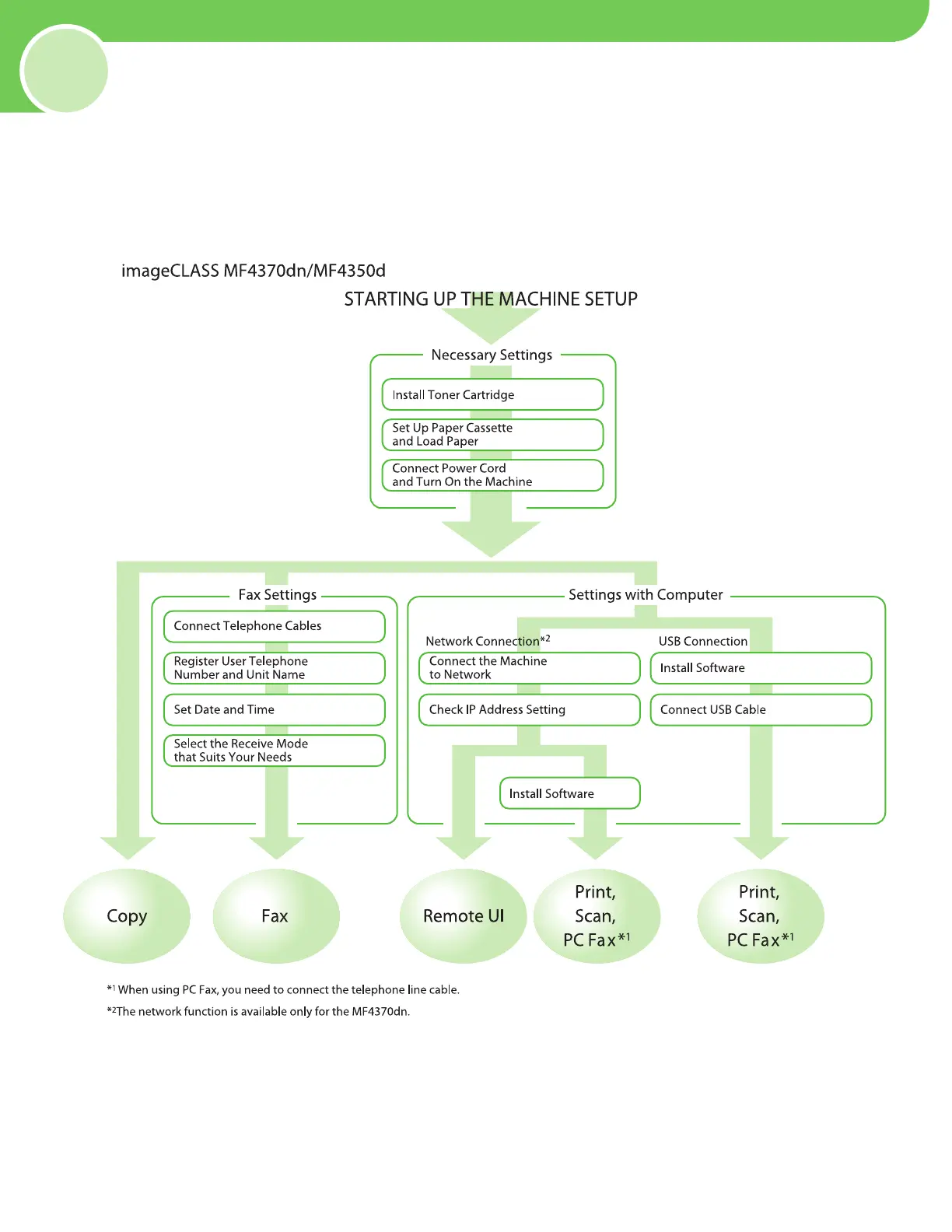
Determine which machine functions (Copy, Fax, Print, PC Print, PC Fax, Scan, Remote UI) you intend to use, and
make the settings according to the owchart below.
For example, when you use copy function only, follow “Required Settings.” When you use both copy and fax
functions, follow “Required Settings” and “Fax Settings.”
p. 5
p. 8
p
. 12
p
. 13
p
. 14
p
. 16
p
. 17
p
. 21
p
. 21
p
. 31
p
. 32
p
. 26
(See “Connect Telephone Cables,
” on p. 13.)










 To Next Page