20
4
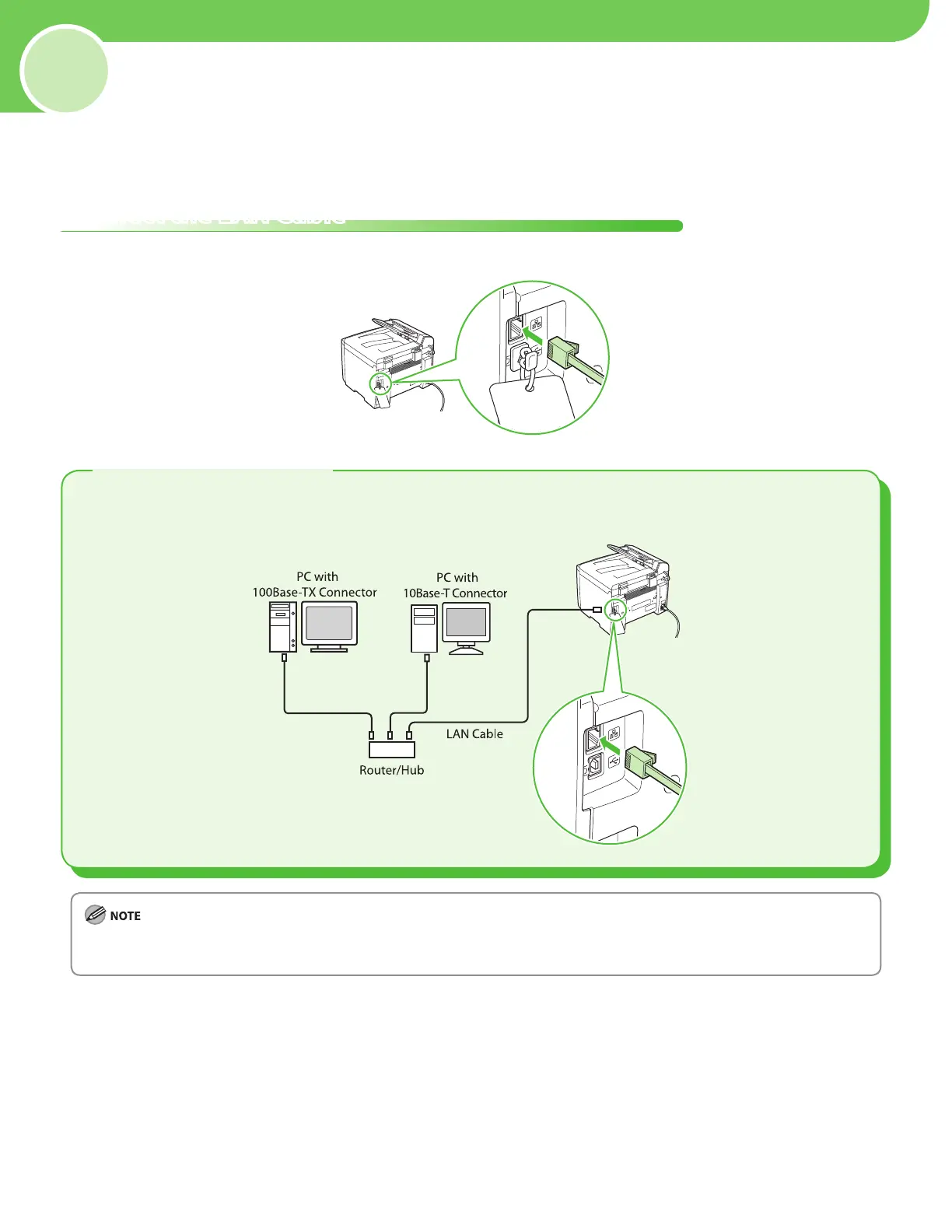
A category 5 or greater twisted pair LAN cable is compatible with the machine. Connect one end to the
10Base-T/100Base-TX port on the back of the machine and the other end to a network router or a hub.
Set Up Network Connection
(MF4370dn Only)
If you are using the MF4350d, skip this chapter.
Connect the LAN Cable
Connect a LAN cable that is compatible with the LAN connector of this machine.
Compatible LAN Cables
A LAN cable is not included with the machine.
If you use the machine as a local printer, connect the machine directly to a computer using a USB cable.
–
–









 To Next Page