32
5 Set Up Computers and Software
7
8
9
10
11
12
13
14
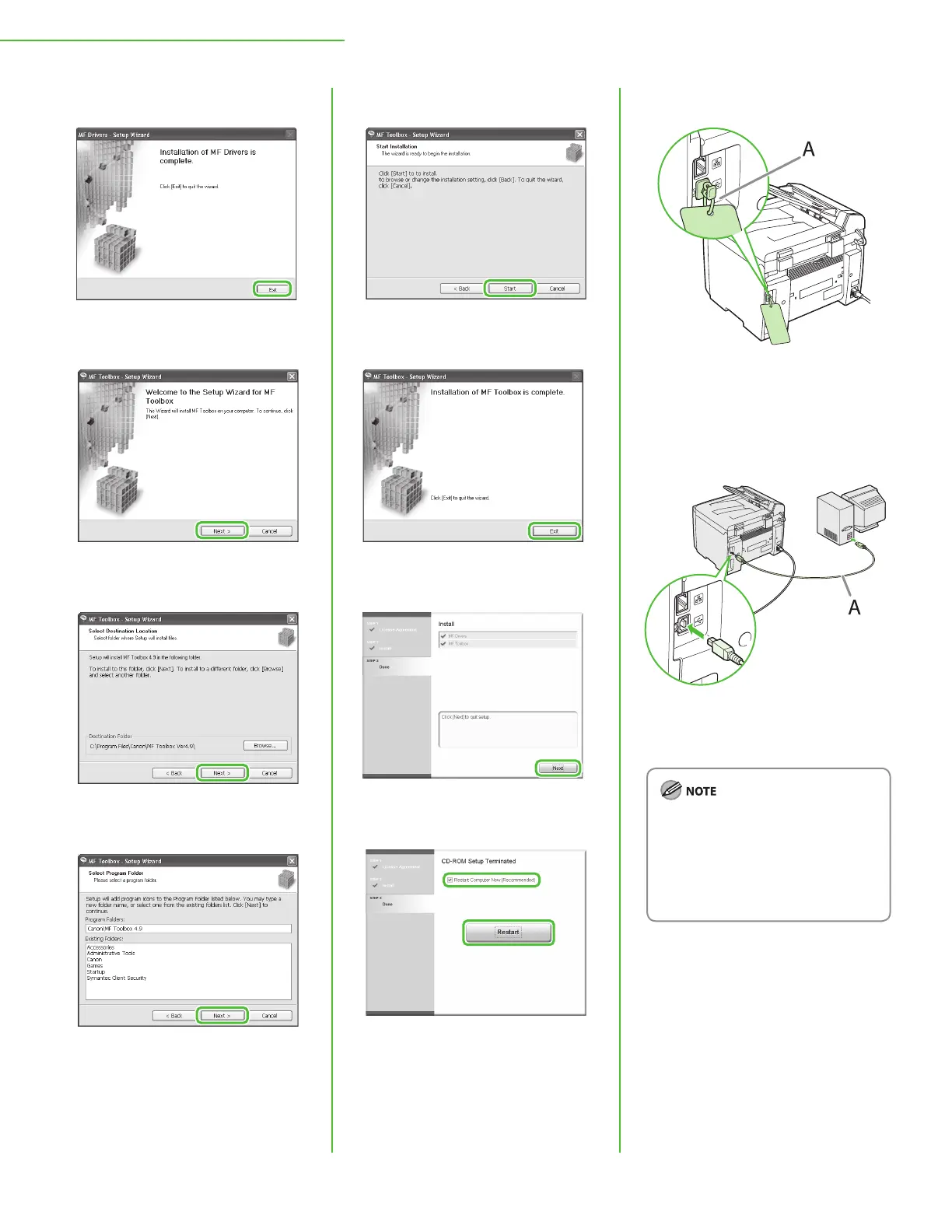
After checking [Restart Computer
Now (recommended)] button, you
can restart your computer by
clicking the [Restart] button.
15
The machine has a cap (A) that
covers the USB port on the back of
the machine. Remove the cap (A)
by pulling the string.
16
After restarting your computer,
connect the machine and your
computer with a USB cable (A).
Depending on the operating system
you use, the dialog box to inform you
that new hardware is detected may
appear. Follow the on-screen
instruction to complete the
installation.










 To Next Page