29
5 Set Up Computers and Software
3
4
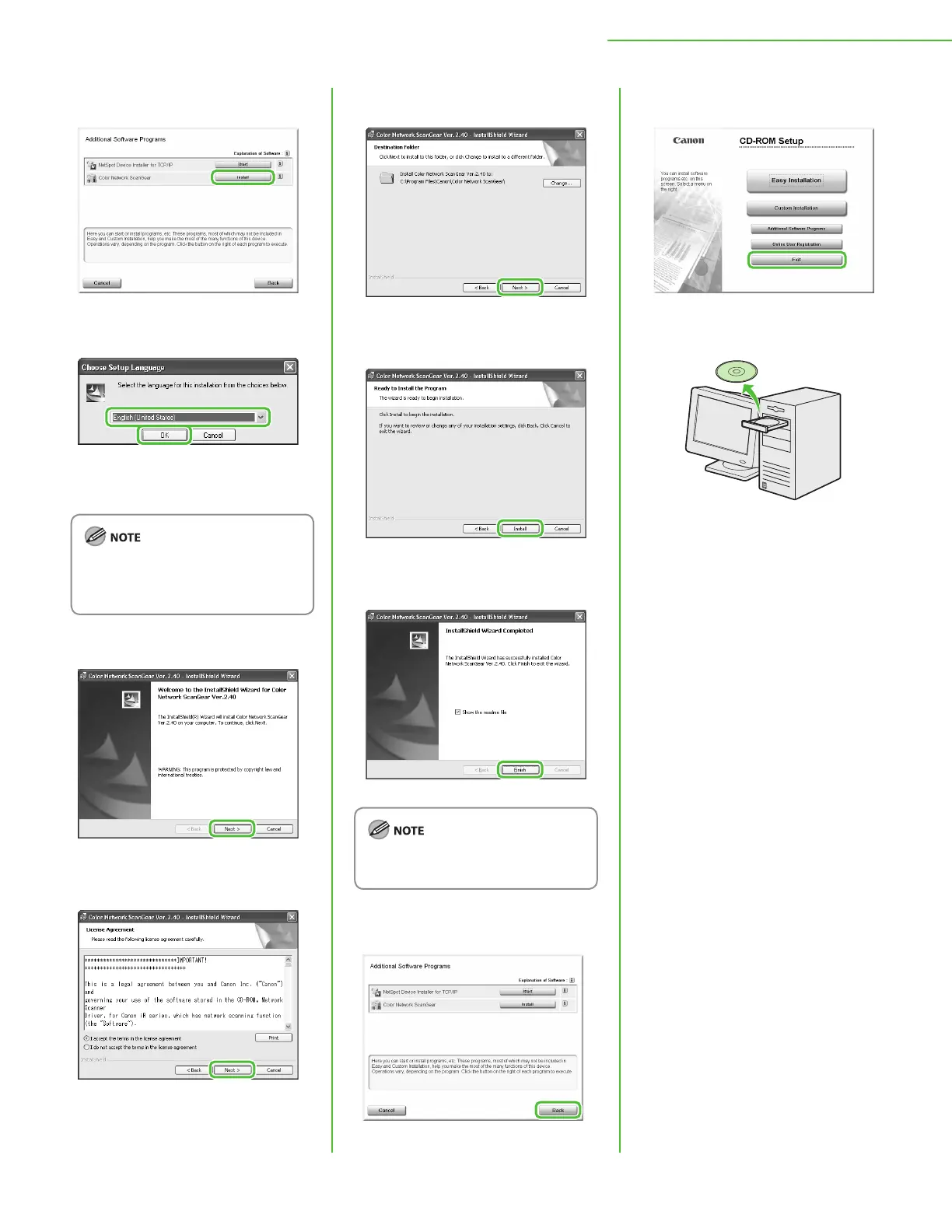
Select the same language as your
operating system.
If you selected a language that is not
same as your operating system, the
characters may be garbled.
5
6
7
8
9
The Readme le opens. After reading
it, close the window.
10
11
12
Remove the User Software CD-ROM.
Installation is complete.










 To Next Page