4
2.
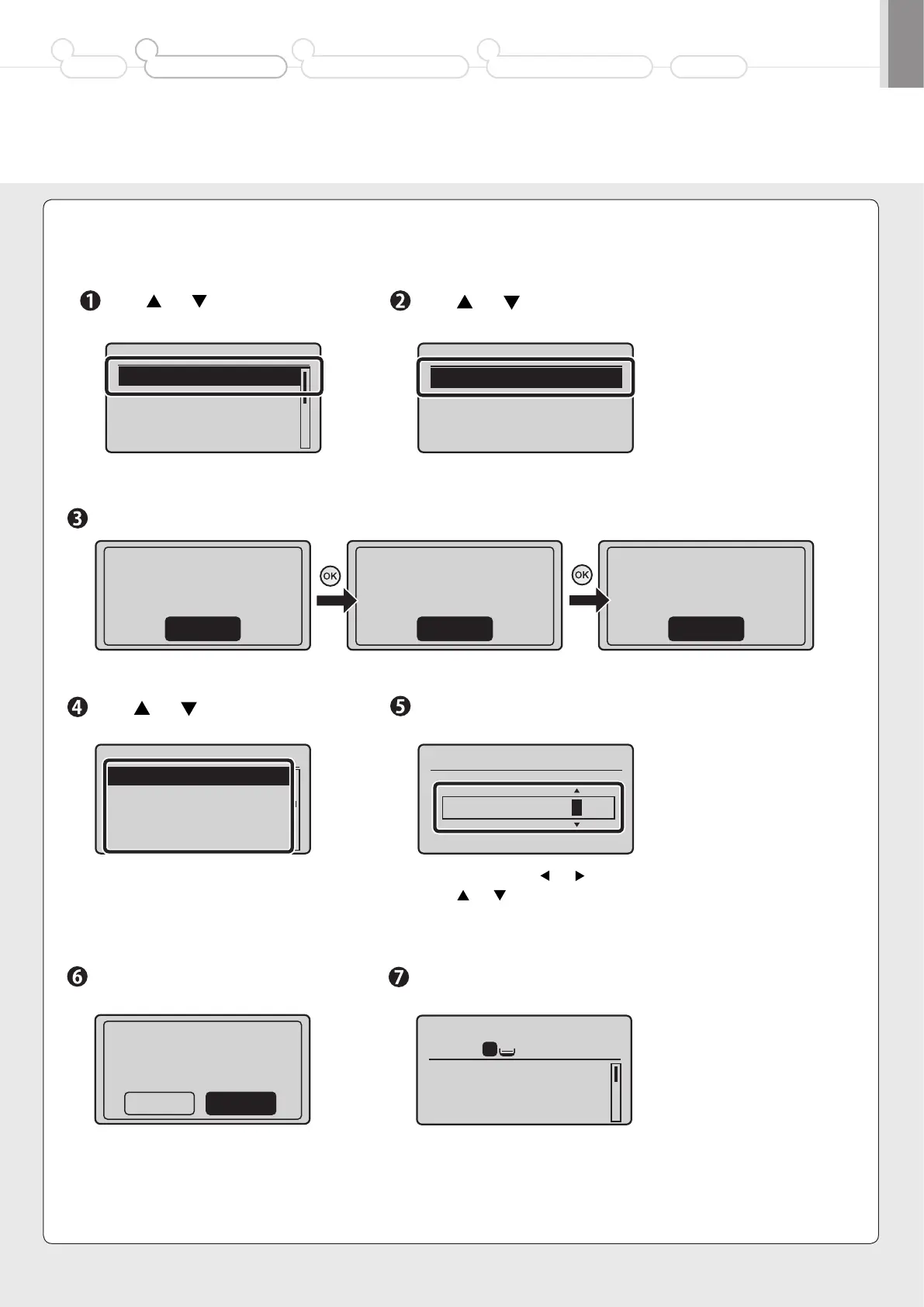
Specify initial settings.
Press [ ] or [ ] to select, and
then press [OK].
Press [ ] or [ ] to select, and
then press [OK].
Language
English
Japanese
French
Spanish
Select Country/Region
Australia (AU)
New Zealand (NZ)
Other (Australia)
Preface
1
Installing the Machine
2
Configuring and Connecting the Fax
3
Connecting to a Computer and
Installing the Drivers
4
Appendix
Enter the date and time, and then
press [OK].
Press [OK].
The initial screen appears when
the initial setup is complete.
Press [ ] or [ ] to select, and
then press [OK].
• Move the cursor with [ ] or [ ].
• Press [ ] or [ ] to select the number or switch
to <AM> or <PM>.
Read the messages, and then press [OK].
Open back cover; see
if orange packing
material is removed.
Check that tabs/tape
are removed from
toner cartridge.
Check that paper is
loaded in Drawer 1.
Next NextNext
Time Zone Settings
GMT 0:00
GMT+1:00
GMT+2:00
GMT+3:00
Copy: Press Start
100% A4
Density: 0
Original Type: Text
...
2-Sided: Off
1
+
-
1
Current Time Settings
01/01 2011 12:52 AM
• You can perform color correction by
selecting <Yes> to obtain optimum copy
results or printout results. For details
on the procedure, see the following
“Performing Color Correction.”
Adjust image to
reproduce original
color?
Yes No
* The screen may differ depending on the country or region where you are using the machine.













 To Next Page