11
Connecting to Wired LAN
Before adding the machine to a wired LAN
Precautions when connecting to a wired LAN
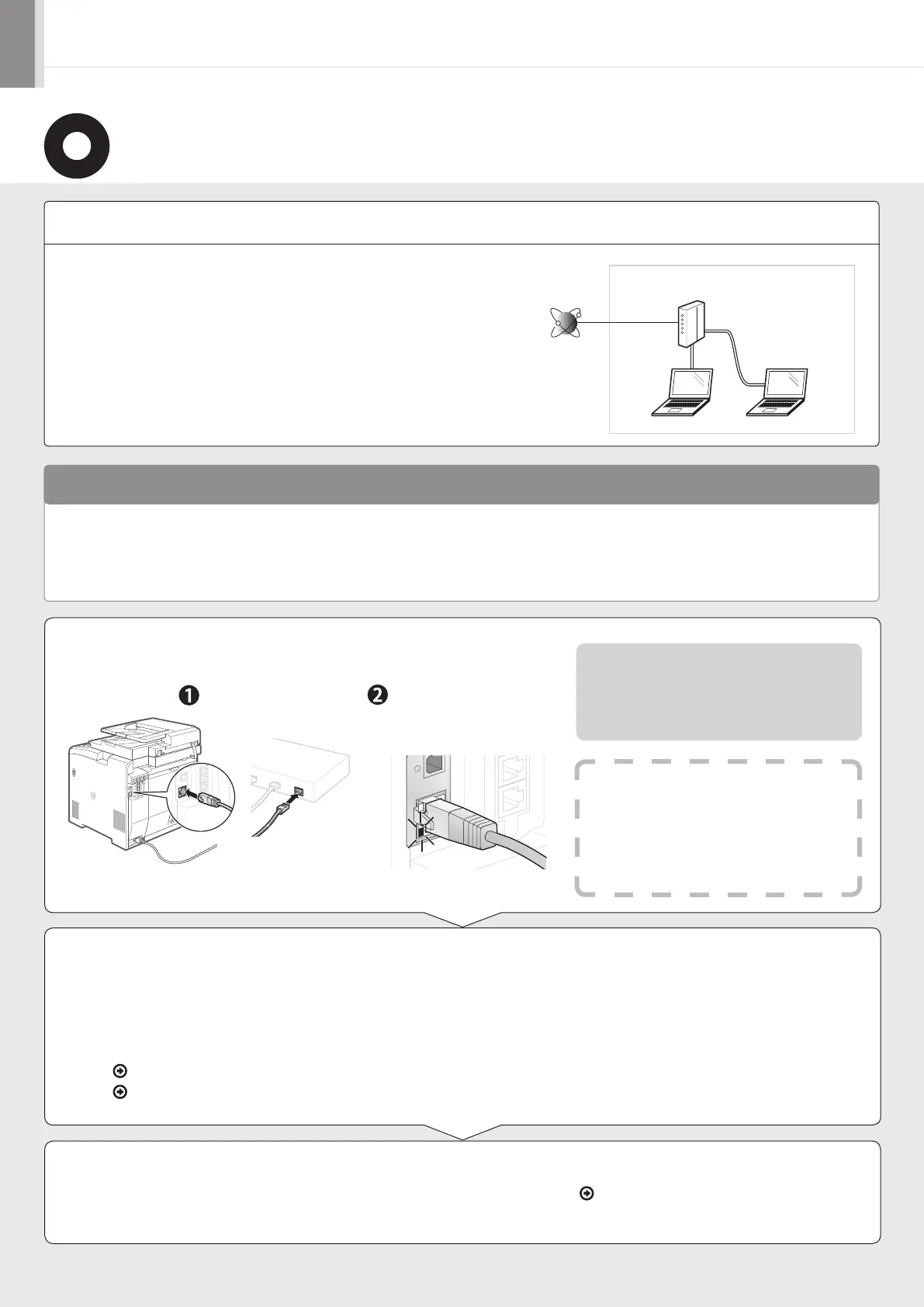
The computer and router/hub need to be connected using LAN
cables and the network settings need to be complete.
•
For more information, see the instruction manual for the network device you are
using, or contact the networking device manufacturer.
• If the network has not been set up properly, you will not be able to use the machine
on the wired LAN network even if you perform the procedure described below.
• The configuration of your computer or networked device, as well as the router functions, setting methods and security settings, vary depending
on your environment.
• You can connect the machine to either a wireless LAN or wired LAN, but you cannot use both at the same time.
• If using the machine in your office, consult with your network administrator.
Internet
Router
or
hub
LAN cable
1.
Connect the LAN cable.
2.
The machine sets the IP address automatically. Wait approximately
two minutes.
About the LAN cable
•
The machine does not come with a LAN cable,
router, or hub. Have them ready as needed.
• Use a Category 5 or higher twisted pair cable for
the LAN.
If you want to set the IP address manually, see the following.
e-Manual “Setting the IPv4 Address”
e-Manual “Setting the IPv6 Address”
Installing the Driver/Software P. 12
Connect the cable.
Make sure that the
green indicator of
the LAN port is on.
If the indicator is not on
Check the following.
• Whether the machine and router/hub are
connected using a LAN cable
• Whether the power of the machine is turned
ON













 To Next Page